
Do the check before their first shift
Until a check is recorded, their record says Right to work not recorded and every shift they are given on the rota carries a warning. They are not stopped, so a new starter can still be planned in, but you are only protected from a fine if the check is done before their first day of work.
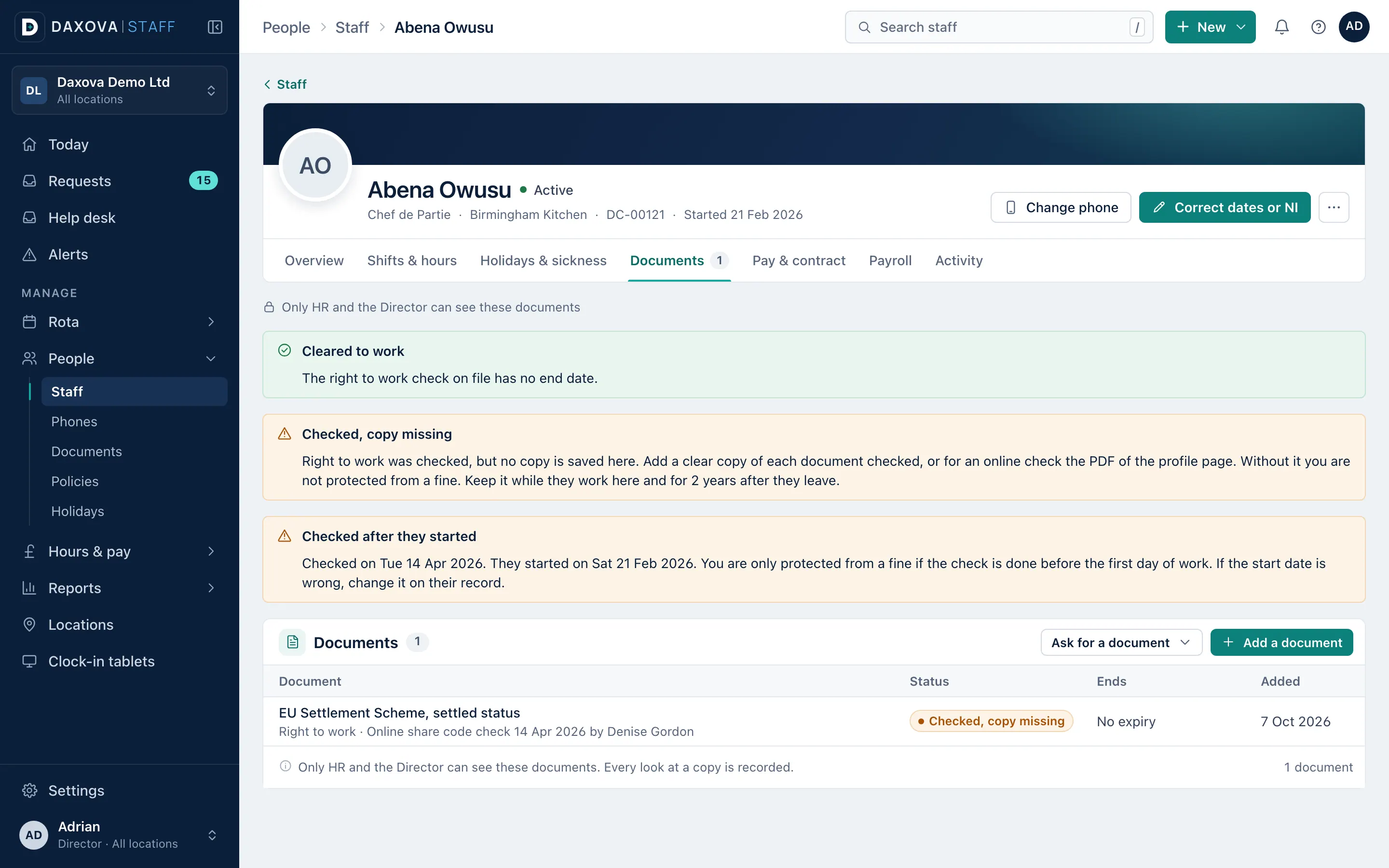
Record the check
- Open Add a document
On their record, open Documents and press Add a document. Or go to People, then Documents. From a new starter's Finish setting up card, Record check goes straight there.
- Say how you checked
Choose Right to work, then Manual document check or Online check with a share code on GOV.UK, the date and who checked.
- Time-limited?
Tick Permission is time-limited and give the date to check again by. After that date the rota stops new shifts until a new check is recorded.
- Add the copy
A clear scan of each document you checked, or for an online check the PDF of the profile page. PDF, JPEG or PNG, up to 2 MB. Then press Add document.
What the status means
- Missing
Nothing recorded yet. The rota warns on each of their shifts.
- Valid
A check is recorded with a copy, and nothing is due.
- Checked, copy missing
The check is recorded but no copy is saved. Press Add copy: without it you are not protected from a fine.
- Ending soon
It ends, or a time-limited permission must be checked again, within 60 days. The Ends column says when, such as Check due in 12 days. HR is reminded at 60 days, 30 days and on the day.
- Ended
The permission has run out. No shift can be added after that day until a new check is recorded.
If the first check is dated after their start date, the Documents tab says Checked after they started, so you can see it, or correct the start date if that was wrong.
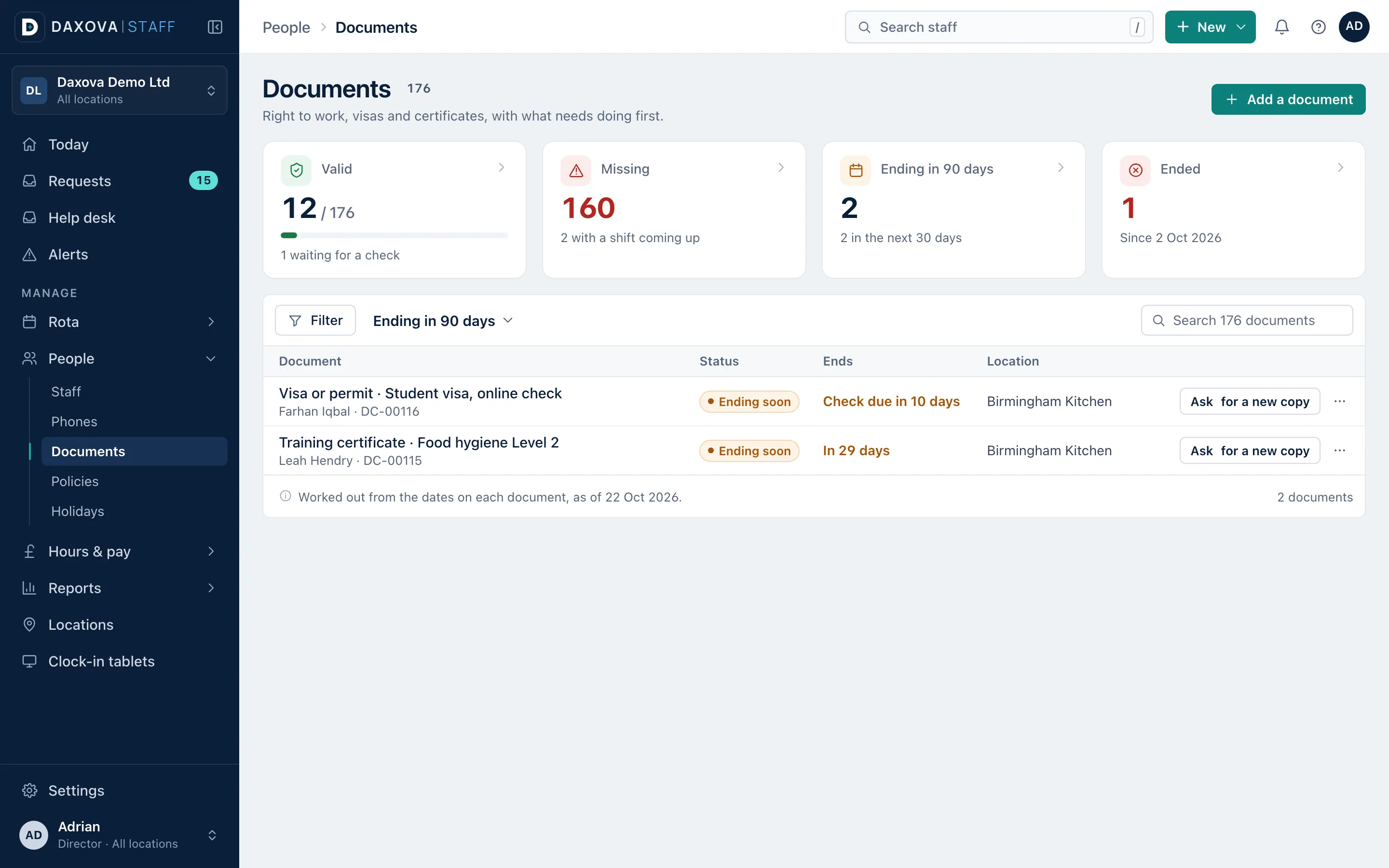
Renewals and copies from staff
- Reminders are in the portal and the staff app, never by email. Staff are asked to add a copy of their new document in the app, under Me, My documents.
- To ask for one yourself, press Ask for a document on their Documents tab.
- A photo sent from the app is never a check on its own. Check the original with them, or do an online check, then press Check on the copy and Accept and file it, or mark it Not used.
- Right to work copies are erased 2 years after the person leaves.
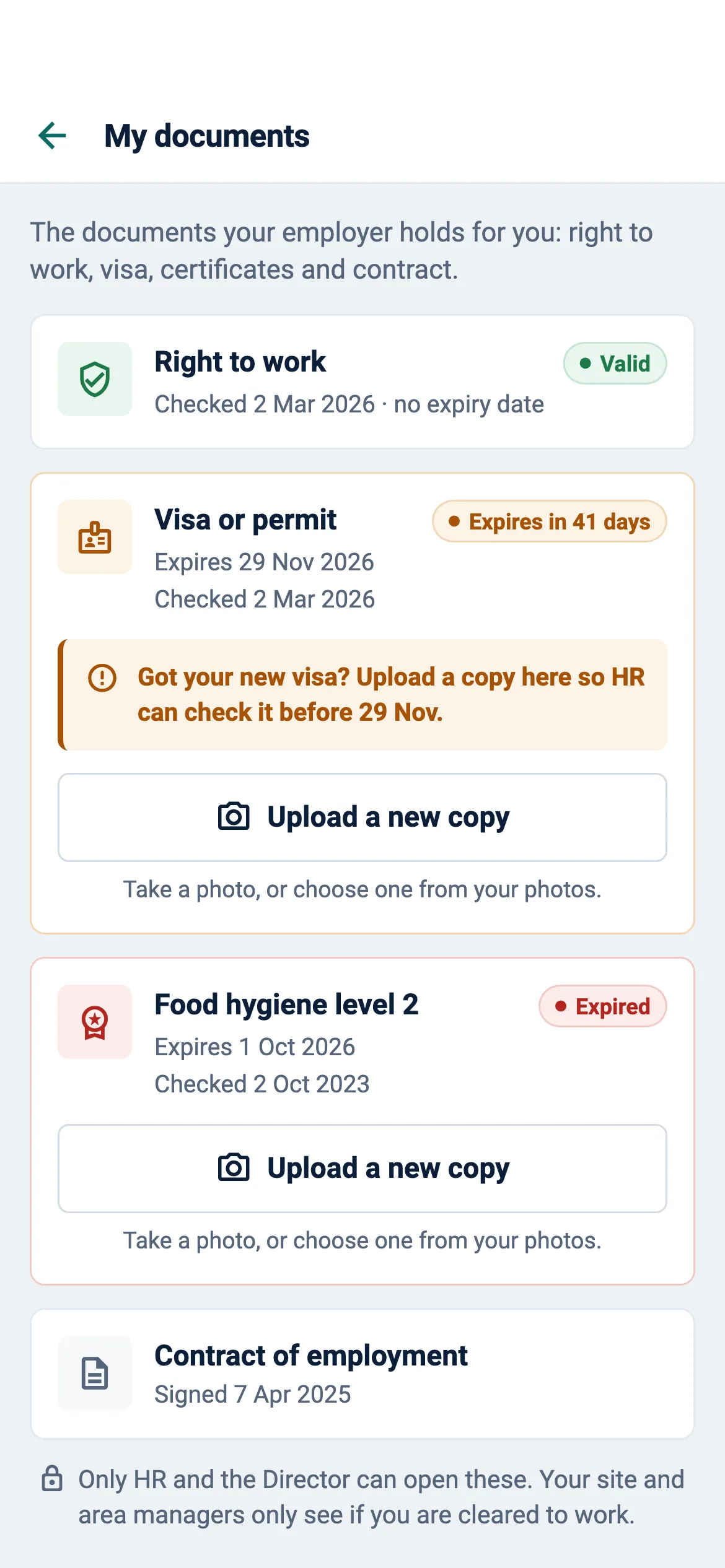
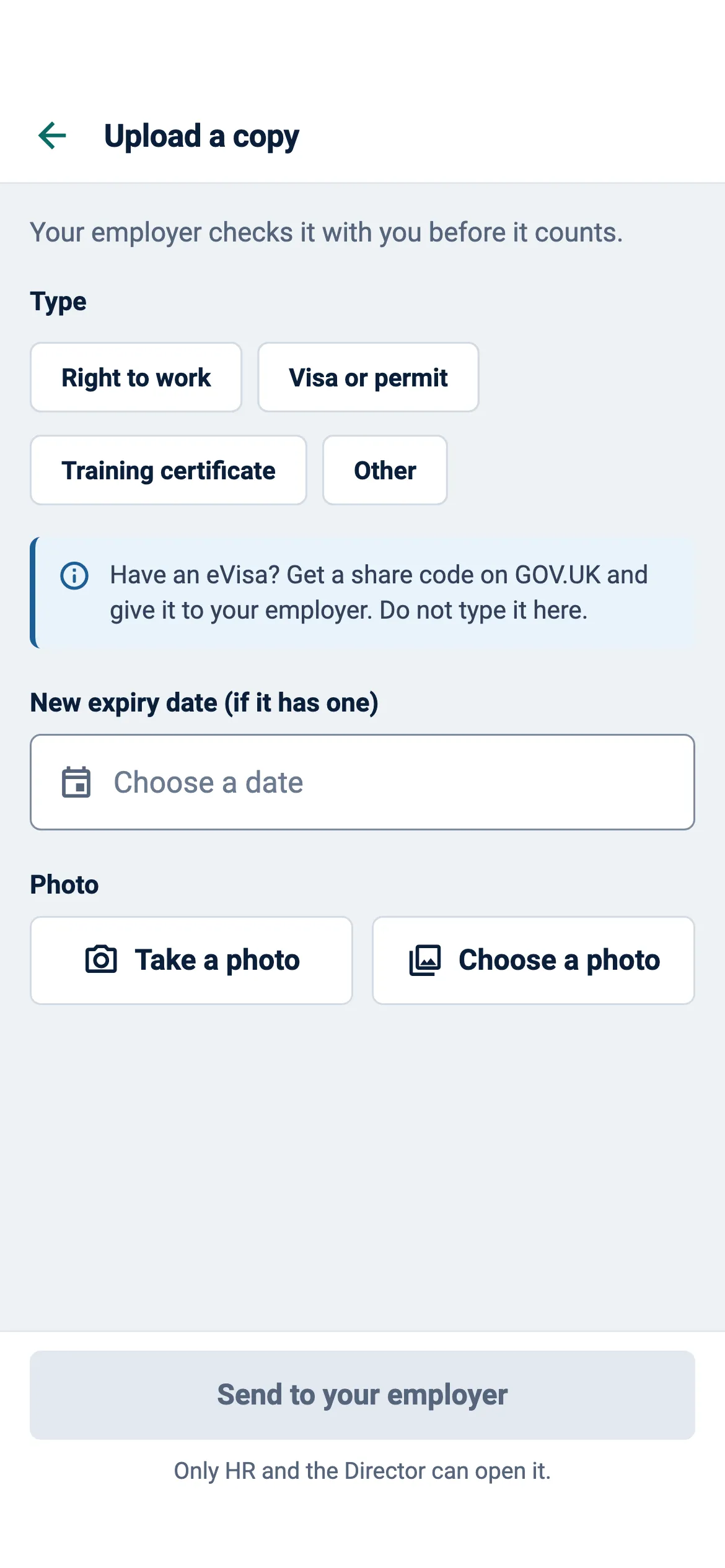
What staff see in the app. Made-up data.
Questions
Does Daxova check a person's right to work?
No. You do the check, by looking at the original documents with the person or with an online check on GOV.UK. Daxova records that it was done, keeps a copy safely, and reminds you before a follow-up is due.
Should I type the share code into Daxova?
No. Record that an online check was done and add the PDF of the profile page as the copy.
Can managers see the documents?
No. Only HR and the Director can open staff documents. Managers only see whether a person is cleared to work.
Can staff see their own scan?
No. In the app they see which documents you hold and when one needs renewing, but nobody can open a scan from the app.
Does the rota stop someone with no check recorded?
No. Each of their shifts shows a warning. Once a recorded check has run out, no shift can be added after that day until a new one is recorded.
This is not legal advice. The rules on right to work checks are set by the Home Office: read the current guidance on GOV.UK before you rely on anything here.