Product tour
One working day, screen by screen.
Follow a day with Daxova Staff, from the first clock-in to the end of the month: what your staff see on their phone and on the clock-in tablet, and what you see in the web portal. These are the real screens, with a made-up company and staff.
Free for 30 days, no card. £2 per staff member a month.

Morning
Clocking in, checked every time.
Staff clock in on their own phone, or on the clock-in tablet by the door. Either way, they appear on your Live board.
01Staff phone · start of shift
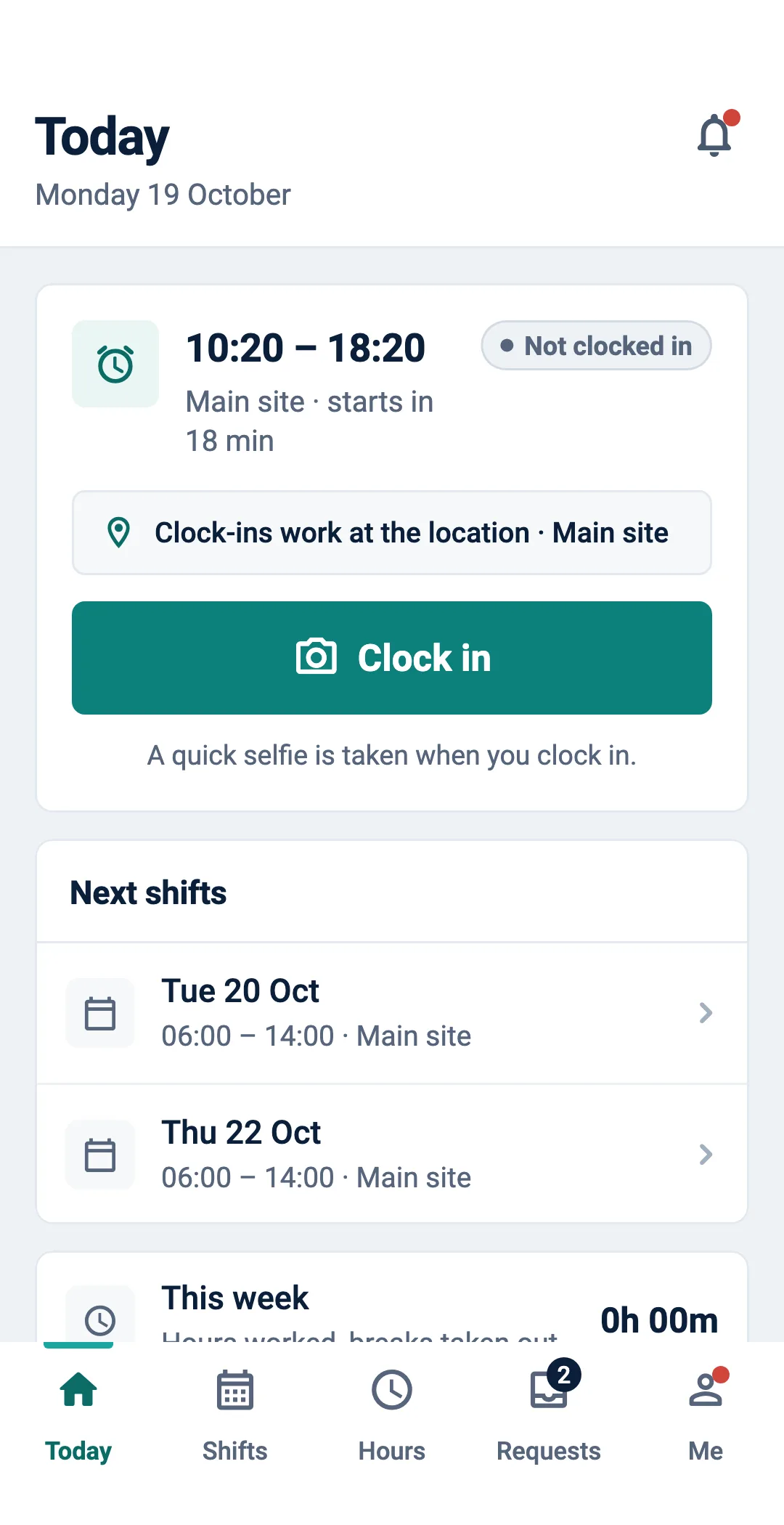
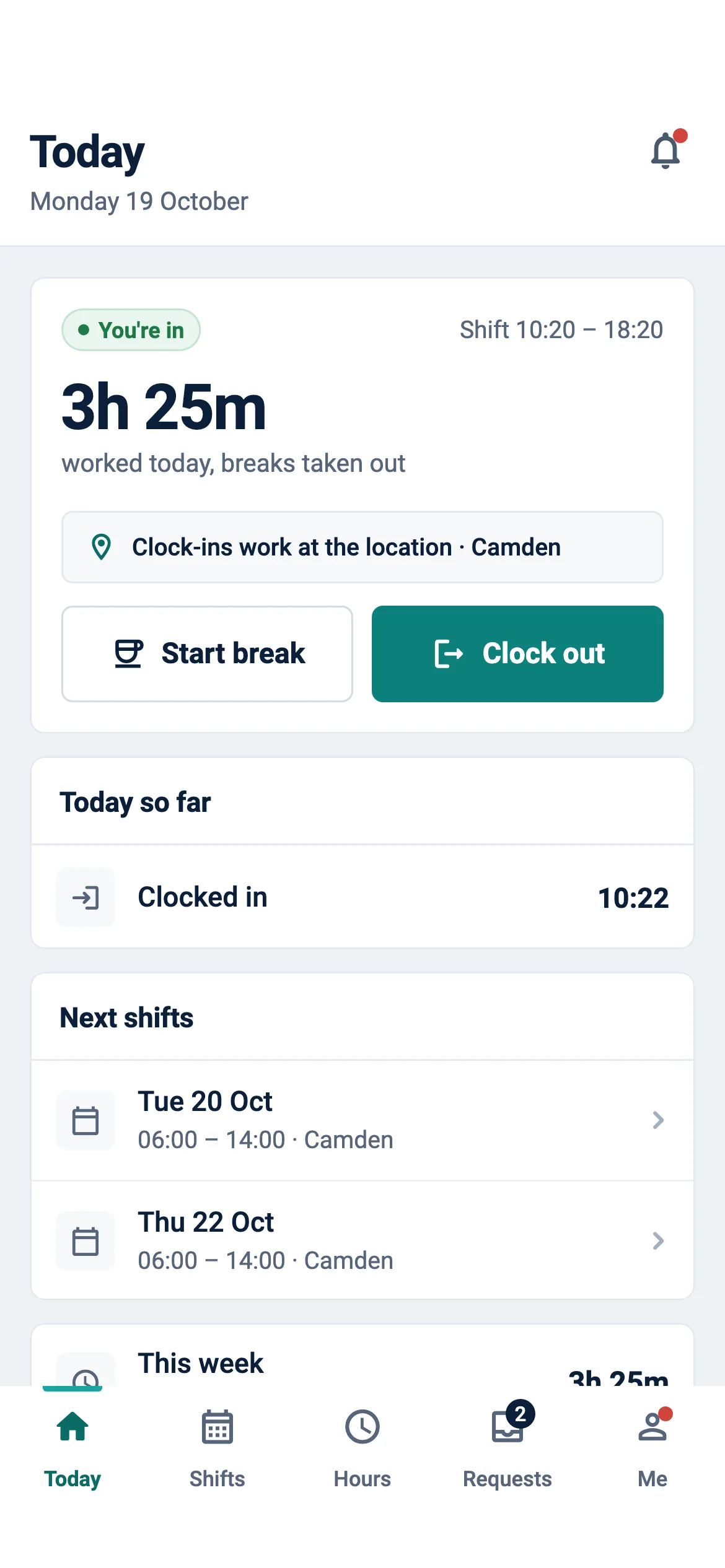
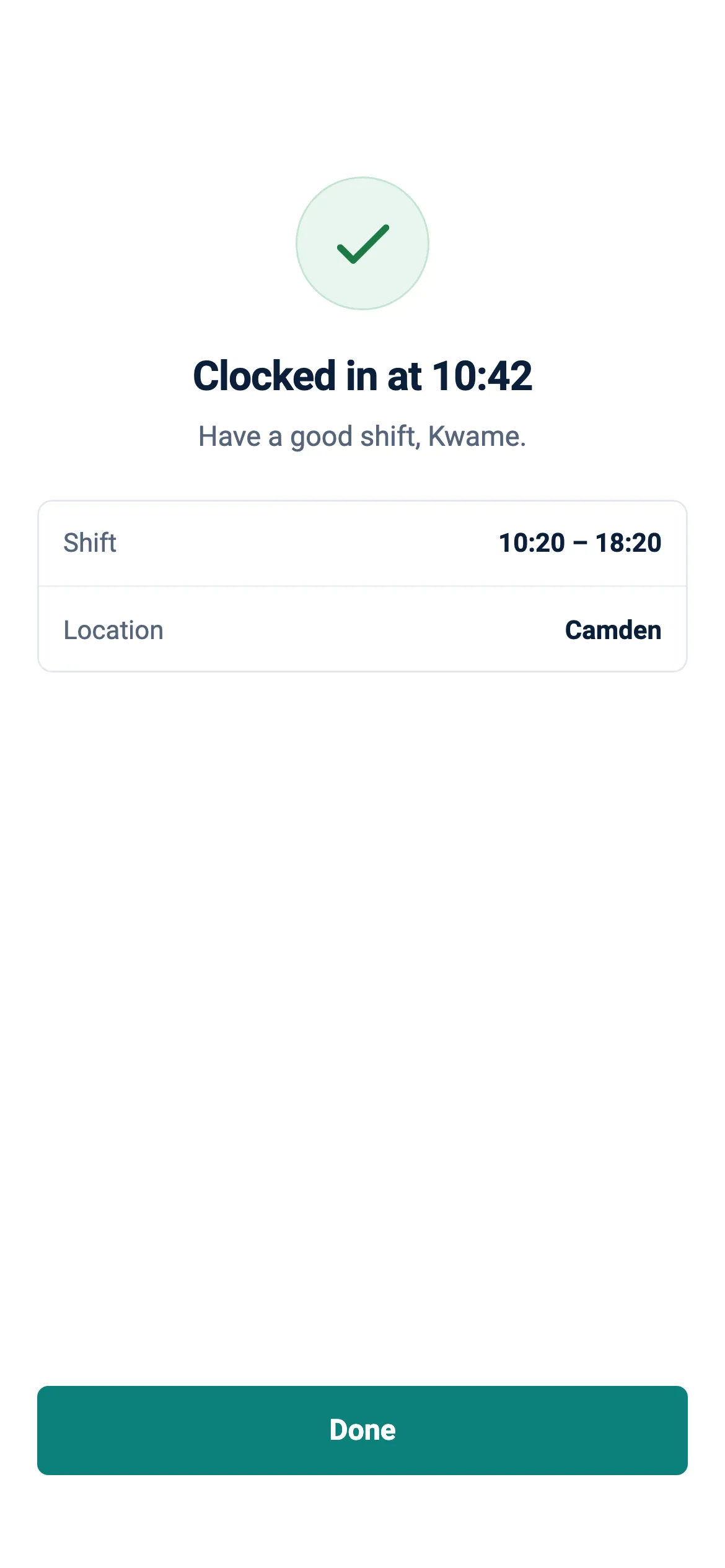
Kwame clocks in on his own phone.
Today shows his shift, the location and the times, so there is no rota on the wall to check. At work he taps Clock in, and the app takes a live photo with the front camera. Breaks and Clock out work the same way, from the same screen. His phone’s location is read only at the moment he clocks in, never in the background.
He shows on his manager’s Live board within 30 seconds.
- 1
His own linked phone
The clock-in must come from the phone linked to him.
- 2
At the location
On the location’s WiFi or near its address. Fake-location apps are refused at locations that check where the phone is.
- 3
A live photo
At every clock-in and clock-out. It can’t come from the gallery. Photos are stored encrypted, and every viewing is logged.
02Clock-in tablet · at the door
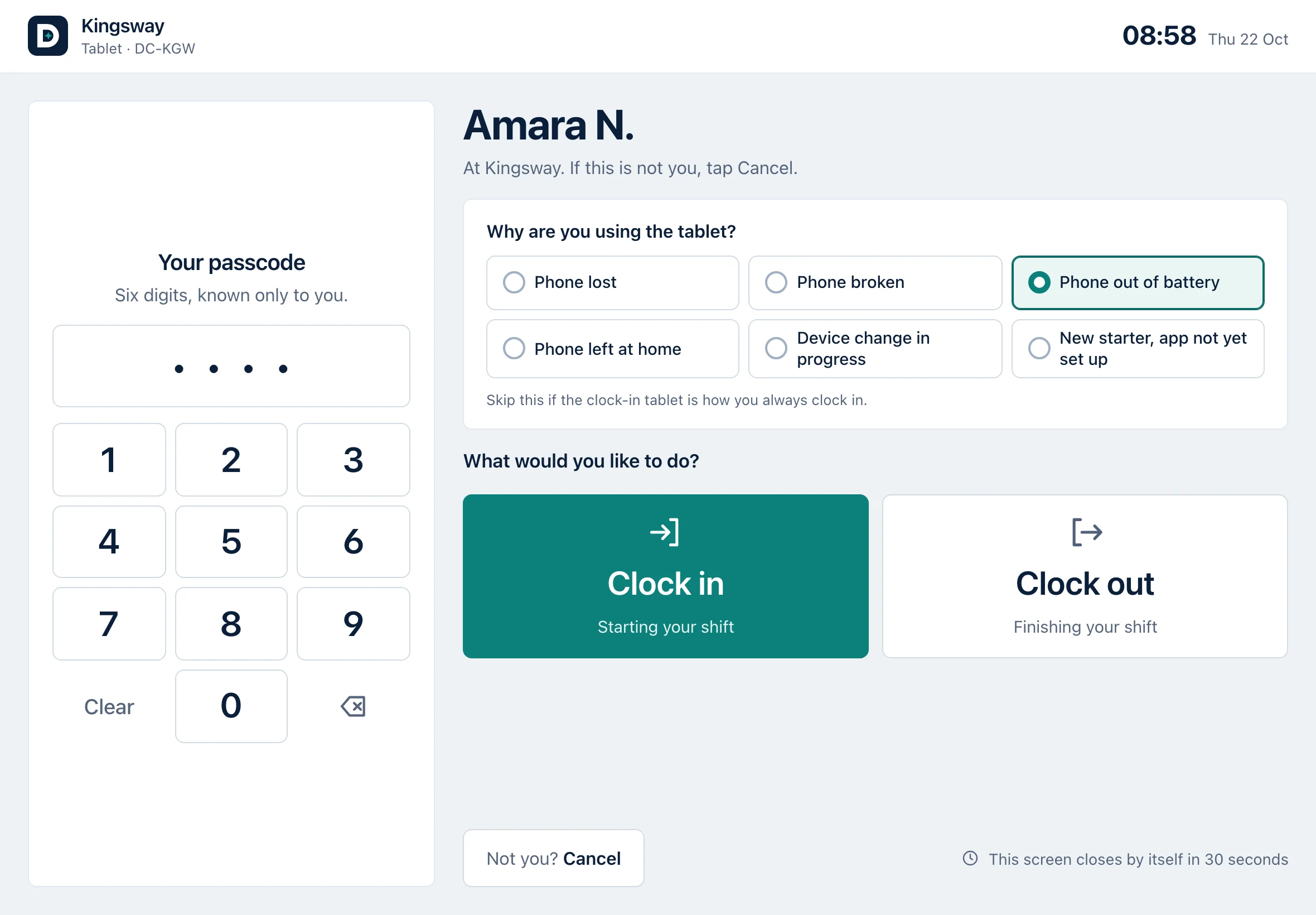
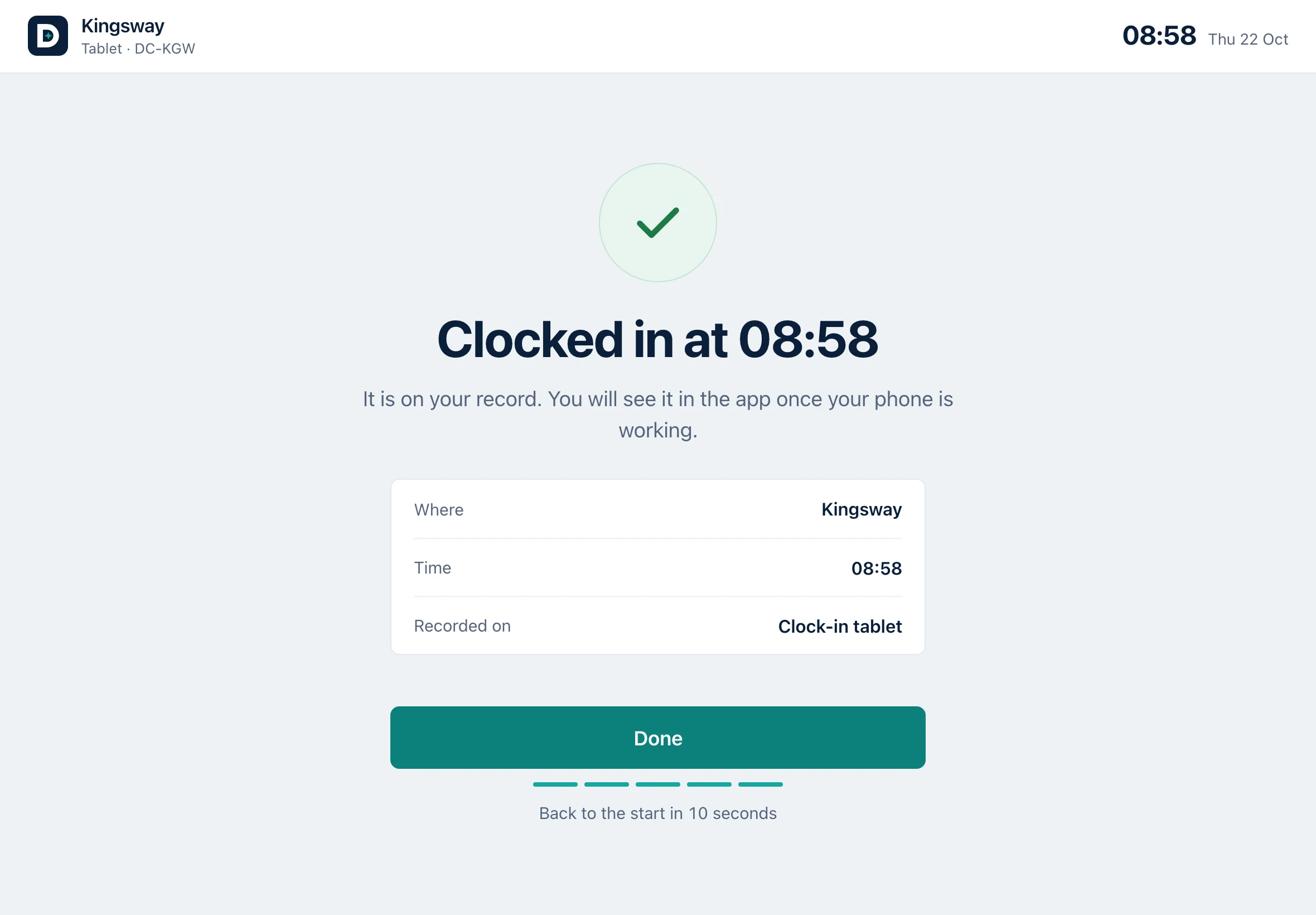
No phone with her? Amara uses the tablet by the door.
For staff without a smartphone, or anyone who prefers it. Open the tablet’s pairing link once, in a web browser on a tablet or screen you already own. Nothing to install and no hardware to buy.
- Staff code, or find your name. Type the number on your staff badge, or the first letters of your name and pick yourself from up to five matches.
- A passcode confirms it’s really you. There is no password to remember.
- You show on the Live board, and the screen goes back to the start for whoever is next.
- It takes no photos and keeps nothing about anybody. If it goes offline during opening hours or a shift, you get an alert.
During the day
Running your locations from the web portal.
What a manager sees between opening and closing: who is in, alerts worded as notes, requests decided in one place, and a rota that flags what breaks the rules.
03Live · first hour
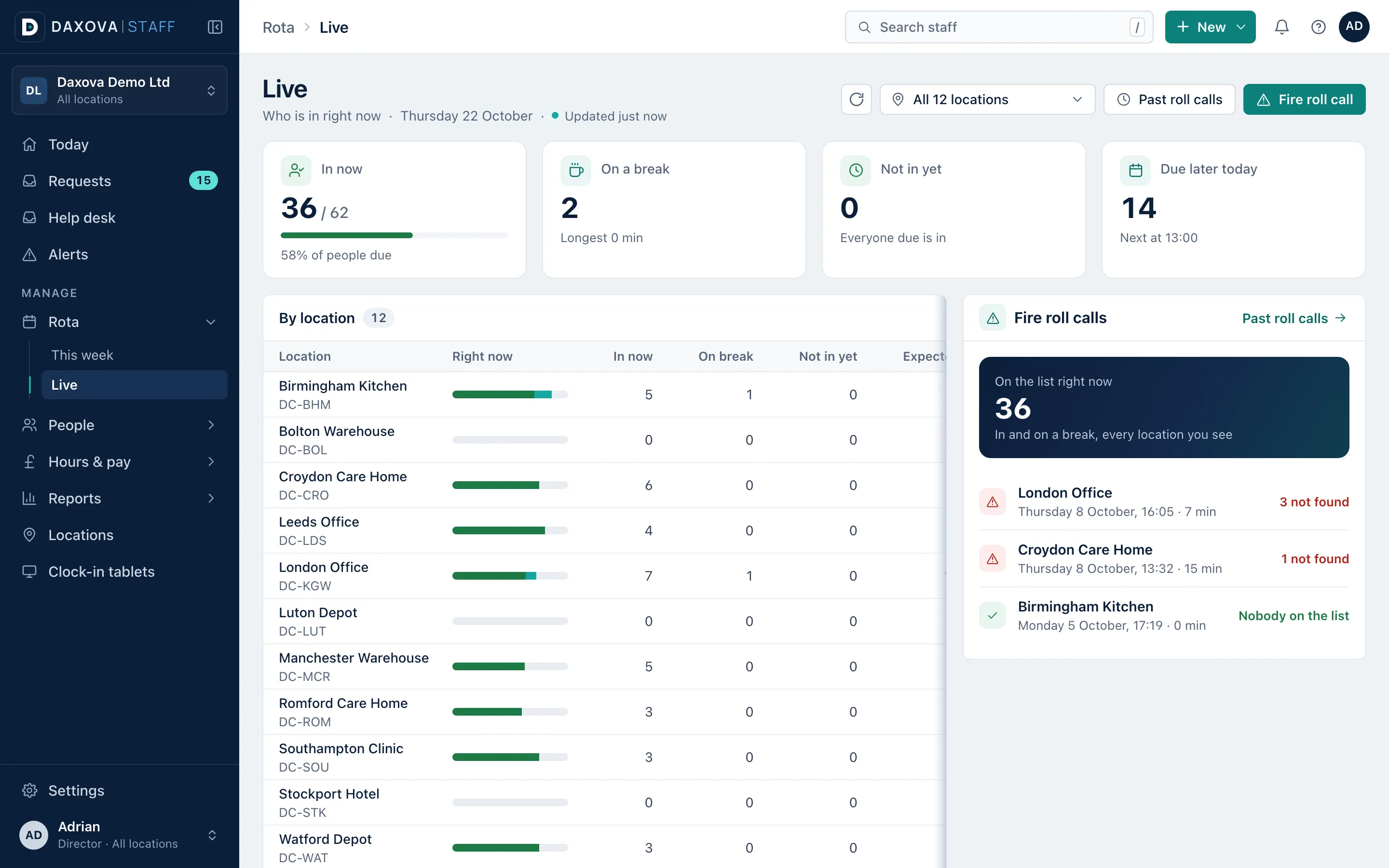
See who is in, right now.
Today shows who’s in, who’s late, who’s on break and who isn’t in yet, plus anything that needs your attention. Live shows everyone at the location right now, how each person clocked in and their status.
- Live refreshes every 30 seconds, and pauses after 30 minutes without use until you press Refresh.
- The portal fits a phone too, with Fire roll call at the top of Live.
04Alerts · running late
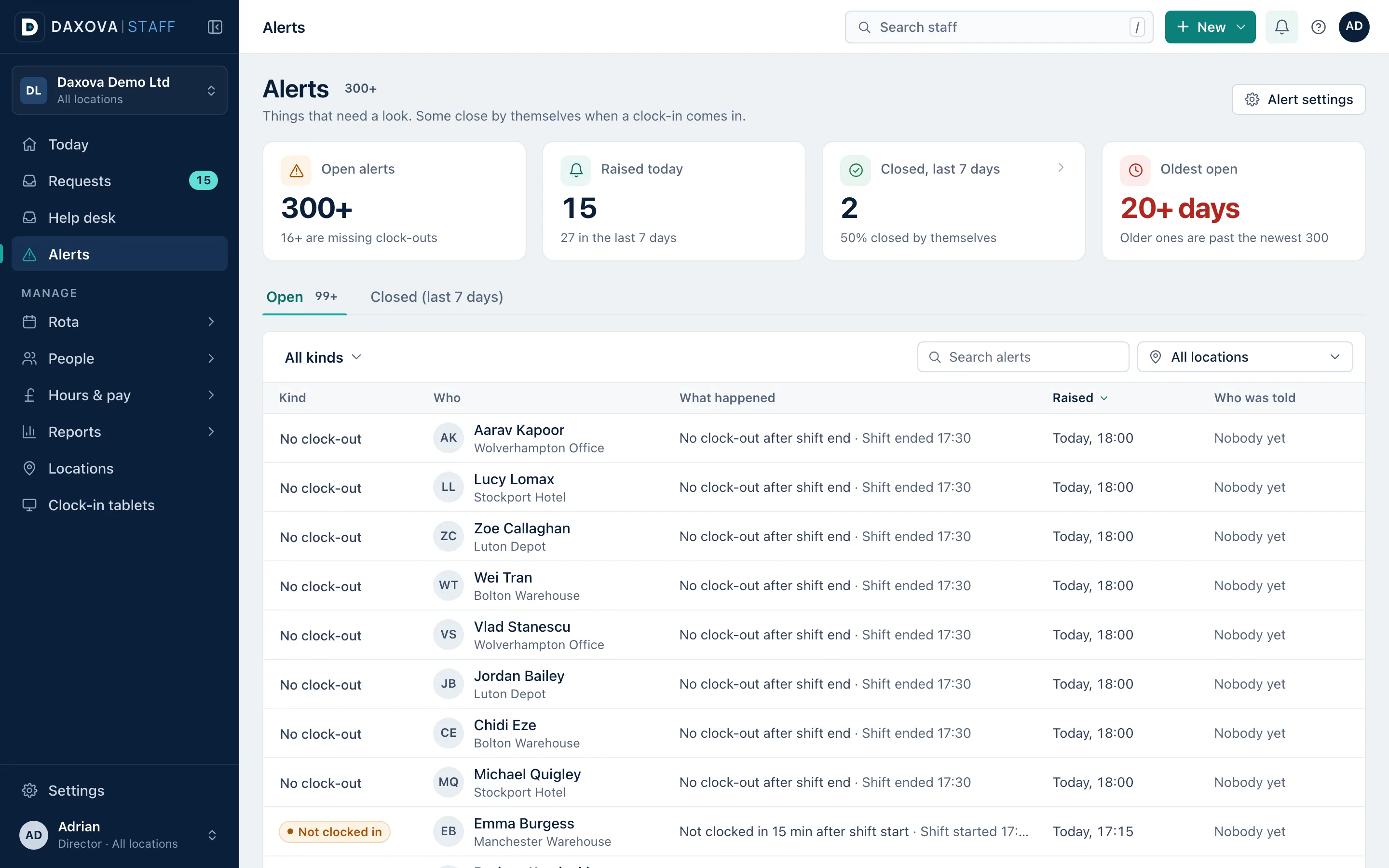
Someone isn’t in yet. You get a note, not an accusation.
When someone has no clock-in at their rostered start, an alert opens. Alerts are worded as notes, never accusations, and wait in the Alerts inbox until someone closes them.
Close one with a short explanation, such as “Bus delayed, clocked in at 09:06.” The reason stays with the record for anyone who looks later.
05Holidays · mid-morning
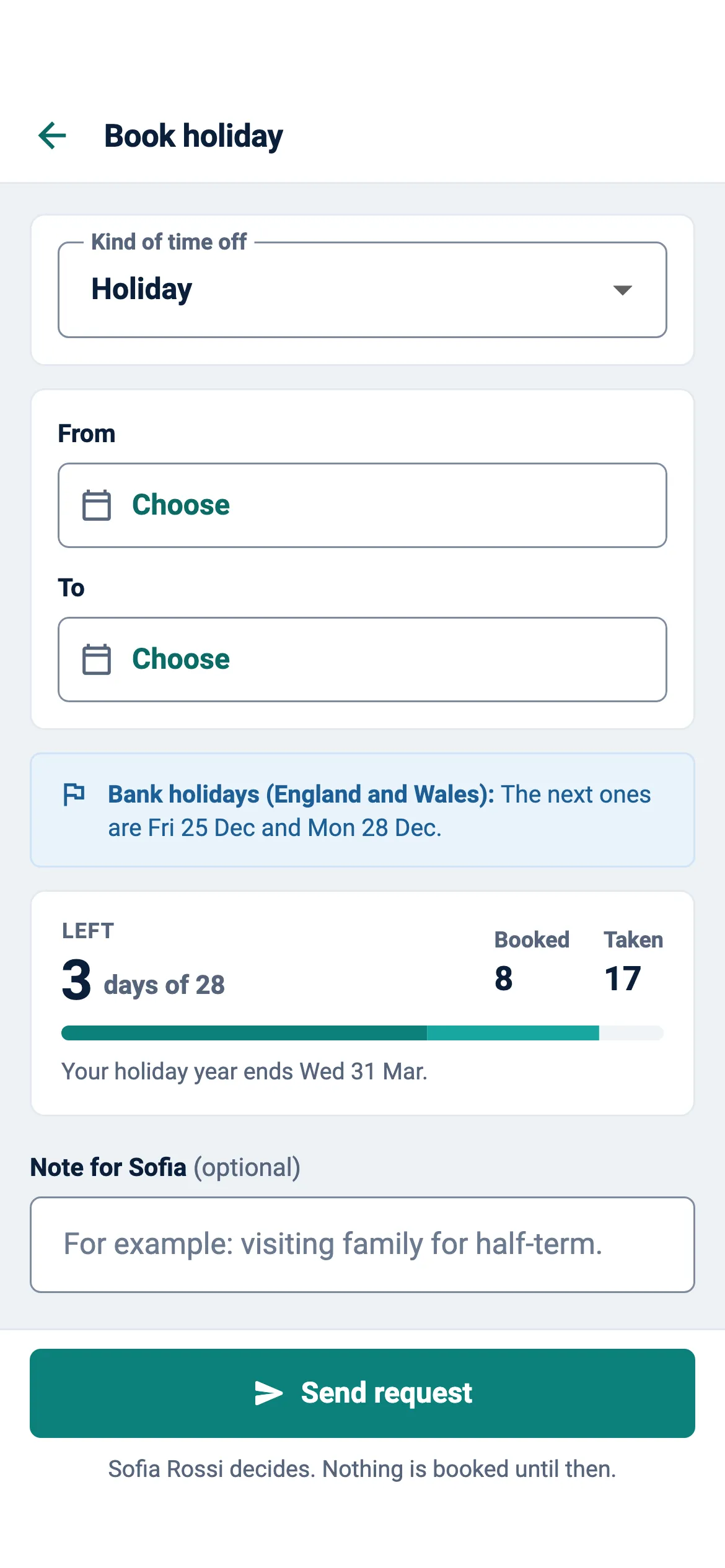
Approve a holiday, and she knows straight away.
Staff ask for holiday in the app, in whole or half days, and see what they have left. You decide in the portal, where you see the days left now and after this holiday, their note, and who else is off at the location.
- Approve or decline: they are told in the app either way.
- Their shifts on those days are marked as off, not deleted.

06Clock-in fixes · lunchtime
Fix a clock-in without losing the original.
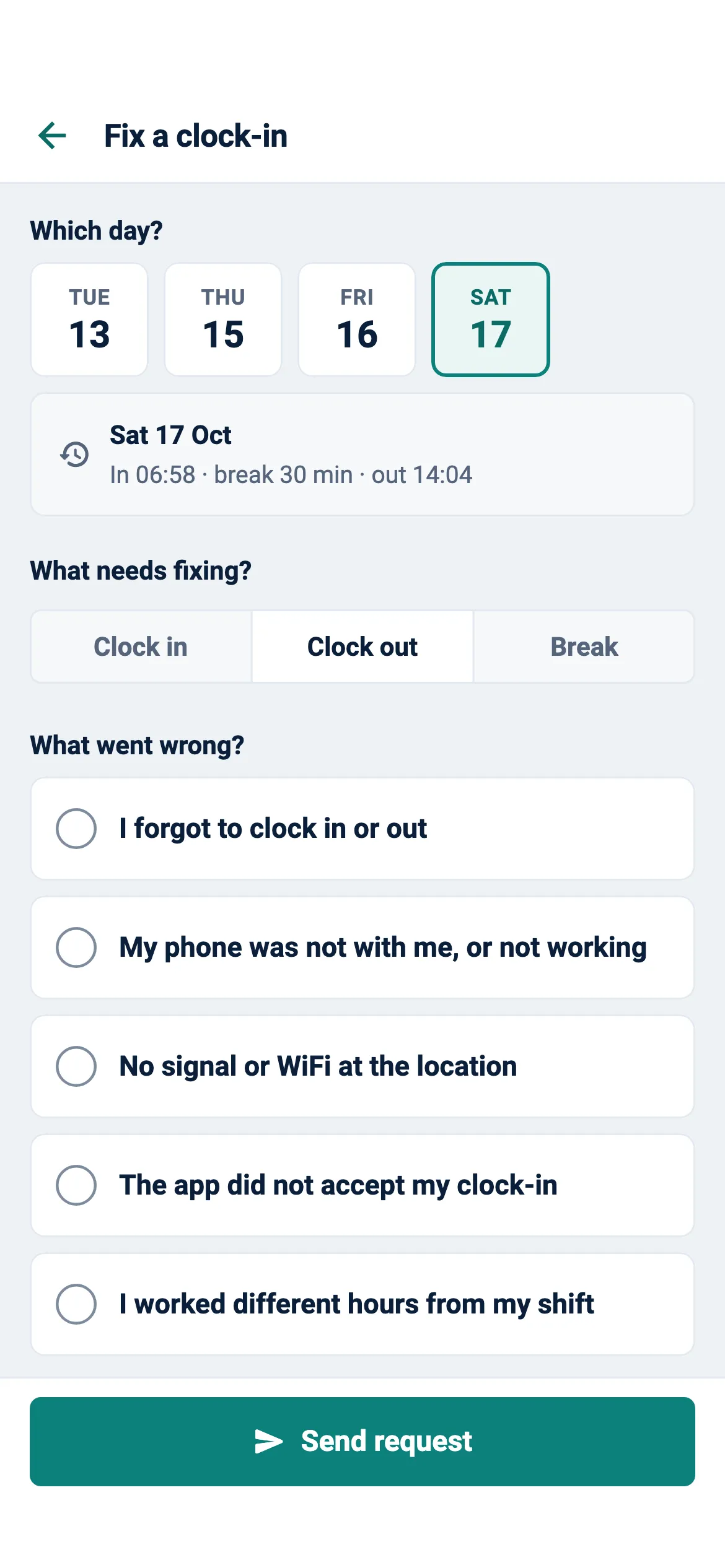
Staff ask for a fix in the app: which day, what needs fixing and what went wrong. It waits in Requests, oldest first, with holidays, shift swaps and extra hours on the tabs beside it, and nothing changes until someone decides.
You see what was recorded beside what is asked for. A fix is a new entry: the original clock-in is kept, the record shows who added the fix and why, and the person is told either way. Forgot to clock out? Add the clock-out yourself, with a reason.

07Rota · afternoon
Publish next week’s rota.
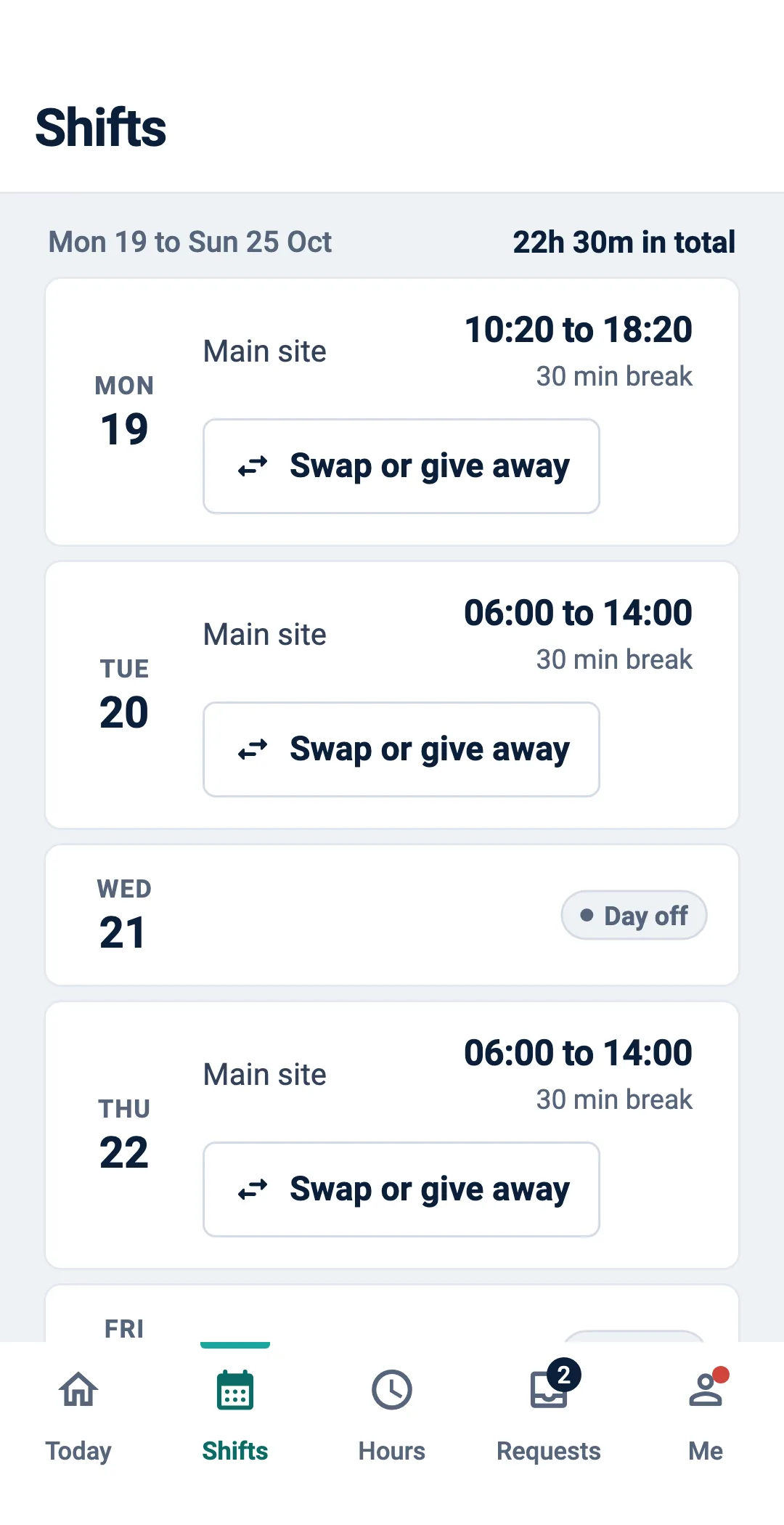
Copy last week fills in next week’s draft. Change what’s different, or import shifts from an Excel template instead. Staff see the week in the app when you publish it, and only the people whose shifts changed are told.
- Right to work ending
- Outside opening hours
- Not available
- Over wage budget
- Less than 11 hours’ rest
- No day off
- Over 48 hours
- Weekly hour limit

08Fire roll call · any time
Fire roll call, ready when the alarm goes.
From Live, start a fire roll call: a named list of everyone on the premises. Tick people off, print it, or mark someone off site, confirmed by phone. Every roll call is kept, with a CSV.

Month end
Month end, from the same records.
What an owner or Director sees when the month ends: reports built from the clock-ins, pay from the locked hours, and records your accountant can check.
09Reports · end of the month
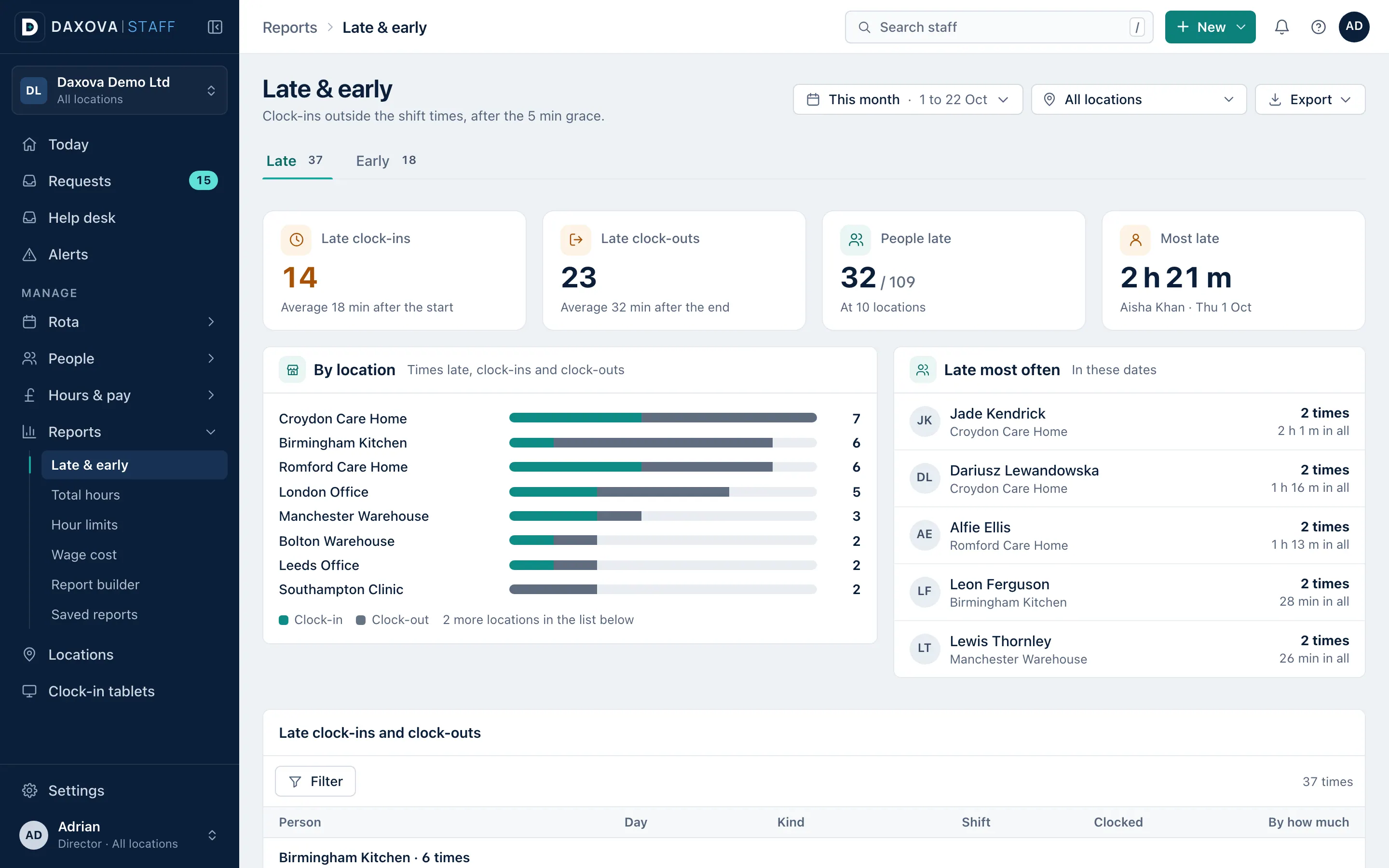
Late & early, ready to send.
The Late & early report sets real clock-ins against the rota, with a grace period you choose. Download it in Excel or PDF. Total hours, hour limits and wage cost sit beside it in Reports.
10UK payroll, a £1 add-on · payday
Lock the hours, then run payroll.
Pay is worked out from the clock-ins, holidays and pay rates. Lock the pay period, and the pay run is built from the locked hours. UK payroll is £1 per staff member on payroll a month, free during your trial.
- Daxova works out pay, tax, NI, student loans, statutory pay and pensions.
- It makes payslips, the bank file and the reports, including the P32 and a journal.
- It sends your FPS and EPS to HMRC when you choose: add your HMRC Online login and switch on sending for real. Or leave it to your accountant.
- Directors and HR see every payslip in the portal now; staff see their own in the staff app from its next update.

11Record check · every night
Records your accountant can check.
Every change is kept, with who, when and why, and the original is never lost. Each location’s record is chained together and checked automatically every night, and in full on the first Sunday of each month. Record check shows the result for every location.
- Download each location’s records for the month.
- Your accountant checks the file with our free checking tool, which runs on their own computer.

Every day
Who sees what, and who can look.
Every location on one screen
A Director sees all their locations at once: who’s in, late, on break and not in yet, location by location.
Who can sign in, and what they see
Invite HR, Area Managers and Site Managers, each limited to their own locations. Two-factor sign-in is required for every office user, and office users who only use the web portal are free.
We look only when you say so
Daxova support can look at your account only after a Director approves. Access is read-only, ends after 1, 4 or 24 hours, and every page we read is logged.
Questions
About the tour.
Is this the real product?
Yes. Every still screen on this page is a screenshot of Daxova Staff: the web portal, the staff app and the clock-in tablet, running with a made-up company called Daxova Demo Ltd and made-up staff. The short holiday clip in step 5 replays the holiday screen as an animation. To use it with your own locations and staff, start your free trial.
Can I click around it myself?
Yes, with a free 30-day trial that you start online in a few minutes. There is no demo account, so you try it with your own locations and staff. No card.
Does the staff app work today?
The Android app is in testing, and the iPhone app is not in the App Store yet. The clock-in tablet works in any web browser today, and staff without the app choose their passcode from a link, so your team can clock in from the first day of your trial.
Want to see something that isn’t here? Email sales@daxova.co.uk or book a demo with our team.