Records you can show, for any shift, day or night.
Staff clock in at a tablet by the staff entrance or on their own phone. Right to work checks and certificates warn you before they run out. When the alarm goes, you have a named list of everyone in the building.
£2 per staff member a month, everything included. Office users free. £12 minimum, no VAT.
staff.daxova.co.uk
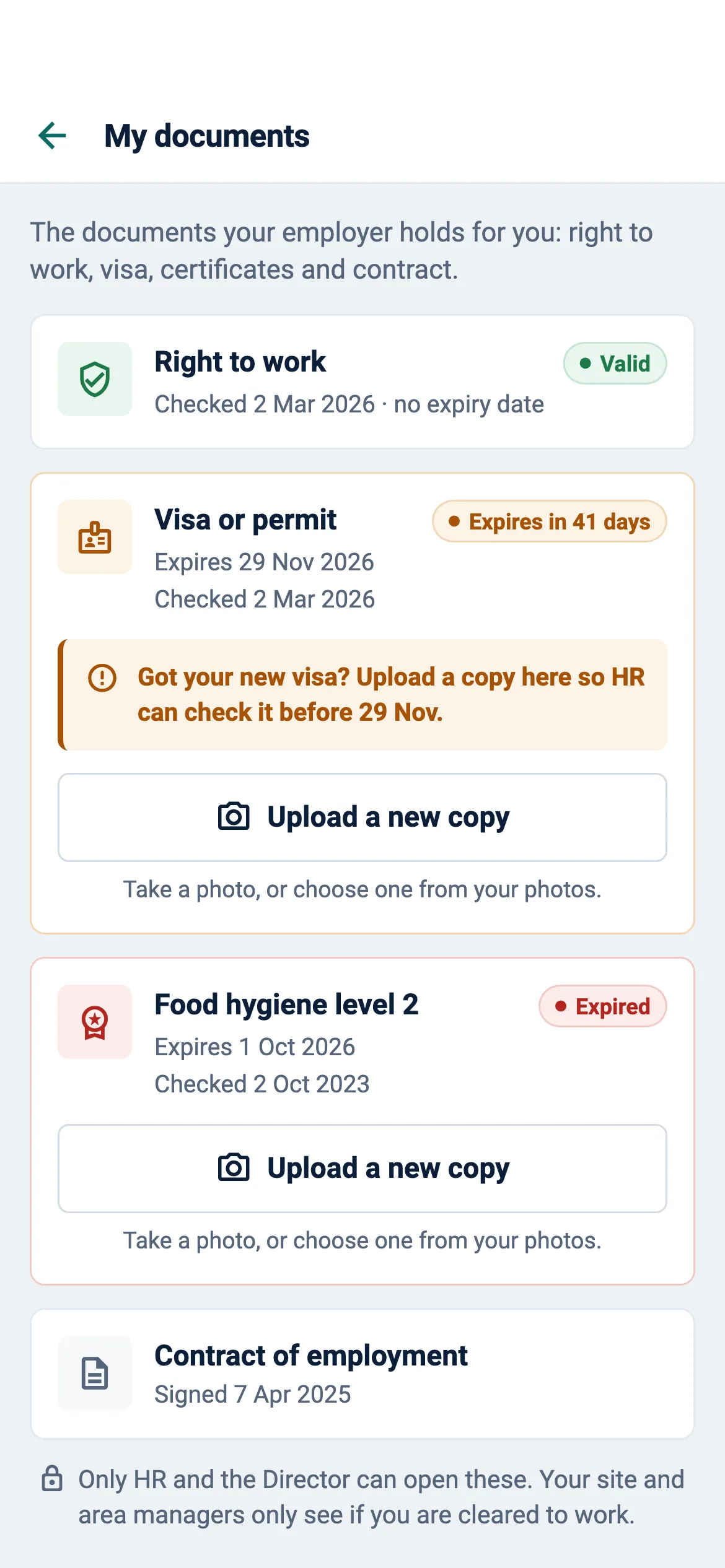
Documents: what ends soon, and asking for a new copy. Made-up data.
Residential homes
30-day free trial, no card
Named fire roll call
Nights and handovers covered
One care day, 08:00 to 08:00
A care home never closes. The record has to keep up.
Four moments where a paper signing-in book lets a home down, and what Daxova Staff does at each.
07:55
The day team clocks in
Everyone clocks in at the staff entrance, phone or no phone, instead of a book filled in from memory.
19:45
Handover runs on
A missed clock-out raises an alert. The carer asks for a fix in the app and a manager decides.
03:12
The alarm goes
Start a fire roll call from Live and get a named list of everyone the system has in the building.
08:00
Back on too soon?
The rota warns about less than 11 hours’ rest before the shift is worked, nights included.
Working time
Back on too soon? The rota says so before it is worked.
Covering a gap means a night, then a late, and nobody spots it until it has been worked. Every shift is checked as you add it, and a shift can run past midnight.
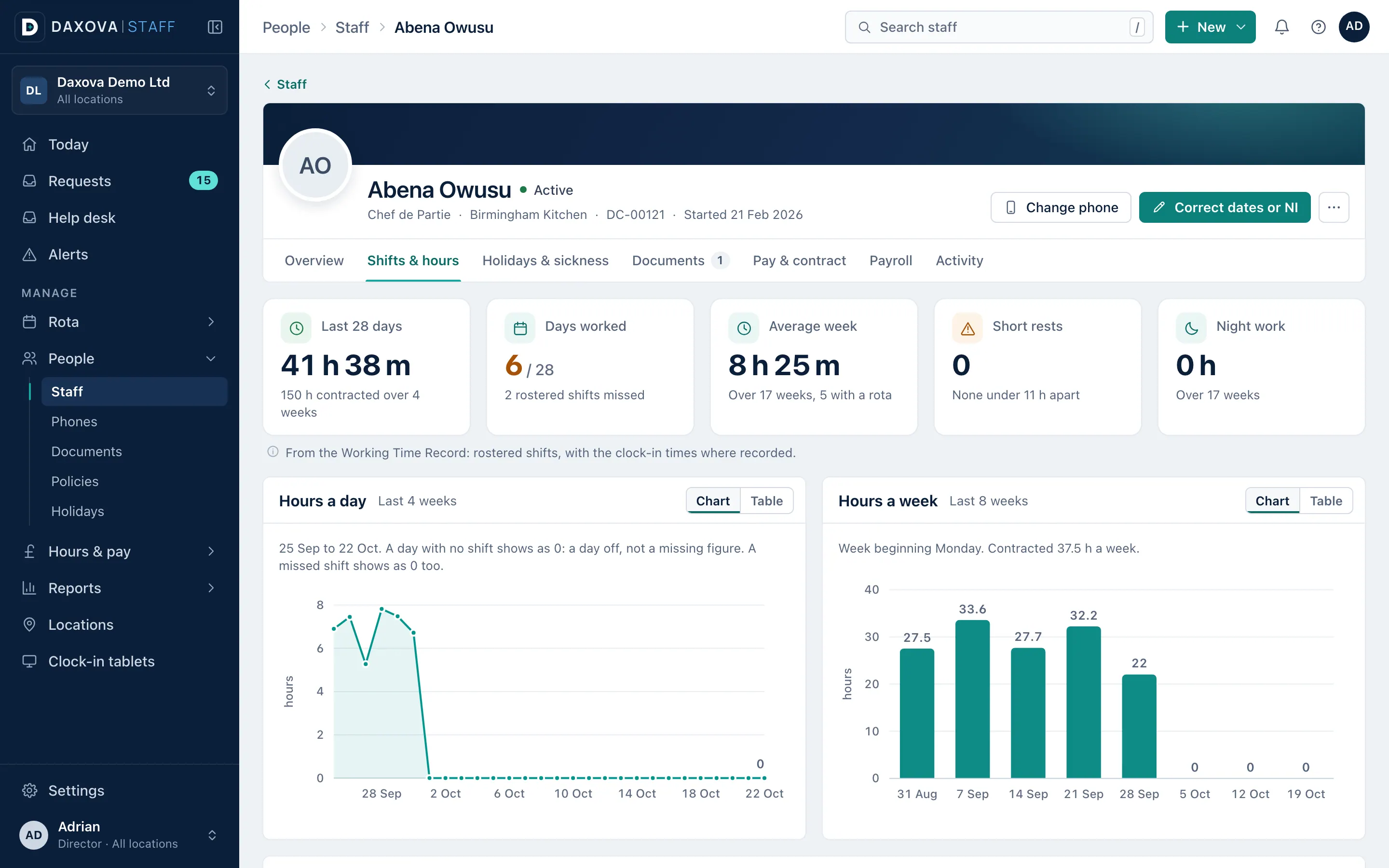
Under 11 hours’ rest between two shifts gets a warning beside the shift
No day off in the week, or over 48 hours without a signed opt-out, gets one too
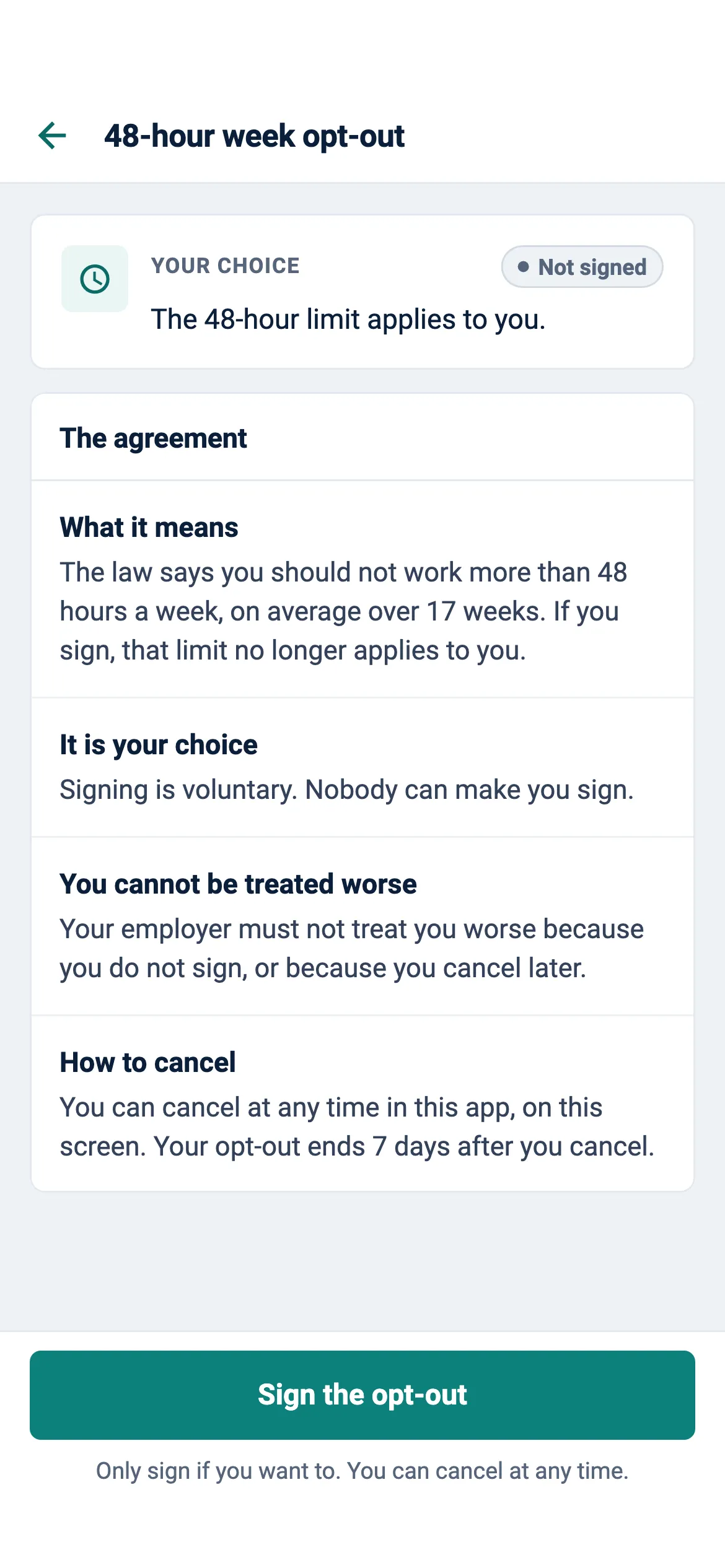
The opt-out is the person’s own choice, signed in the staff app and cancelled there at any time
Each warning stays beside the shift until you mark it checked
A person’s Shifts and hours tab: weekly hours, short rests and night work. Made-up data.
Sickness and absence
Who is off, and who needs a fit note.
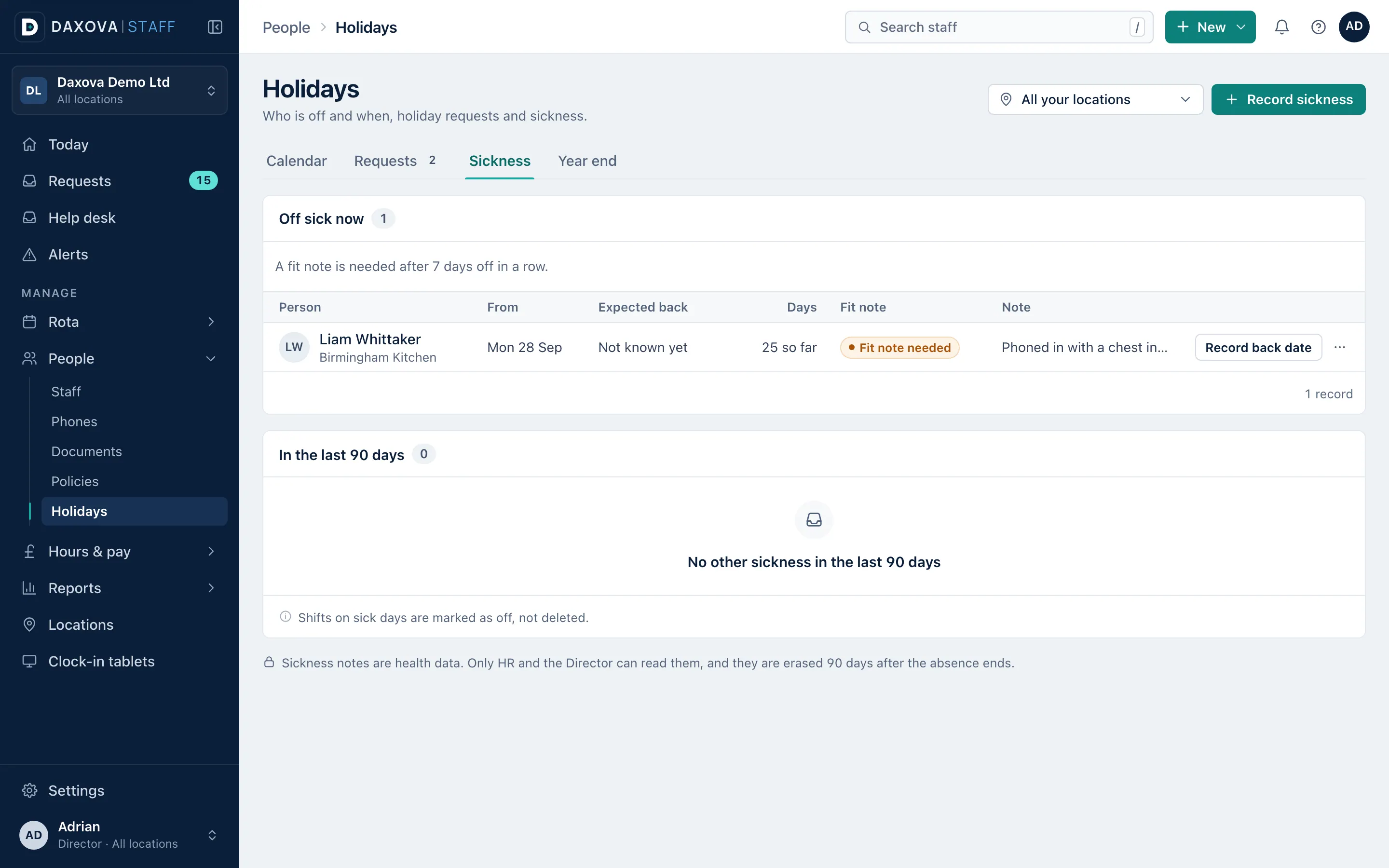
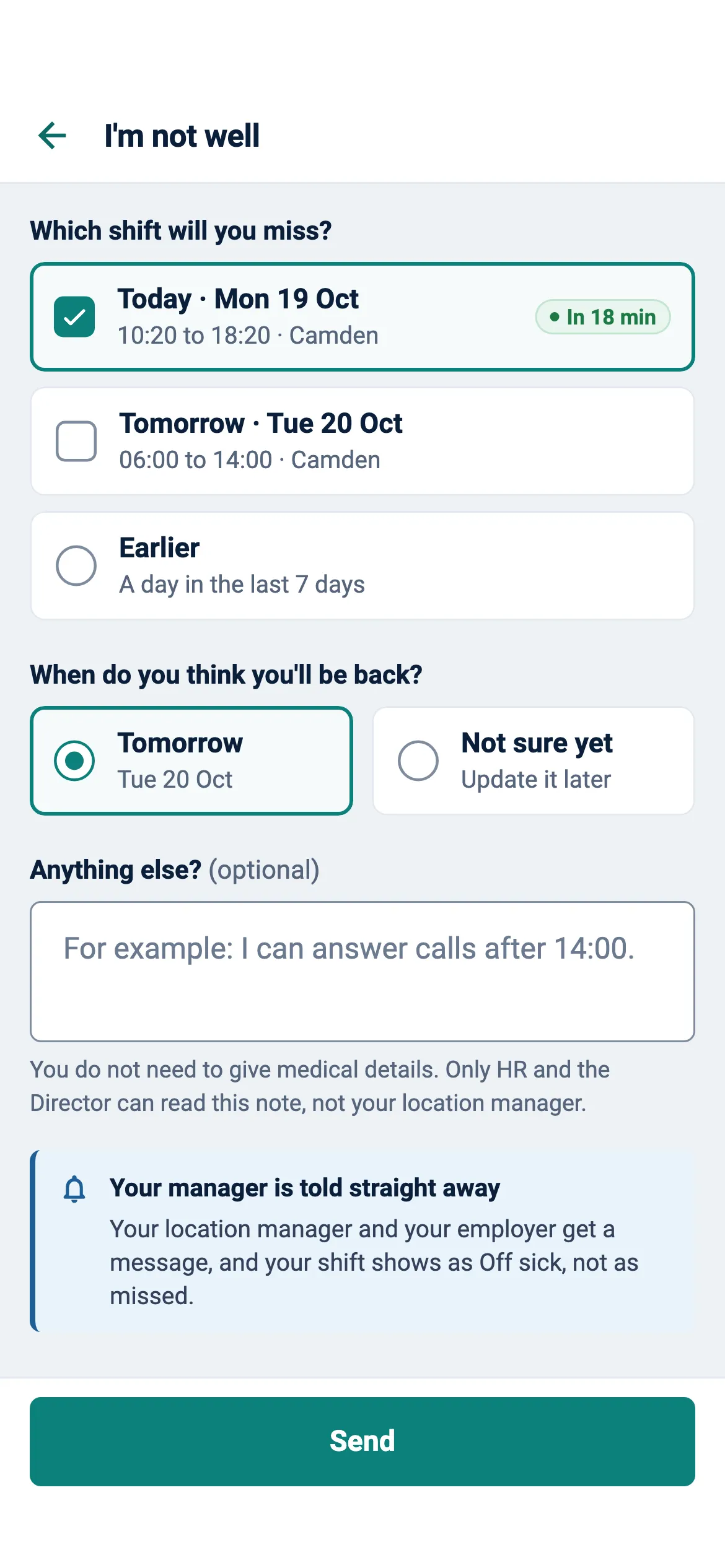
Care teams cover for each other every day. Staff report sickness in the app: which shift, when they expect back, a short note. HR sees who is off on one tab, with the point a fit note is needed after 7 days.
Reported from the app, so the manager knows before the shift starts
A privacy line on the tab: sickness details are for HR, not for everyone
Sickness feeds statutory sick pay when you run payroll in Daxova
Sickness: who is off, with a fit note reminder. Made-up data.
Clocking in
One tablet by the staff entrance. Every carer, every shift.
Put any tablet or screen with a web browser by the door. It keeps nothing about anybody and takes no photos.
clock-in tablet
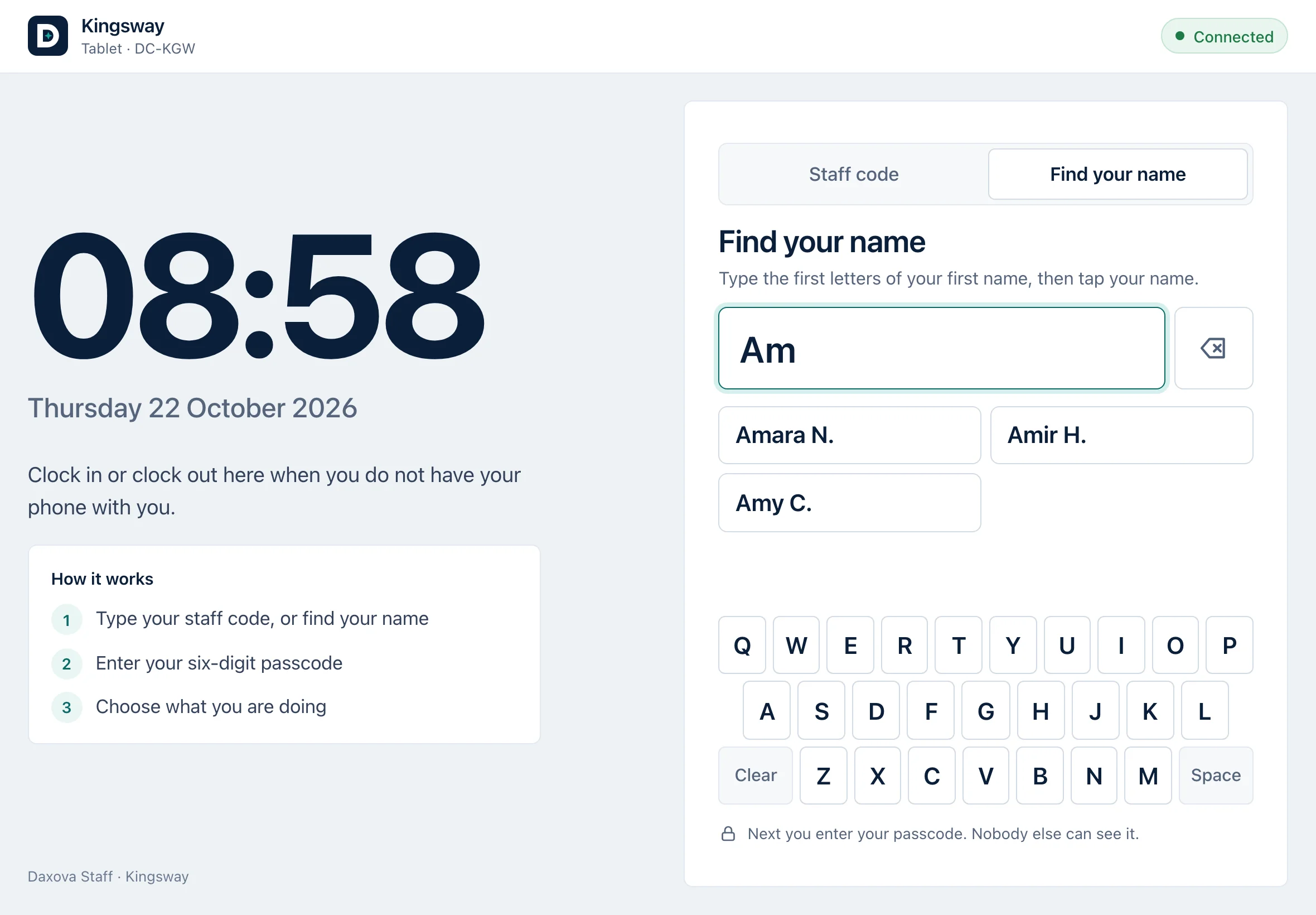
Find your name: for the bank carer who does not remember a staff code.
clock-in tablet
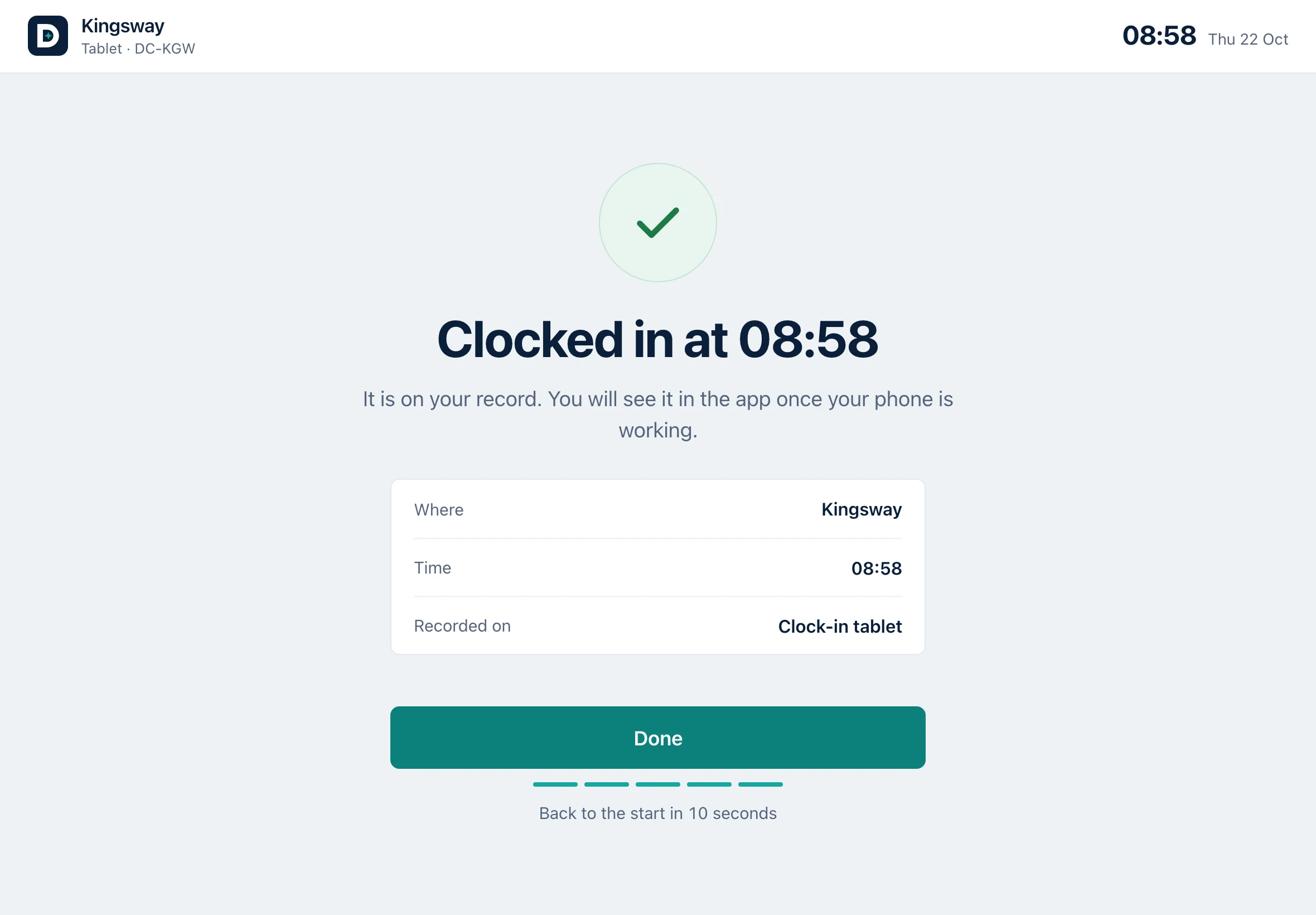
After the passcode: Clocked in, then back to the start in 10 seconds.
One tablet, every carer
Staff code or Find your name, then a six-digit passcode only they know. The passcode screen closes by itself after 30 seconds.
Their own phone, on site
Tied to the person’s own linked phone, checked against the home’s WiFi or location, with a live photo. A person looks at the photo: there is no face recognition.
Bank staff without the app
Anyone without a smartphone chooses a tablet passcode from a link their manager gives them. The Android app is in testing; iPhone is not in the App Store yet.
03:12
The alarm goes. The list is already there.
Who is in the building at three in the morning? Live shows everyone on shift right now, refreshing every 30 seconds, in a browser on a computer or a phone.
1
Start it from Live. On a computer, or the phone of whoever is in charge tonight.
2
Every name on it. Someone who forgets to clock out stays on the list until two hours after their shift ends.
3
Tick, or mark off site. Tick people off at the assembly point, or mark “Off site, confirmed by phone”.
4
Print it, keep it. Every roll call is kept, with who marked whom and a CSV.
Only staff are on the roll call. Visitors and contractors are not listed, and the roll call reminds you to check the visitor book.
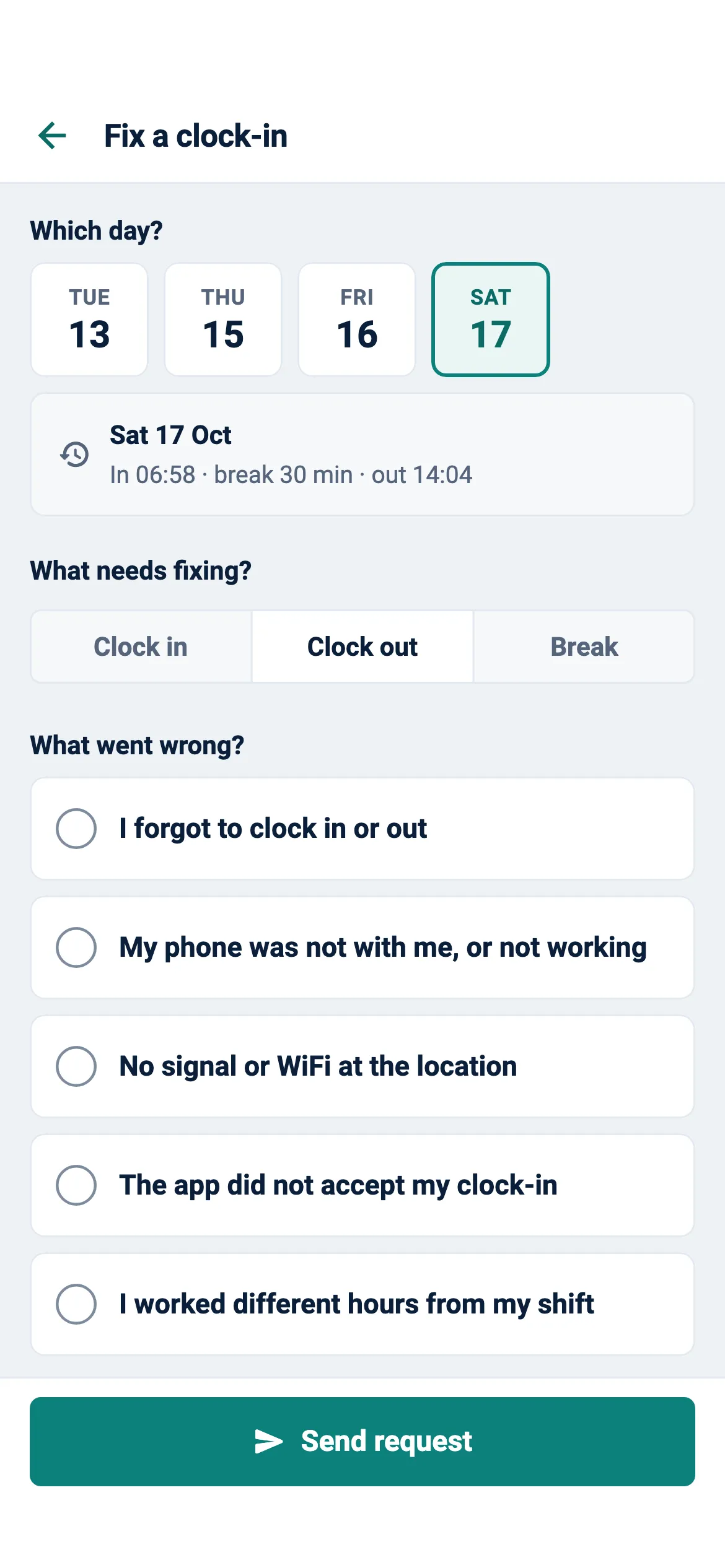
A handover takes longer than planned and someone asks about that shift weeks later. In Daxova Staff the fix is visible: who changed it, when and why, with the original still there.
An alert, not an accusation. A missed clock-out is raised as a note, and closed with a written explanation
The carer asks for a fix in the app: the day, what needs fixing and what went wrong
A manager decides. The time recorded sits beside the time asked for, then Approve or Decline
The original is never lost. Every change is kept with who, when and why, and the carer is told either way
staff.daxova.co.uk
Approving a clock-in fix: the original is kept. Made-up data.
When someone asks
Records you can show, for any shift.
An inspection, a complaint, or a question about a shift from months ago. Daxova Staff gives you records that make it easier to show who was on shift, when, and what was changed and why.
Right to work, visas and certificates for each person, with what needs doing first. The check is recorded, never the share code
The rota refuses a shift that falls after someone’s right to work check runs out
Reminders at 60 and 30 days before a document runs out, to HR and the Director
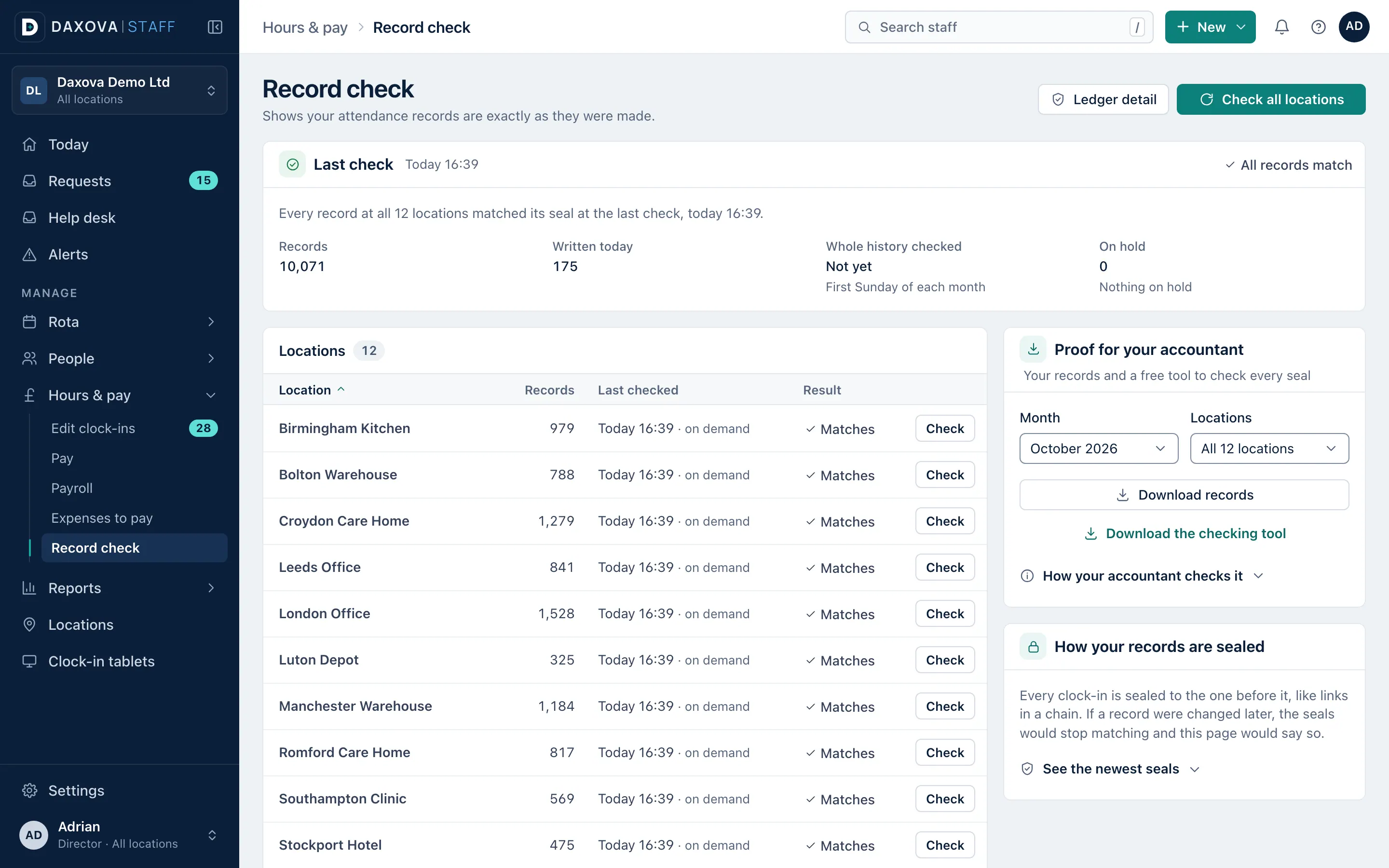
Checked every night. Record check gives a monthly records file your accountant can check with our free checking tool
No. Daxova Staff is built for staff who work at one place, with clock-ins checked against that place’s WiFi or location. Care at people’s own homes, with visits and travel between them, isn’t supported.
Does it work through the night?
Yes. A shift can run past midnight, and night staff are on the fire roll call like anyone else. Security updates are installed every day; when one needs a restart, it happens at 04:30 UK time and takes about a minute, so a clock-in tried in that minute needs trying again.
Will it make us CQC compliant?
No software can promise that, and we don’t. Daxova Staff gives you records that make it easier to show who was on shift, when, and what was changed and why.
Can staff without a smartphone use it?
Yes. Put the clock-in tablet by the staff entrance: any tablet or screen with a web browser. Staff type their staff code and passcode, or find their name. They choose their passcode from a link their manager gives them. The Android staff app is in testing and the iPhone app is not in the App Store yet, so the tablet is how everyone can clock in today.
Can we run more than one home?
Yes. In Daxova Staff each home is set up as a location, with its own clock-in rule, tablets and alert settings. An Area Manager sees only the homes they look after, and there’s no price per home.
How much is it for 40 staff?
£80 a month: £2 per staff member, everything included, with no VAT charged. Owners, managers and office staff who only use the web portal are free.
Something else? Email sales@daxova.co.uk and we’ll reply within one working day.
Know who is in, at three in the morning too.
Start with a free 30-day trial online in a few minutes. Add your homes and staff, or ask us to help. No card, no contract.