Before service, the weekend rota goes out and staff sort their own swaps. During it, you see who is on the floor and who is on a break. After close, the night’s wage cost is ready, with the hours ready for payroll.
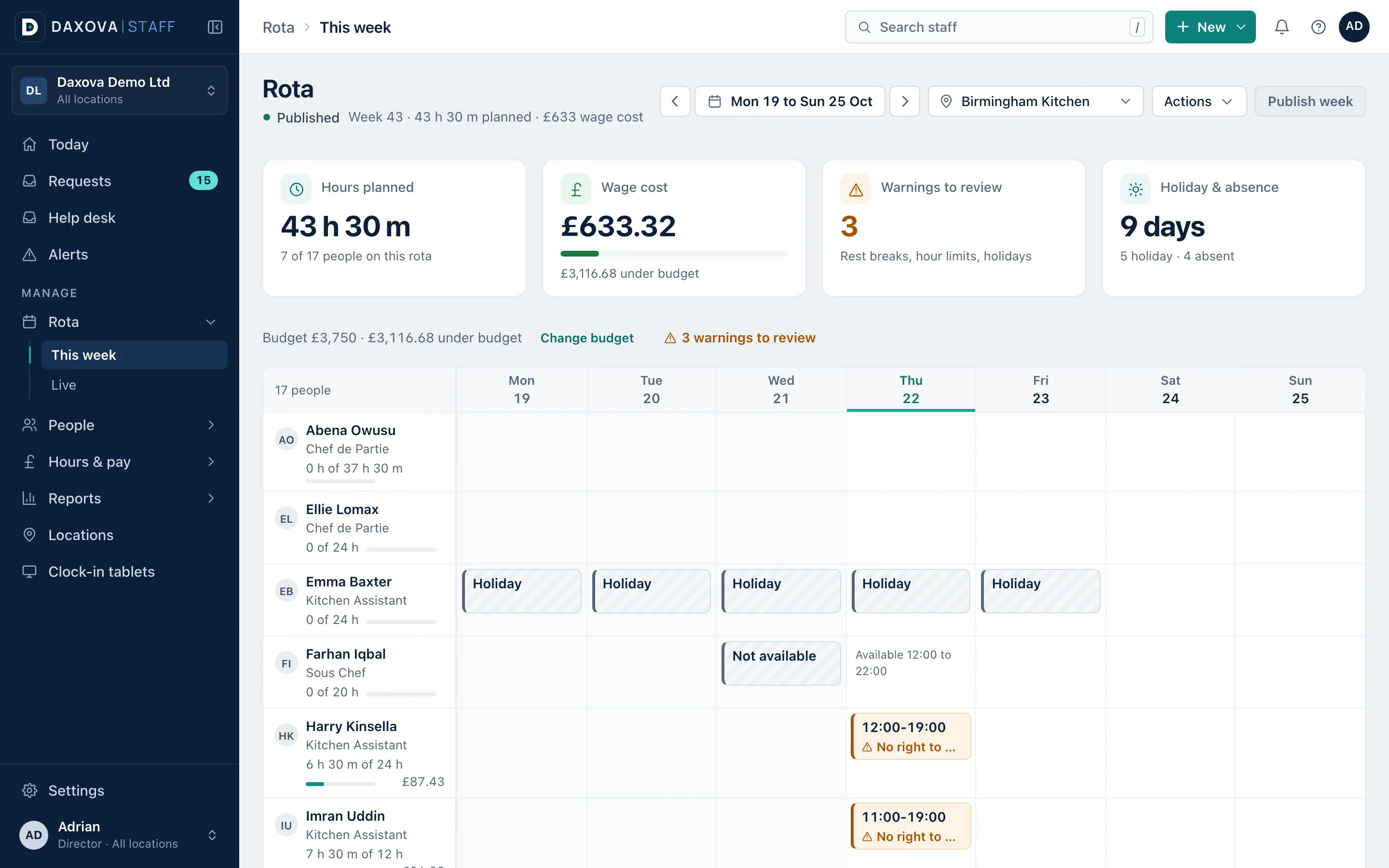
The published week: hours, wage cost, warnings and who is off. Made-up data.
Swaps and extra hours
Swaps sorted between staff, approved by you.
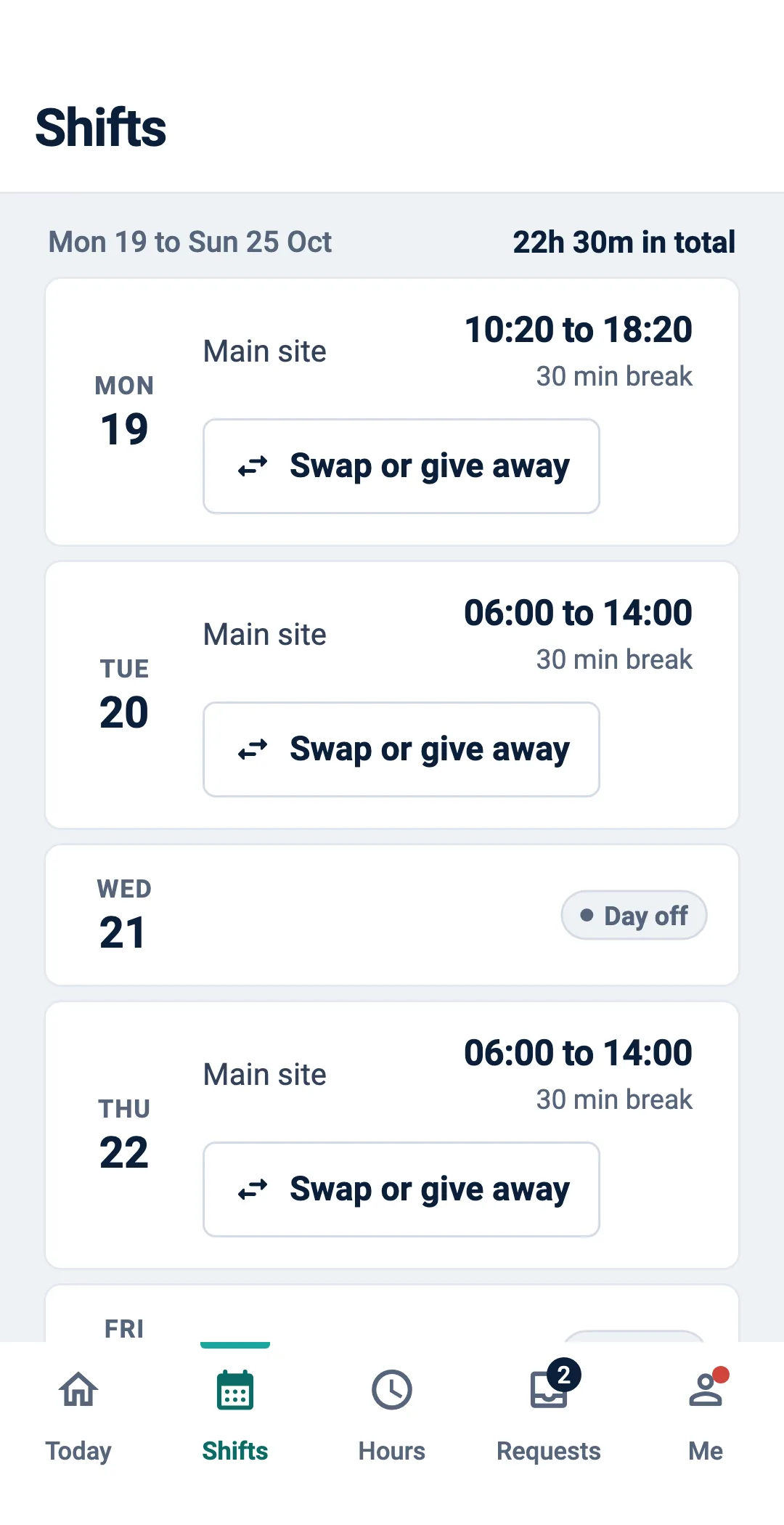
Someone cannot do Saturday? They offer the shift in the app, to swap or to give away. It only goes to colleagues it suits, after a check on their hours and rest. One accepts, a manager approves, and the rota updates at once.
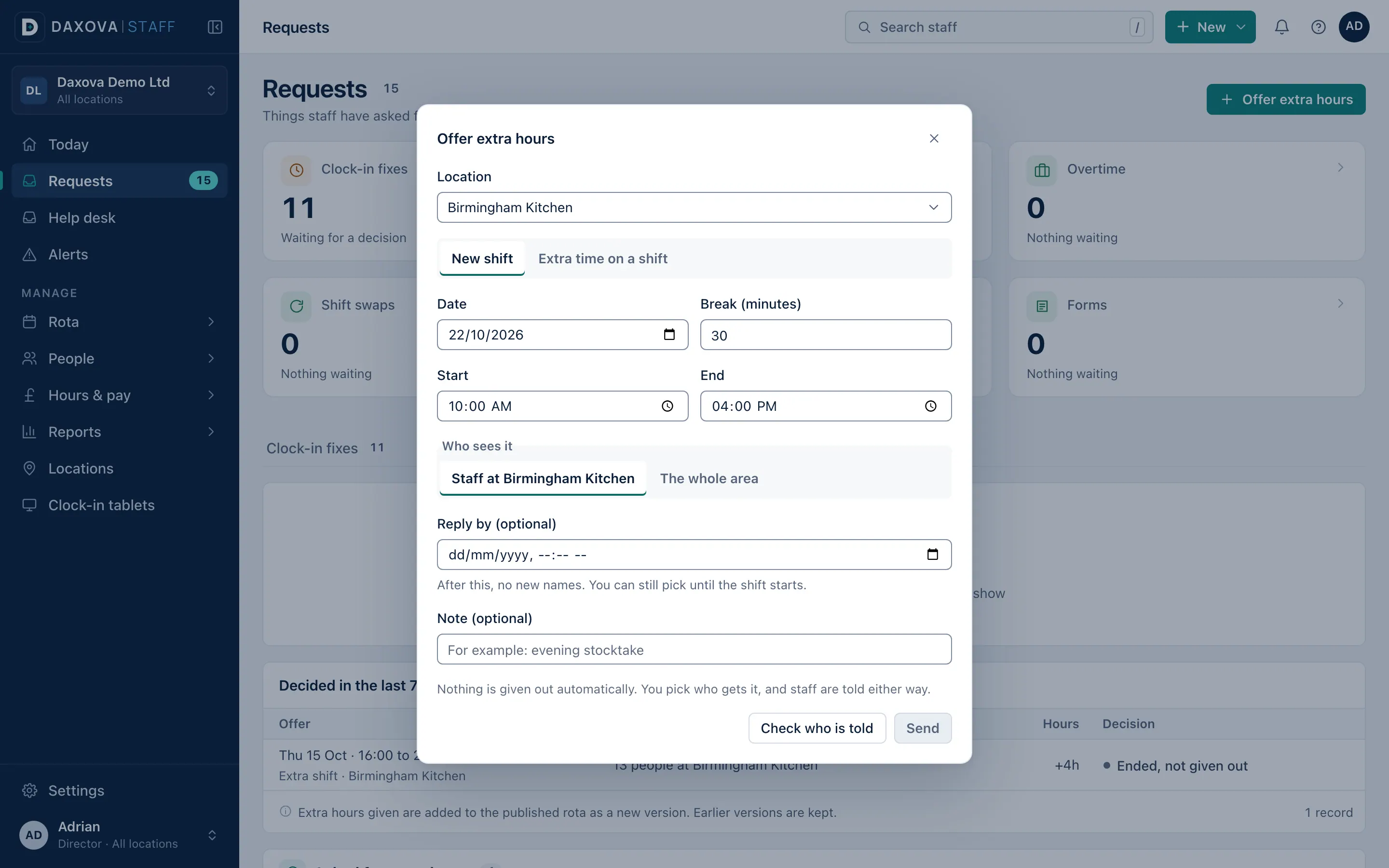
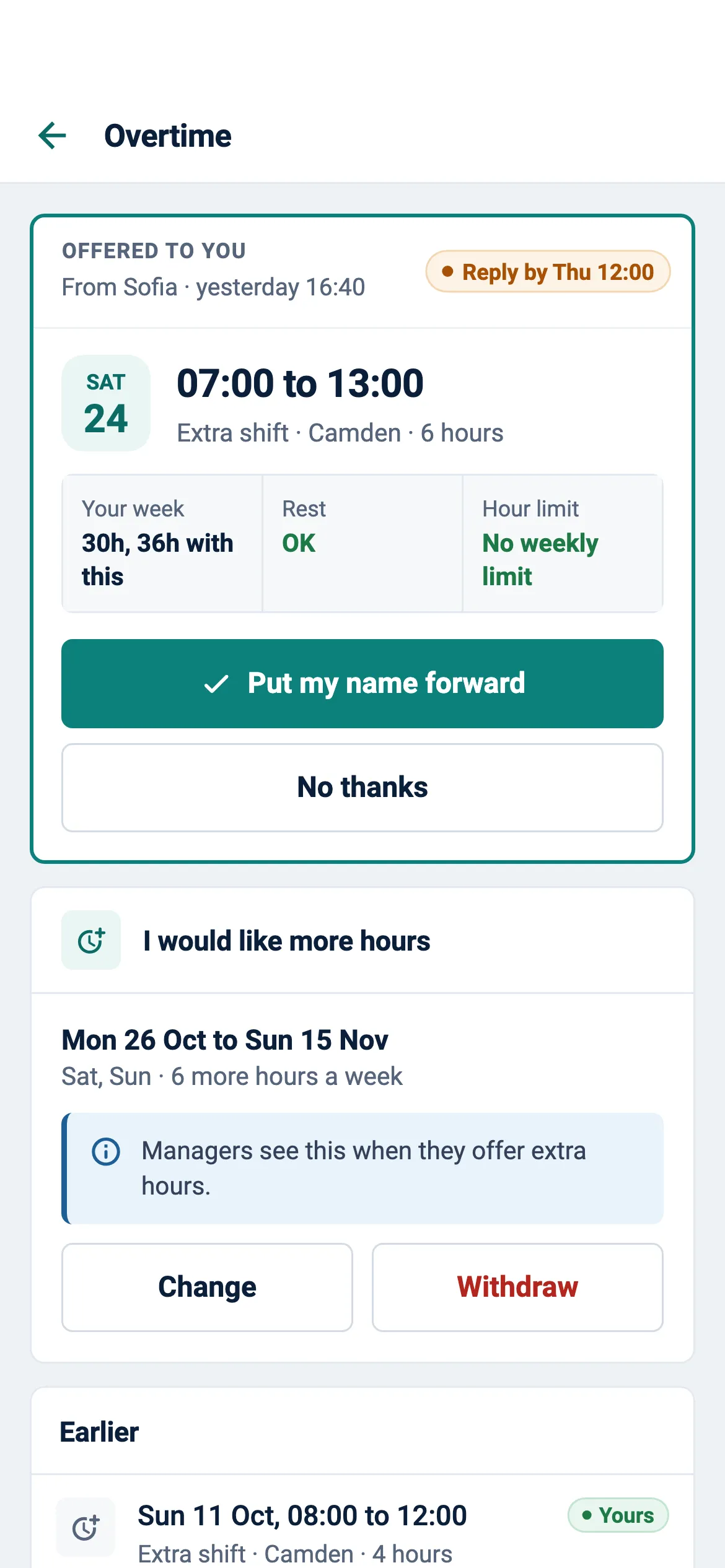
A big booking? Put extra hours on offer to one venue or a whole area
Whoever wants it puts their name forward and you choose. Nothing is handed out automatically
The offer skips anyone it would take over their weekly limit
Offer extra hours: staff put their name forward and you pick. Made-up data.
Closing at one, back in at nine
The rota catches the short turnaround before it is worked.
Every shift is checked the moment you add it. A late close followed by an early start gets a warning if it leaves less than 11 hours’ rest. So does a week with no day off, or more than 48 hours without a signed opt-out.
A shift past midnight is one shift: give it an end time earlier than its start
The rest check counts from when it ends
Students with a weekly limit: Hour limits shows worked and planned hours against it
Fri17:00 to 01:008 h rest
Sat09:00 to 17:00
Warning beside Saturday’s shift. 8 h rest after the shift ending at 01:00. Less than 11 h. The warning stays until you mark it checked.
An example, drawn as a diagram. In the rota the warning sits beside the shift.
During service
Who is on the floor, while it is busy.
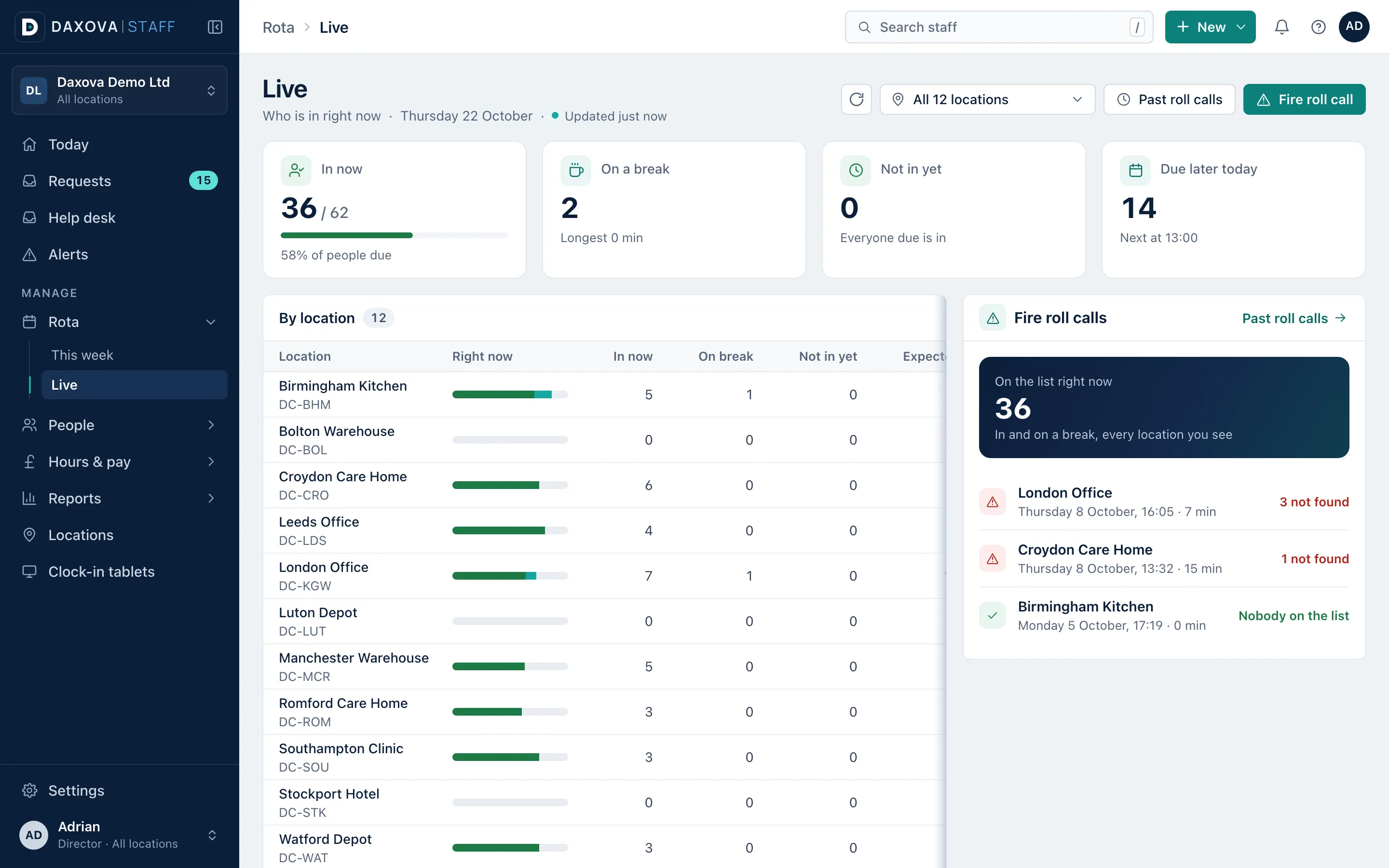
Seven o’clock and the rush starts. Two are on a break, one is stuck on the bus, and the rota says eight. Live shows who is in, on a break or not in yet at each venue, refreshing every 30 seconds in your phone’s browser.
Late or missing. No clock-in at the rostered start, or no clock-out after the shift ends, raises an alert worded as a note
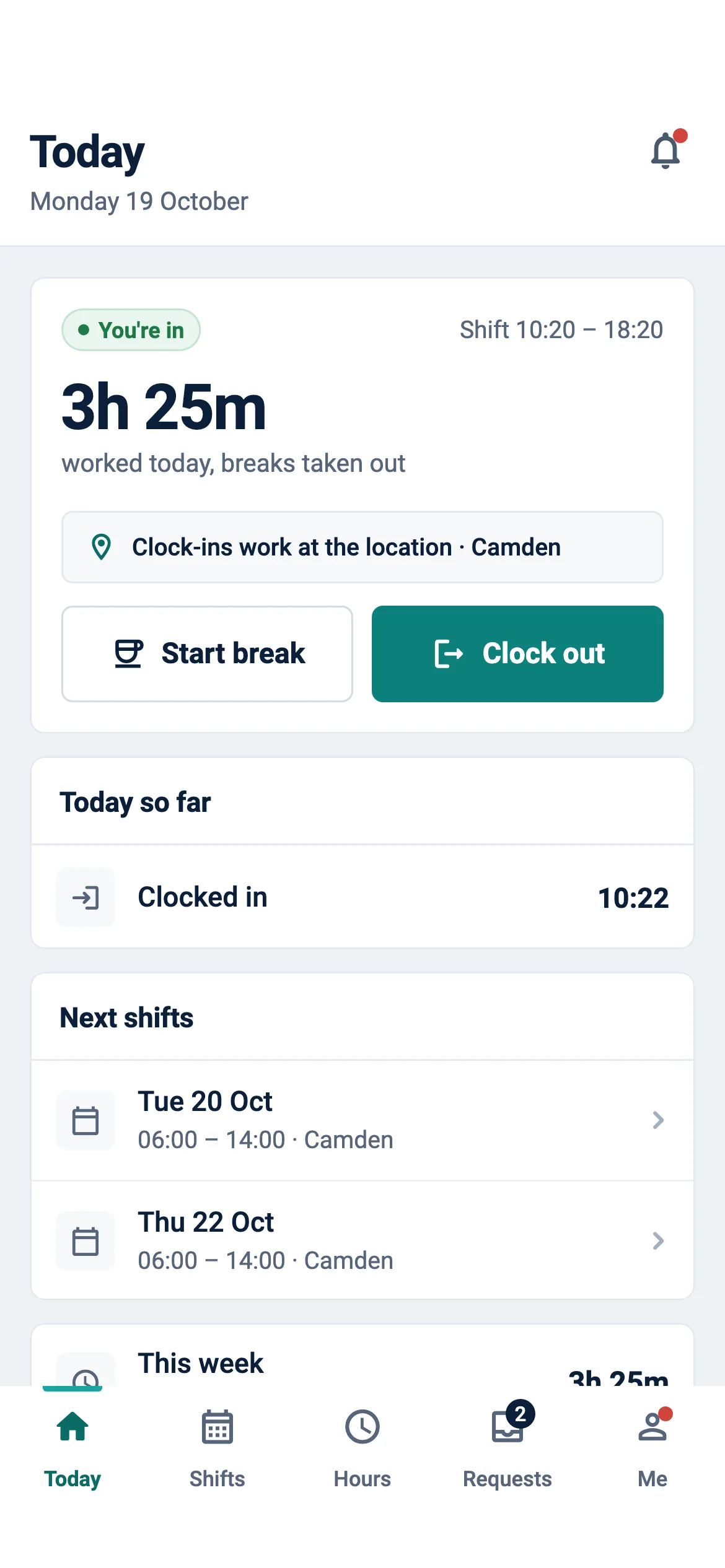
Breaks. Staff start and end them in the app and the time comes off their hours. A break that runs past your limit (60 minutes unless you change it) tells the manager
When the fire alarm goes, Live turns into a named roll call: your staff, from their clock-ins. Your diners are not on it
Live: who is in, on a break or not in yet, by location. Made-up data.
Clocking in
A tablet by the staff door, or their own phone.
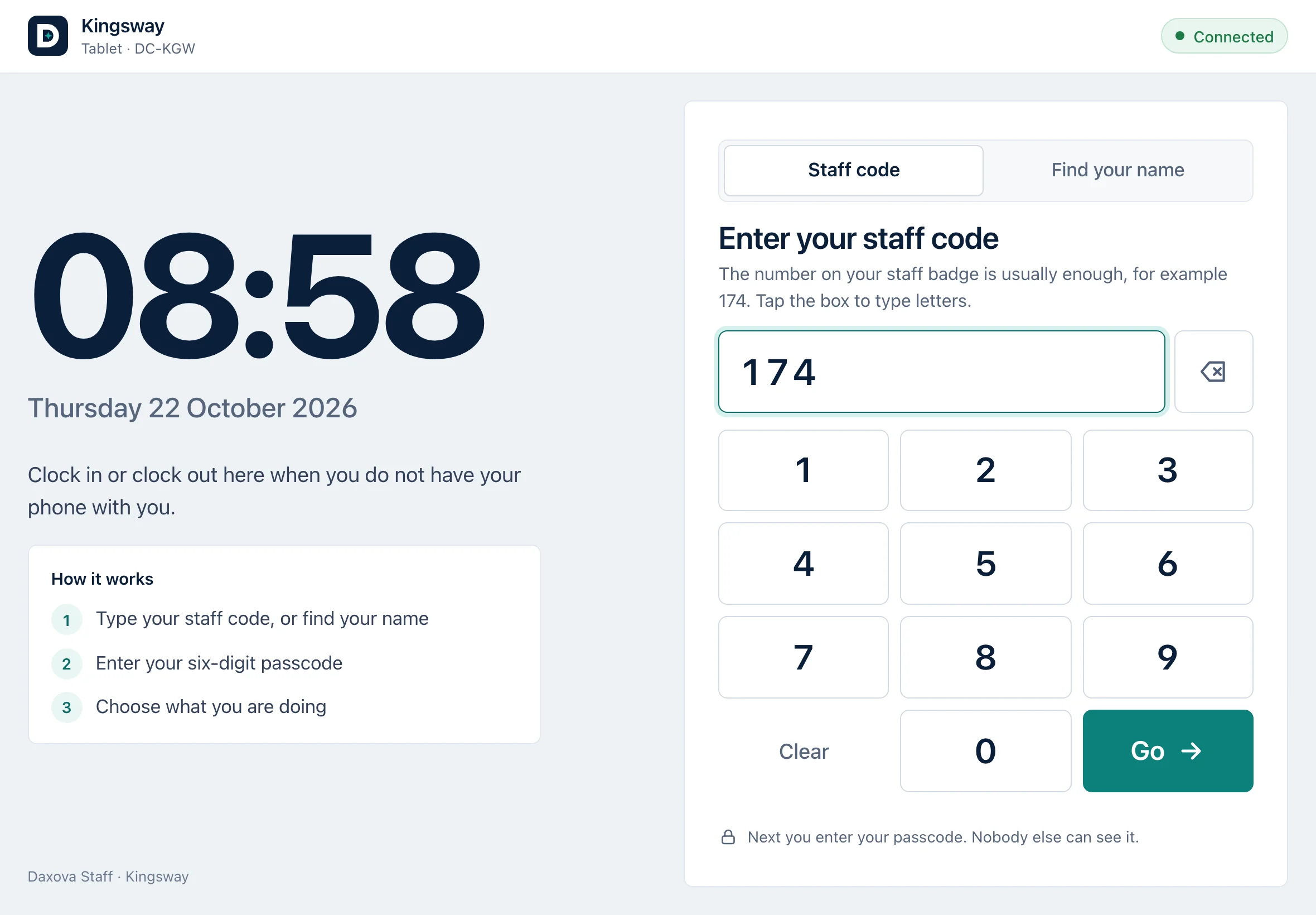
Any tablet or screen with a web browser, set up once from a link. Staff type their staff code and passcode, or find their name. No smartphone? They choose their passcode from a link their manager gives them.
On their own phone, a live photo at every clock-in and clock-out, never one from the gallery
Set the venue’s rule to its WiFi and phone clock-ins only work on your connection. Set it to near the venue and fake-location apps are refused
Photos are encrypted, deleted after 90 days unless you choose otherwise, and every viewing is logged. No face recognition: a person looks at the photo
The staff app: Android is in testing and iPhone is not in the App Store yet. The tablet works in any browser today.
clock-in tablet
The clock-in tablet by the staff door.
After close
What the night cost, set beside your takings.
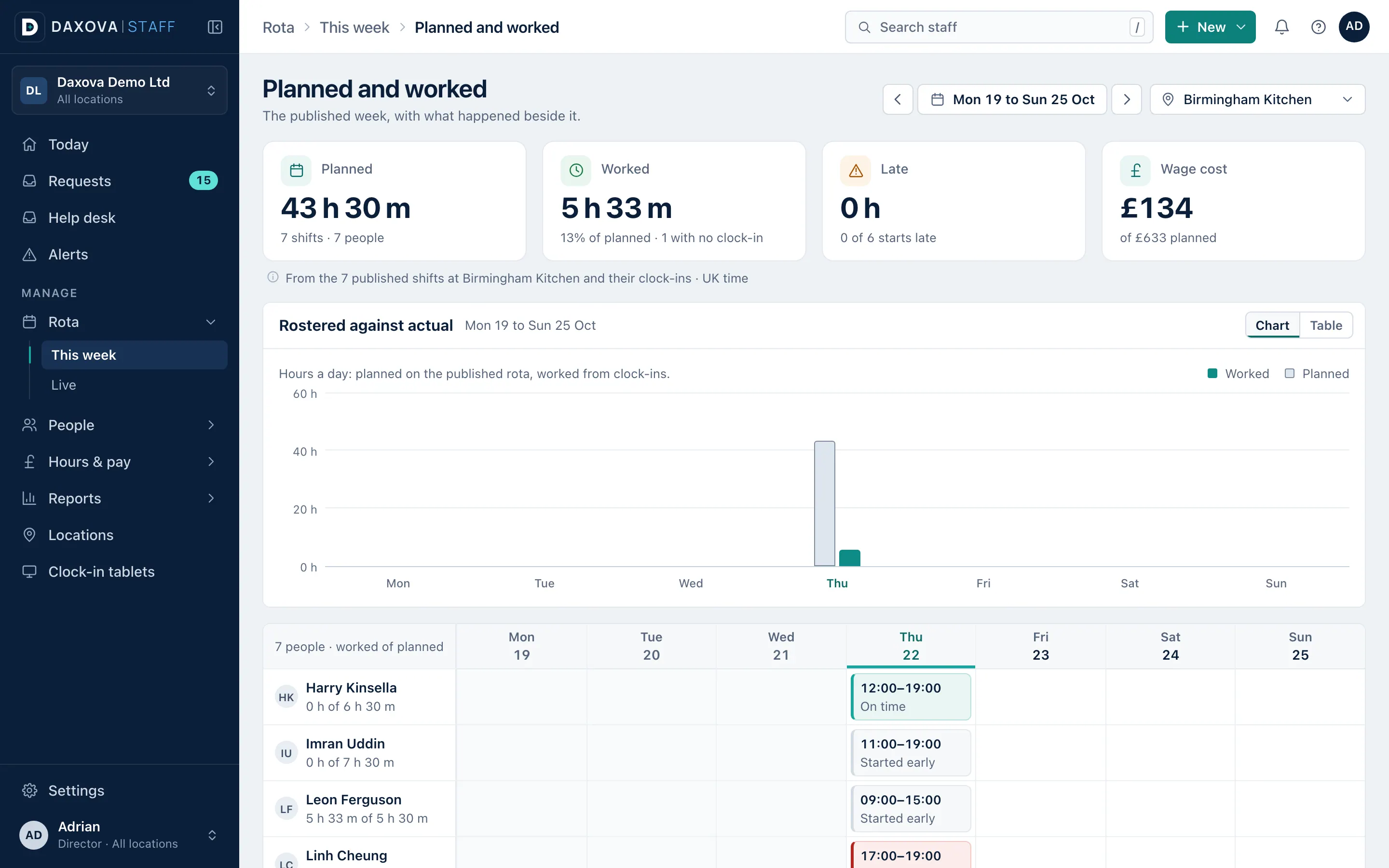
The till knows the takings. The wage bill only turns up at payroll. For every venue and day, the rota’s planned cost sits beside the actual cost from clock-ins, with a weekly budget per venue. Figures are estimates before tax and deductions.
Daxova StaffWage cost and hours, from your rota and the clock-ins.
Your tillTakings and bookings. No integrations yet: export the week and set them side by side.
Not handledTips and tronc. Keep sharing them out the way you do now.
Managers see their own venues’ totals. HR and the Director also see each person’s cost, checked against the minimum wage for their age
staff.daxova.co.uk
Planned against worked, with wage cost by day. Made-up data.
Payroll day
Hours you can pay from, and nobody left clocked in overnight.
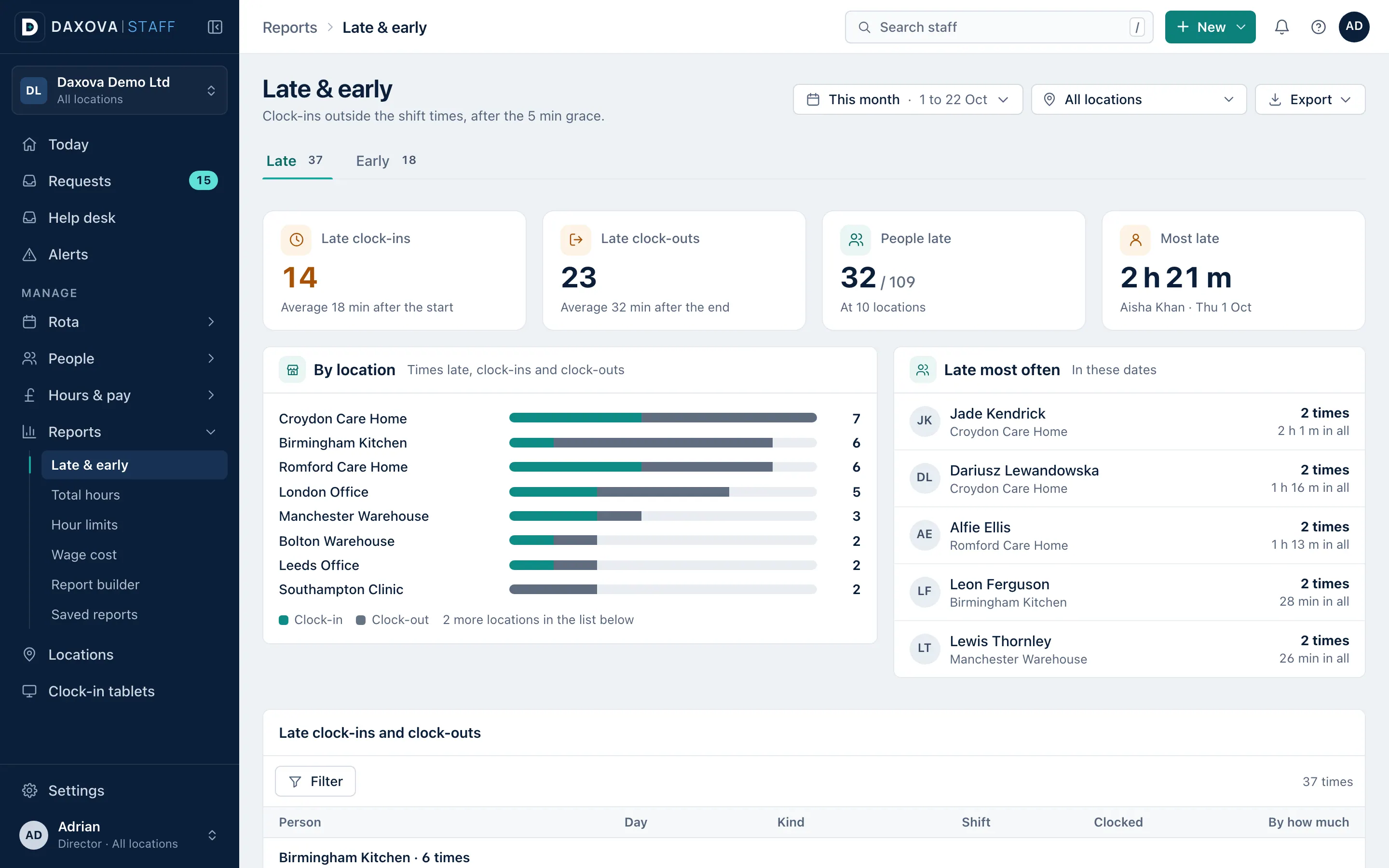
Total hours gives each person’s hours worked, breaks taken out, against their shifts. Late and early lists every clock-in outside the shift times by more than your grace period, 5 minutes to start with. Both download in Excel or PDF.
Forgot to clock out? Live and Alerts show it. They ask for a fix in the app and a manager approves it
Every change is kept with who, when and why, and the original is never lost
Pay from a CSV of gross pay estimates, or run UK payroll in Daxova for £1 per person on payroll. Daxova sends the FPS and EPS to HMRC when you choose
Yes. Put the clock-in tablet by the staff door: any tablet or screen with a web browser. Staff type their staff code and passcode, or find their name. They choose their passcode from a link their manager gives them. The Android staff app is in testing and the iPhone app is not in the App Store yet.
Do shifts past midnight work?
Yes. A shift that ends after midnight is one shift: give it an end time earlier than its start, and it runs past midnight. The rest check counts from when it ends.
Can staff clock in from home or the bus?
No. With the WiFi clock-in rule, phone clock-ins only work on your venue’s own connection. With the rule set to near the venue, they only work within its area, and fake-location apps are refused.
We run more than one venue. Is that extra?
No. Each venue is set up as a location in Daxova Staff, with its own opening hours, clock-in rule and clock-in tablets, and there is no price per venue.
Can it run our payroll?
Yes. UK payroll is an add-on: £1 per staff member on payroll a month, free during your trial. Daxova works out pay, tax, NI, student loans, statutory pay and pensions, and makes payslips, the bank file and the reports. Daxova sends your FPS and EPS to HMRC when you choose, or you can leave that to your accountant.
How much is it for 20 staff?
£40 a month: £2 per staff member, everything included, with no VAT charged. Owners and managers who only use the web portal are free, and the minimum is £12 a month.
Something else? Email sales@daxova.co.uk and we’ll reply within one working day.
See who is on, every service.
Start with a free 30-day trial online in a few minutes. Add your venues and staff, or ask us to help. No card, no contract.