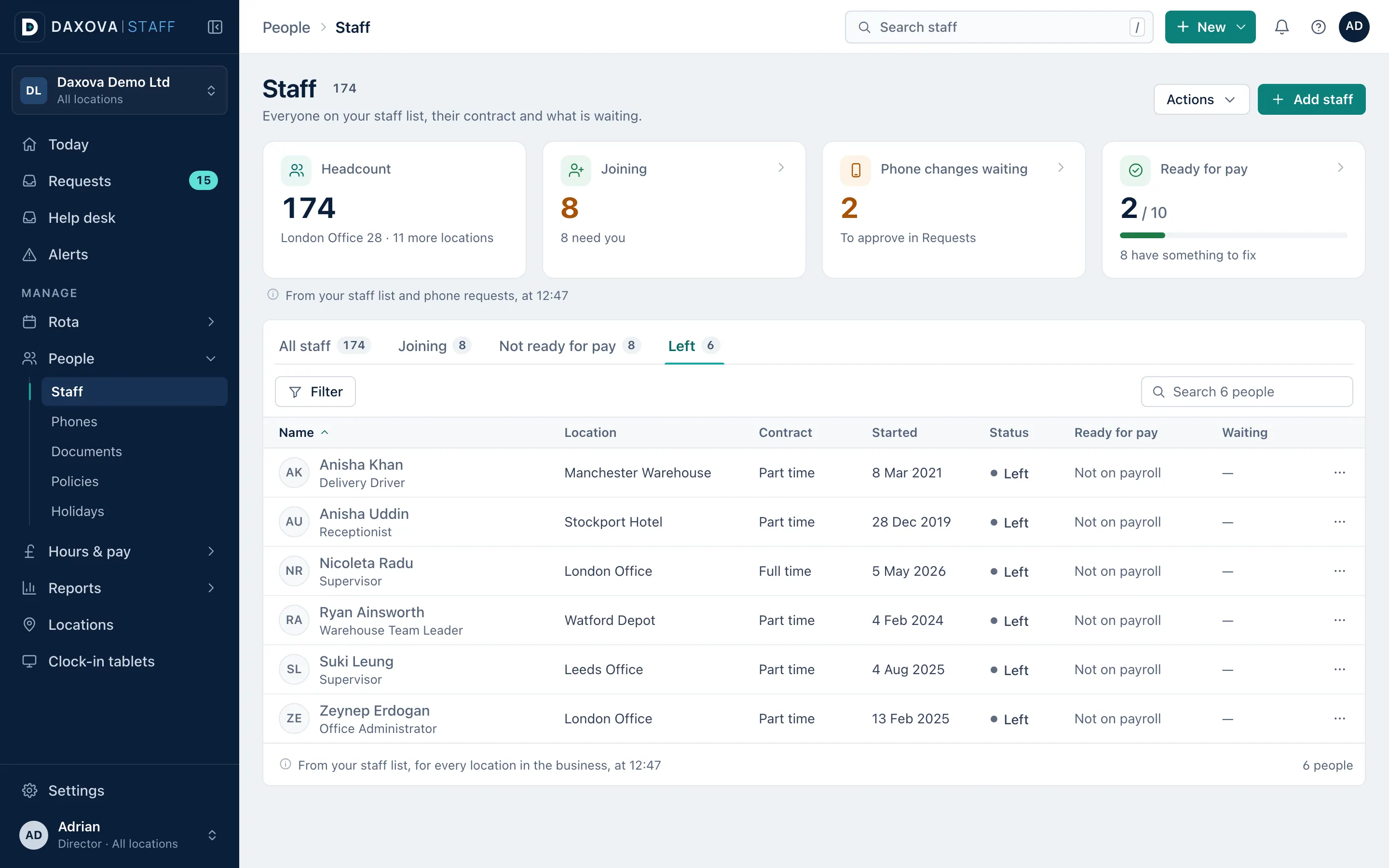
Record a leaver
- Open their staff record
In People, open Staff and choose the person. Open the … menu at the top right of their record and choose Record a leaver.
- Give the leaving date and the reason
The leaving date is their last day of employment: today, unless you change it. It can be a day already gone, when the paperwork follows later. Choose why they are leaving and add a note if you like.
- Read what will happen, then confirm
Press Continue. Nothing changes until you have read the list and pressed Record leaver.
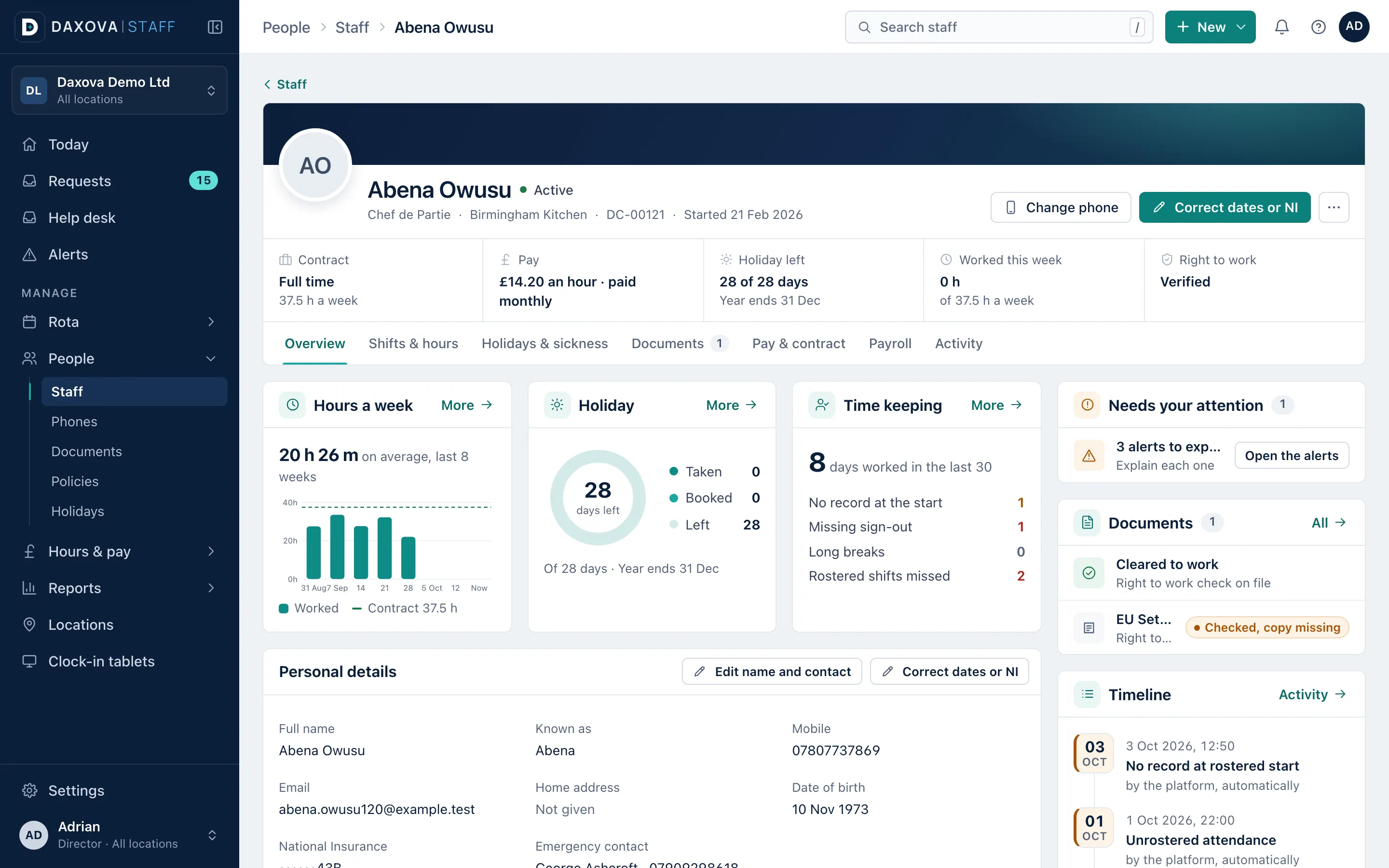
What happens, and when
-
When you record itTheir later shifts come off the rota
Every shift after the leaving date that nobody has clocked in against is taken off, so the location's managers see the gap while there is time to fill it. Their record says when they leave.
-
Until the leaving dateEverything works as normal
They clock in and out, and see their shifts and payslips, as before.
-
23:59 on the leaving dateTheir access ends
Their staff app and any sign-in stop working, their phone is released, any open invite stops, and they move to the Left view of Phones.
-
The next pay runFinal pay and the P45
Their final pay goes in the pay run that covers their leaving date, with any holiday not taken added. They are on that run even when nothing is left to pay, so HMRC is told they left. Approving it makes their P45.
-
After the final runGive them their P45, and record it
Give them their P45, then record how and when you did. Until you record it, each pay run reminds you.
Holiday at leaving
Holiday they built up and did not take is added to their final pay by itself, as Holiday pay (not taken). Daxova works it out from their allowance for the part of the leave year they worked, plus any days carried over, less the days they took, at their usual pay for a day off.
The final pay run shows a Holiday at leaving card with each leaver, the days and about how much:
- Take it off only if it is already paid, for example in lieu by a previous owner. Say why in at least 10 letters; the reason is kept with your name. Holiday owed by law must be paid.
- Took more holiday than they built up? Nothing is taken back from their final pay unless they agreed to it in writing. Press Record their written agreement and give the day they agreed.
- Irregular hours or part of the year? Their holiday builds up in hours (12.07% of the hours they work, and their average week while off sick or on family leave), so what they did not take is worked out in hours and paid at their average pay over the last 52 weeks. With rolled-up holiday pay, only the hours never rolled up are owed, and nothing is taken back.
Give them their P45
Approving their final pay run makes their P45. Their staff app stops on their leaving date, so it reaches them another way:
- With their own email address on their record, their final payslip email links to their P45 as well.
- With no email, the approved pay run lists them as Give … a printed payslip and P45, with Print P45. You can also download it in Payroll, Leavers & year end.
Then, in Leavers & year end, press Record P45 given beside them. Choose how it went (by the link in their final payslip email, printed and handed to them, or by post) and the day. Until you record it, each pay run shows a grey check, P45 not recorded as given.
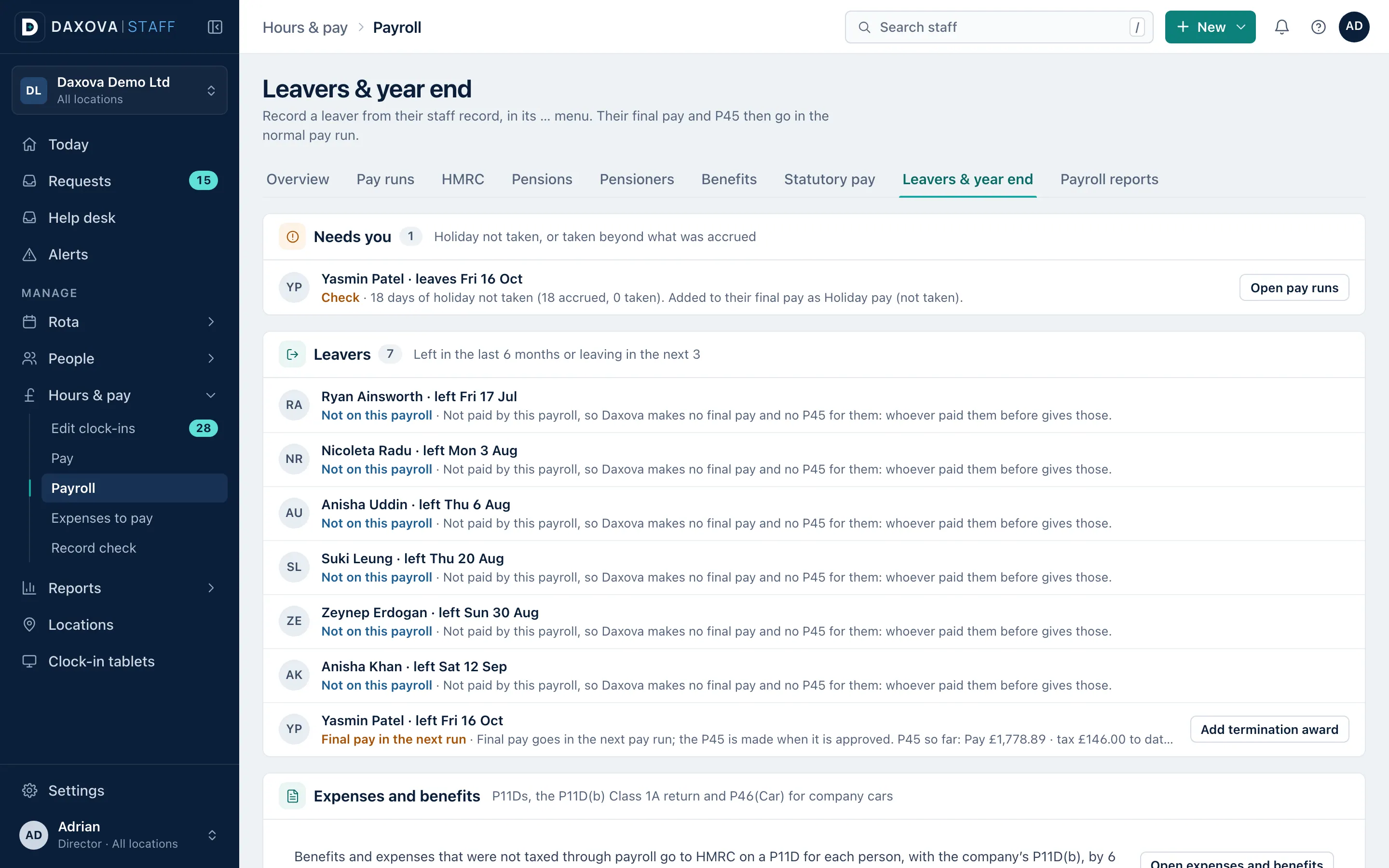
Change the date, or cancel
Got the date wrong, or they are staying after all? Their record's leaving notice has Change the date and Cancel leaving. Both ask why, and the first date stays in their history with your reason.
- You can do either until their final pay run is approved. After that, rehire them instead.
- An earlier date takes their shifts in between off the rota as well. A later date, or cancelling, puts back nothing that came off: add those shifts on the rota again if they are needed.
- If they had already moved to Left, they come back to your active staff and need a new app code, because their phone was released.
What is kept, and for how long
- AlwaysClock-in recordsEvery clock-in and fix stays, as the record of hours worked.
- 2 yearsRight to work copiesErased two years after they leave.
- 6 yearsPersonal detailsDeleted six years after they leave, unless a legal hold keeps them. The record stays as a former employee.
The staff record shows the exact day their details will be deleted. A legal hold, from the same … menu, keeps them longer while a dispute needs them.
Rehire someone who left
Somebody coming back keeps their record, their staff number and their history. In Phones, choose the Left view and press Rehire beside them.
- Say when they start again
Today, unless you change it.
- Check the location
Where they worked before is already chosen.
- Say why they are coming back
It is kept on their record. Then press Rehire.
- Set them up again
Give them a new pay rate and hours on their record, and a new app code from Phones.
Questions
Can a location manager record a leaver?
No. HR and the Director record leavers and rehires. A manager tells HR or the Director.
Can they still clock in before they leave?
Yes. Their staff app works as normal until 23:59 on their leaving date.
Is holiday owed paid automatically?
Yes. Holiday they built up and did not take is added to their final pay by itself. Taking it off needs a reason. For irregular-hours or part-year staff it is worked out in hours and paid at their 52-week average.
How do I record that I gave them their P45?
In Payroll, open Leavers & year end and press Record P45 given beside them, with how and when.
I owe them more after their P45 was made. What now?
Pay it in a later pay run. Daxova taxes it on code 0T, week 1 or month 1, as HMRC says, and tells HMRC it was paid after they left. Do not give them a second P45.
I recorded the wrong date. What now?
Press Change the date on their record, or Cancel leaving, until their final pay run is approved.
How long are a leaver's records kept?
Their personal details are deleted six years after they leave, unless a legal hold keeps them. Their clock-in records stay.