For accountants and payroll bureaus
Every client’s payroll. One login.
Daxova Staff gives your practice one place to run payroll for all your clients: this week’s pay days and HMRC deadlines in one list, each client in charge of its own account, and 20% of what your clients pay us, every month.
The practice workspace opens to our first partner practices soon. Write to contact@daxova.co.uk and we’ll set you up first.
- Nothing to pay to join
- No minimum number of clients
- Your own practice’s staff free
Your week
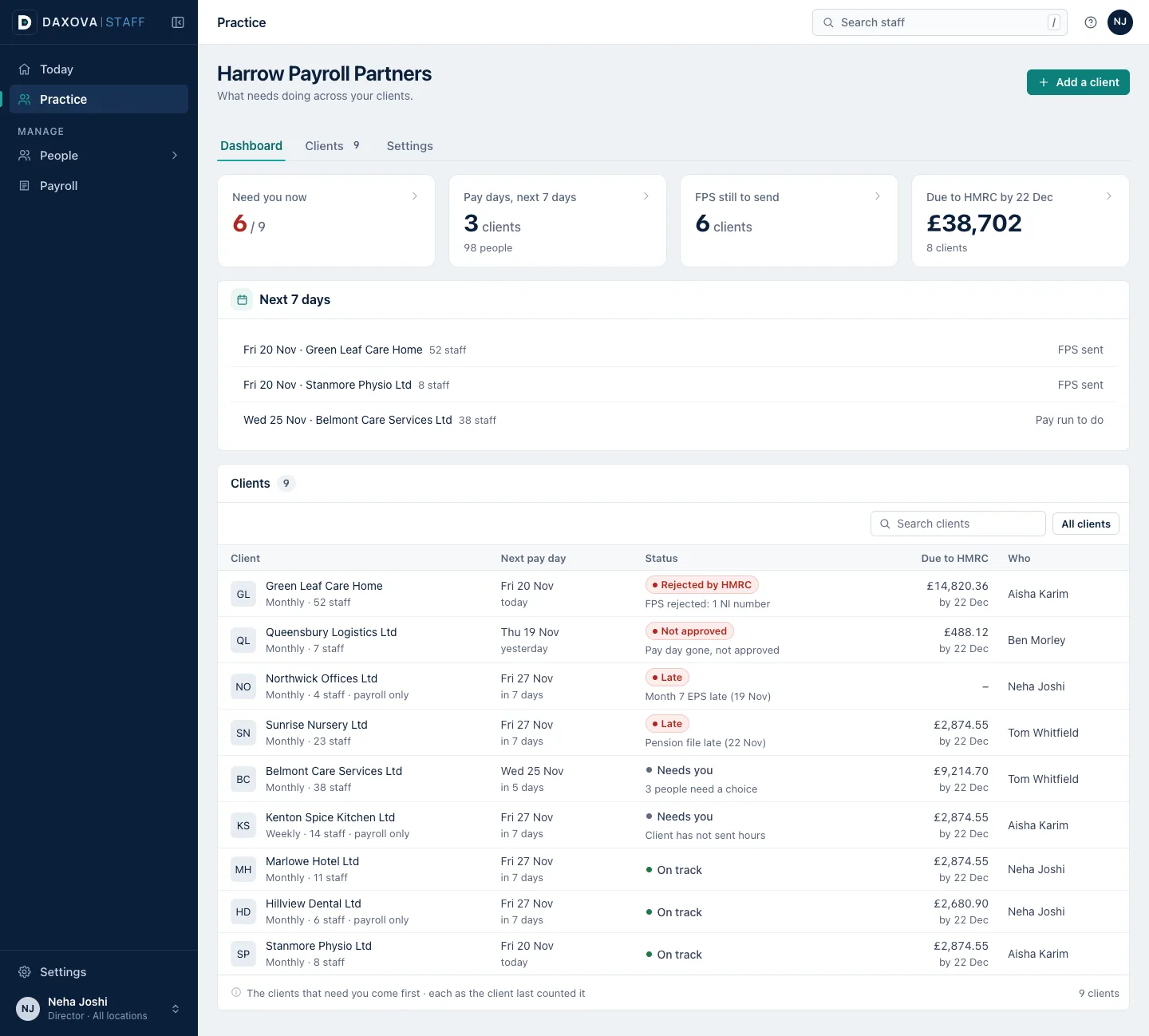
What needs doing, across every client, on one screen.
One login, every client
Open a client in one click. A navy bar at the top always says whose payroll you’re in, so nobody mixes clients up.
Deadlines in one list
Pay days and FPS, the EPS by the 19th, HMRC payments by the 22nd (earlier when the 22nd falls at a weekend) and pension files.
Send to HMRC as their agent
A partner adds your HMRC agent sign-in once, then turns agent filing on for each client with its PAYE and Accounts Office references.
Payroll-only clients
No clocking in needed. Type each period’s salaries and hours, check, approve, and the payslips, bank file and FPS follow.
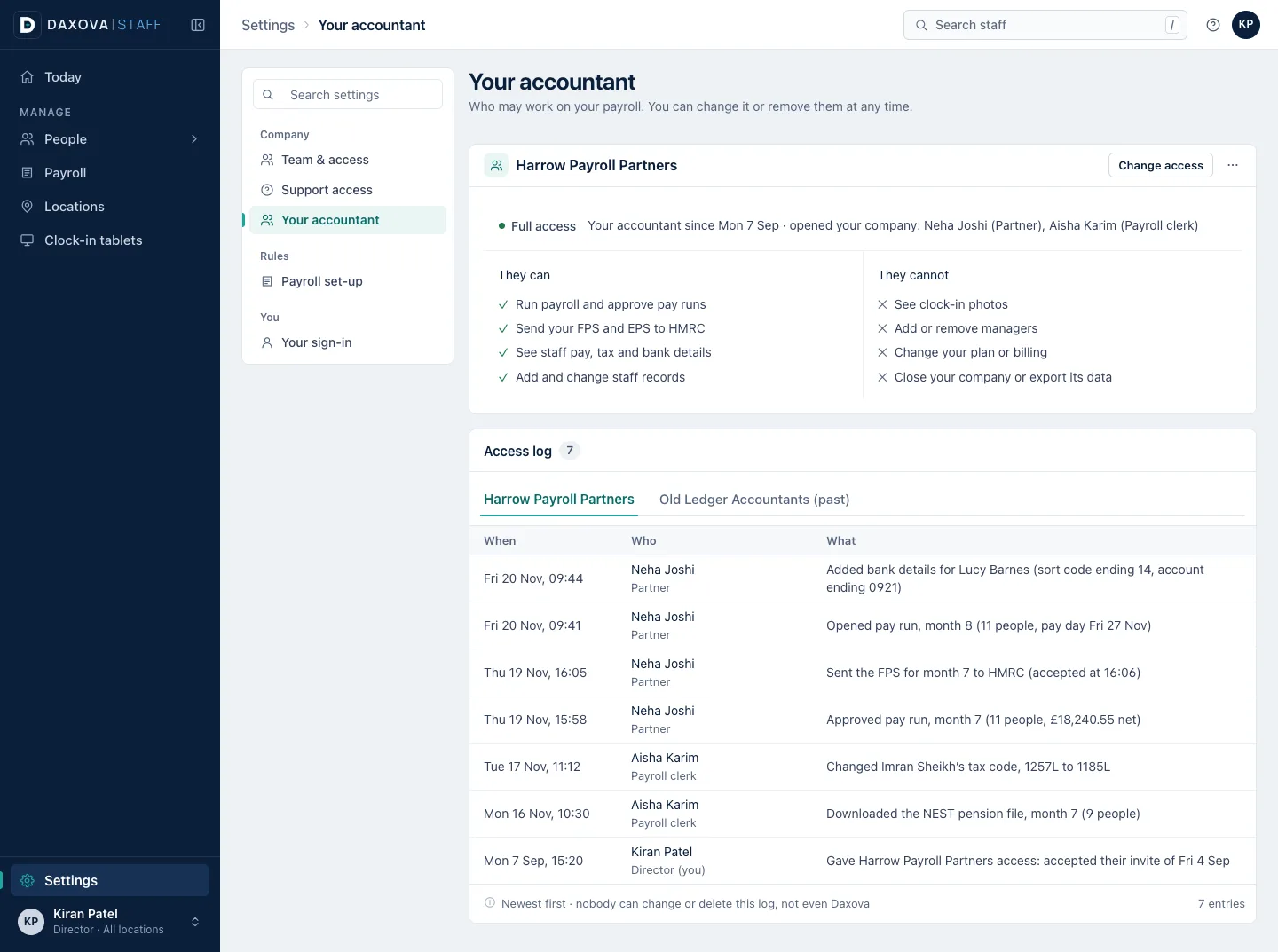
Your clients stay in charge
Their account, their data, their say.
Each client keeps its own Daxova Staff account and its own data.
- It invites you, or accepts your invite, and chooses what you may do: prepare pay runs, or prepare, approve and send them to HMRC.
- Every visit and change from your practice goes in the client’s access log, with who, when and what.
- The client can change your access, or remove it, at any time.
What you run for each client
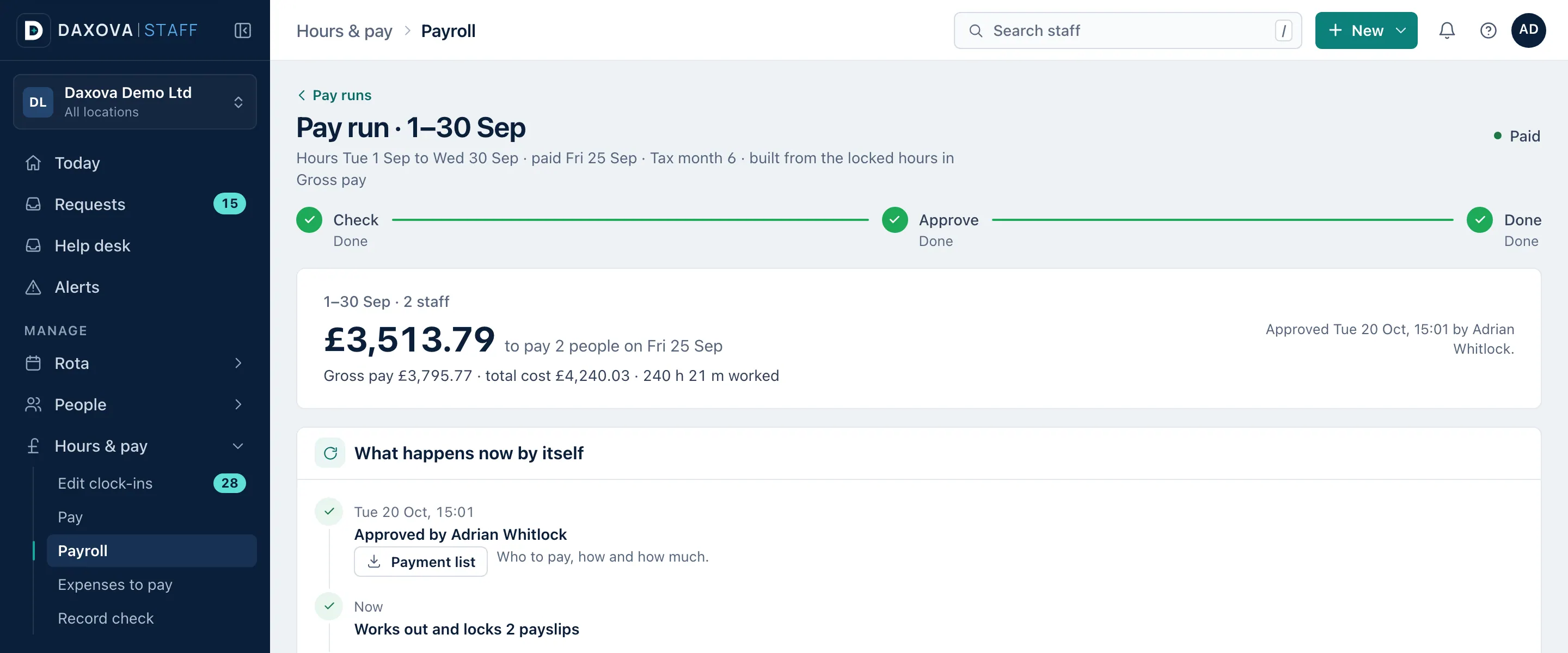
The pay run, from the hours to HMRC.
The same payroll the clients’ own owners use. Weekly to monthly pay, tax, National Insurance, student loans, statutory pay, pensions and the year end.

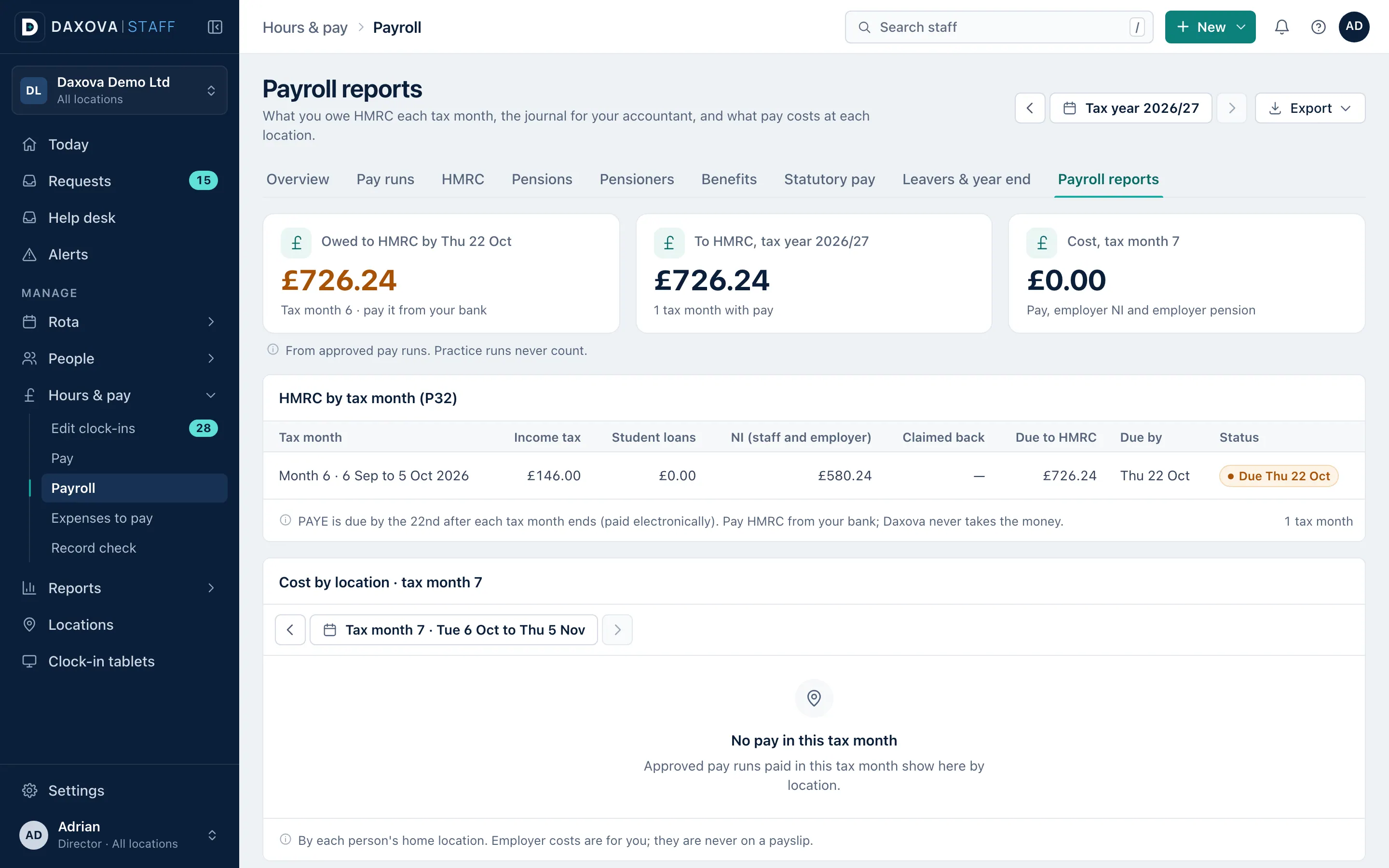
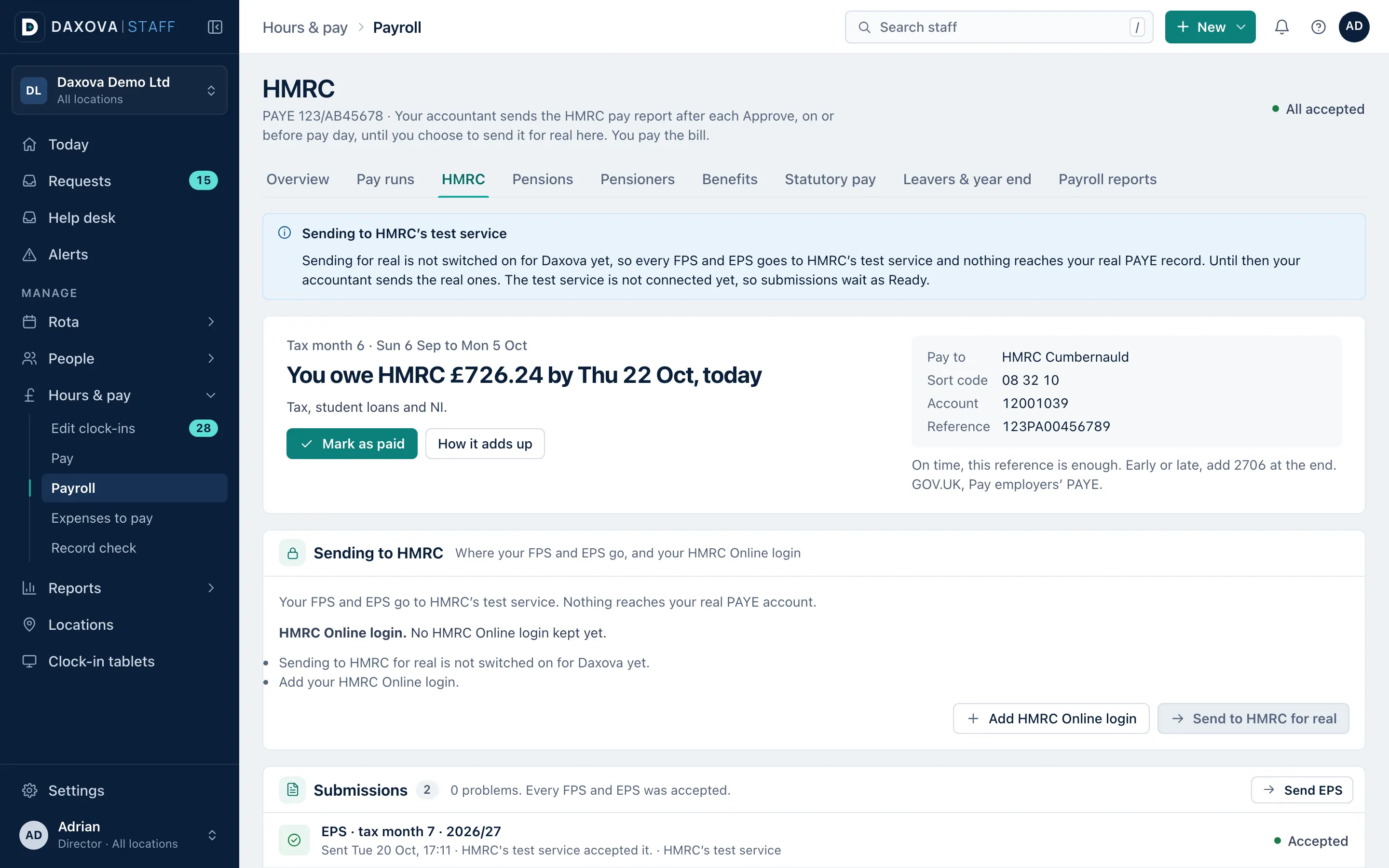
Daxova Staff sends the FPS and EPS to HMRC.
It has passed HMRC’s External Test Service, including the full 12-month PAYE Recognition scenario. Our Recognition application is in progress, and we’ll say here once HMRC lists us.
What you earn
20% of what your clients pay us, every month.
- For as long as you act for the client. Your share is worked out from the invoices each client has paid.
- Your clients’ price doesn’t change. They pay us directly, at the same prices as everyone else.
- Your own practice is free. Your own staff use Daxova Staff at no cost.
- A statement every month. One line per client, paid to you by bank transfer.
A client with 10 staff, all on payroll
- 10 staff × £2
- £20
- 10 on payroll × £1
- £10
- The client pays us
- £30 a month
- You receive
- £6 a month
At our published prices. See pricing
How it starts
Three steps to your first client.
- 1
Register your practice
Tell us about your practice. We check it and switch your workspace on.
- 2
Bring your clients
Invite a client by email, or give it your practice code. It accepts in one step and chooses your access.
- 3
Run their payroll
Every client’s pay days and deadlines on your dashboard, and your share on your monthly statement.
Questions from practices
Straight answers
Does Daxova Staff send payroll to HMRC?
Daxova Staff sends the FPS and EPS to HMRC, and has passed HMRC’s External Test Service, including the full 12-month PAYE Recognition scenario. Our Recognition application is with HMRC now, and we’ll say so here once HMRC lists us.
Who pays Daxova, us or our clients?
Each client pays us directly, at our published prices. Your 20% comes from us, so it doesn’t change what your clients pay.
Do we need our own HMRC agent credentials?
To send a client’s FPS and EPS as their agent, yes: a partner at your practice adds your agent sign-in once and turns agent filing on for each client. A client can also send with its own HMRC login instead.
How does data protection work?
Each client is the controller of its staff’s personal data, and Daxova is its processor. Your practice works in a client’s account only with its permission, and every visit is in the log the client sees.
Which payroll does Daxova Staff cover?
Weekly to monthly pay, tax codes including Scottish and Welsh, National Insurance for every category and for directors, student and postgraduate loans, SSP, SMP and SPP, auto-enrolment pensions, starters, leavers, the year end, payrolled benefits and the P11D. Not yet: the Construction Industry Scheme and salary sacrifice.
Is there a contract or a minimum?
No minimum and nothing to pay to join. We’ll send you our short partner agreement before you start.