Set-up call
Set up in one call, with our team.
Book 30 minutes with the Daxova team and leave with your locations in, your staff list imported and the clock-in tablet working. For businesses on their free trial, or about to start one.
Email us at sales@daxova.co.uk with two or three times that suit you, and we’ll confirm one within one working day.
- 30 minutes
- Phone or video
- Part of your free trial
Half an hour
What happens, minute by minute.
The same team runs demos and set-ups, and answers sales@ afterwards.
- 00
Your locations
Each one added, with how its staff clock in.
- 08
Your staff list
Your spreadsheet checked and imported together.
- 16
Clocking in
The tablet at the door, or staff phones, tried for real.
- 24
Your managers
Invited, each seeing their own location.
- 30
Ready
Your team can clock in the same day.
Before the call
Ten minutes of gathering makes the half hour count.
Nothing here has to be perfect: we can fix things together on the call.
Your locations
The name and address of each place your staff work.
Your staff list
The spreadsheet you already keep is fine. Send it first and the import is done in minutes.
How staff will clock in
A tablet at the door, their own phones, or both, for each location.
Your sign-in
Trial started? A Director’s sign-in to the portal, and the phone with your authenticator app for the 6-digit codes.
The tablet itself
Any tablet with an up-to-date web browser, charged and on your WiFi.
Your managers
The name and work email of each manager, and which location they run.
Opening hours
When each location opens, and the bank holidays you open on.
Students and visa staff
Who has a weekly hour limit, so the warnings are right from day one.
Your staff spreadsheet
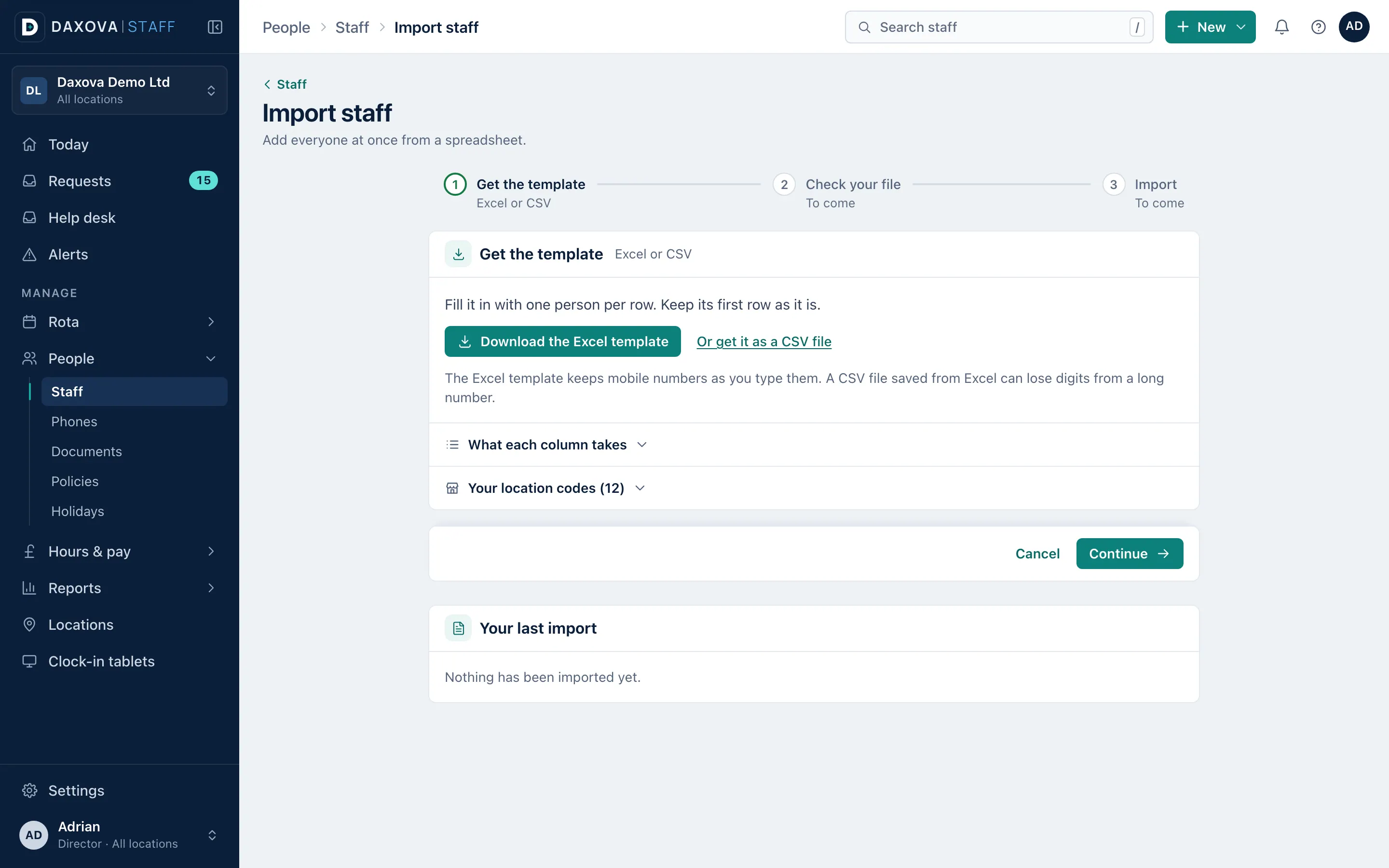
Send us your staff spreadsheet.
Email it before the call and we will have it checked against the import, so on the day it goes in at once. We use it only to set up your Daxova Staff with you.
One row per person: first name, last name, location, contract type, hours a week and hourly rate. Mobile or email too, if you would like a hand sending app invites. Made-up names.
Opens your email app with a message to sales@daxova.co.uk. Attach the file, Excel or CSV.
What you leave with
Locations in. Staff in. A tablet at the door.
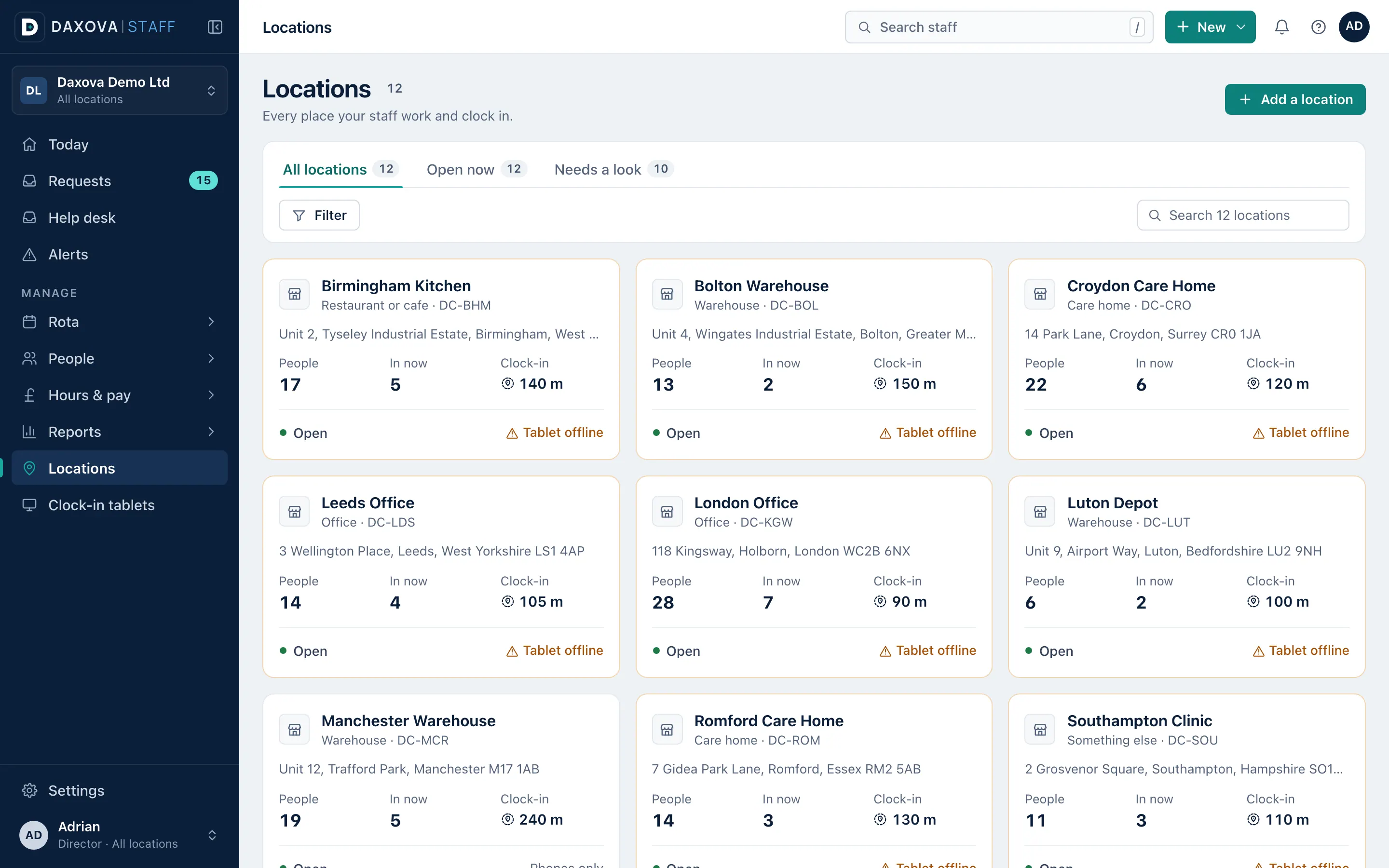
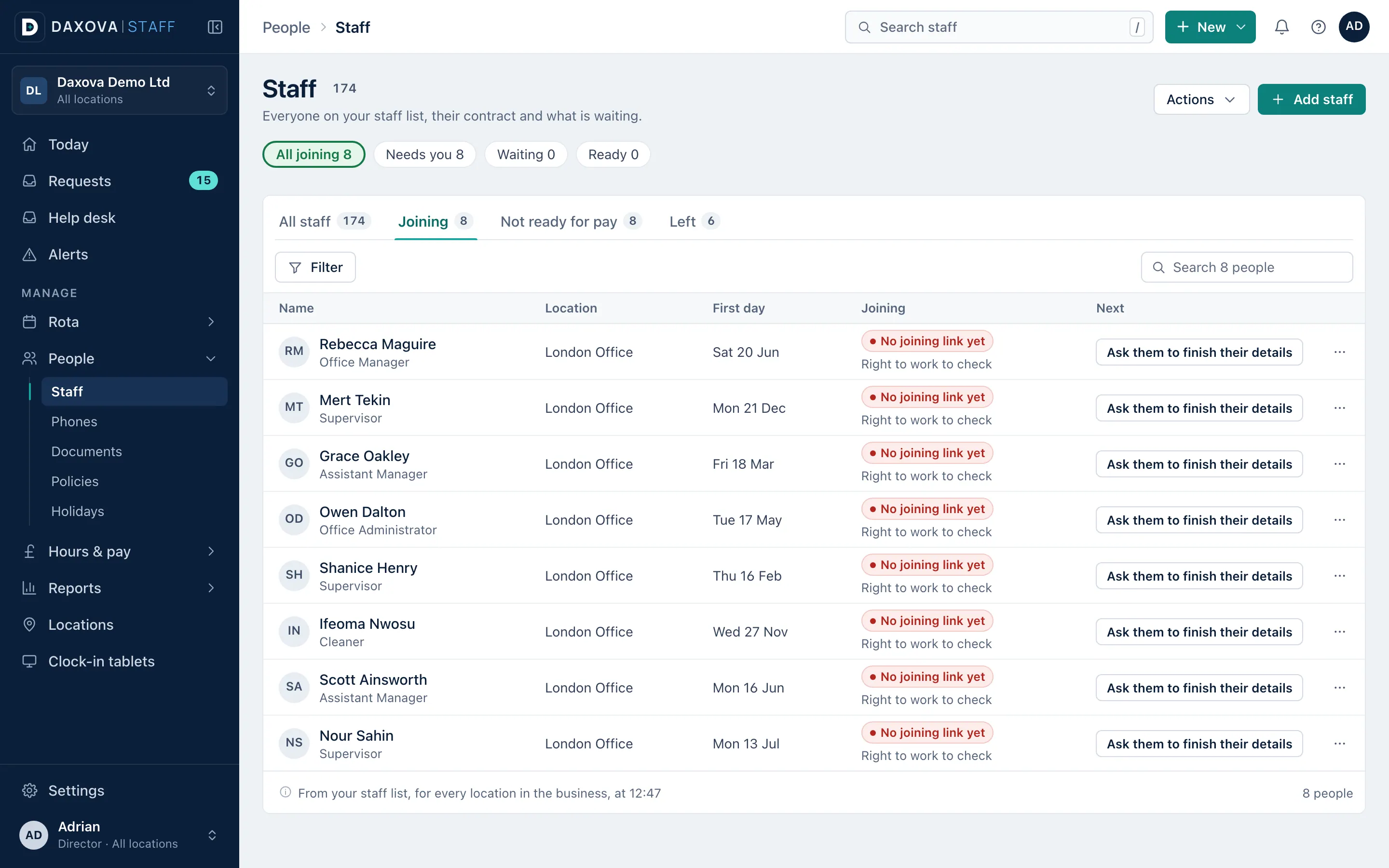
Every location set up
With its address, clock-in rule and opening hours.
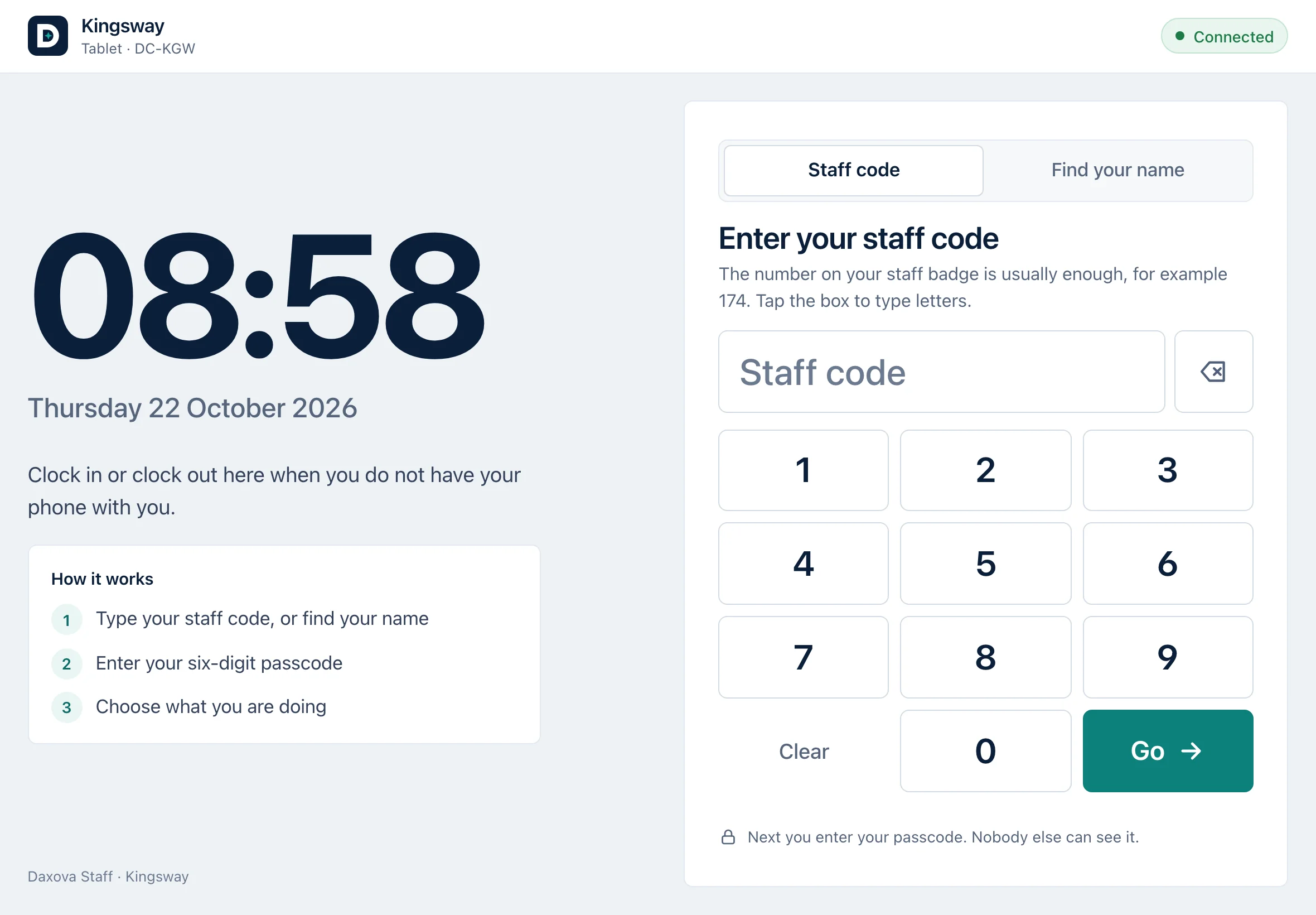
The clock-in tablet working
Paired from a link, on a screen you already own.
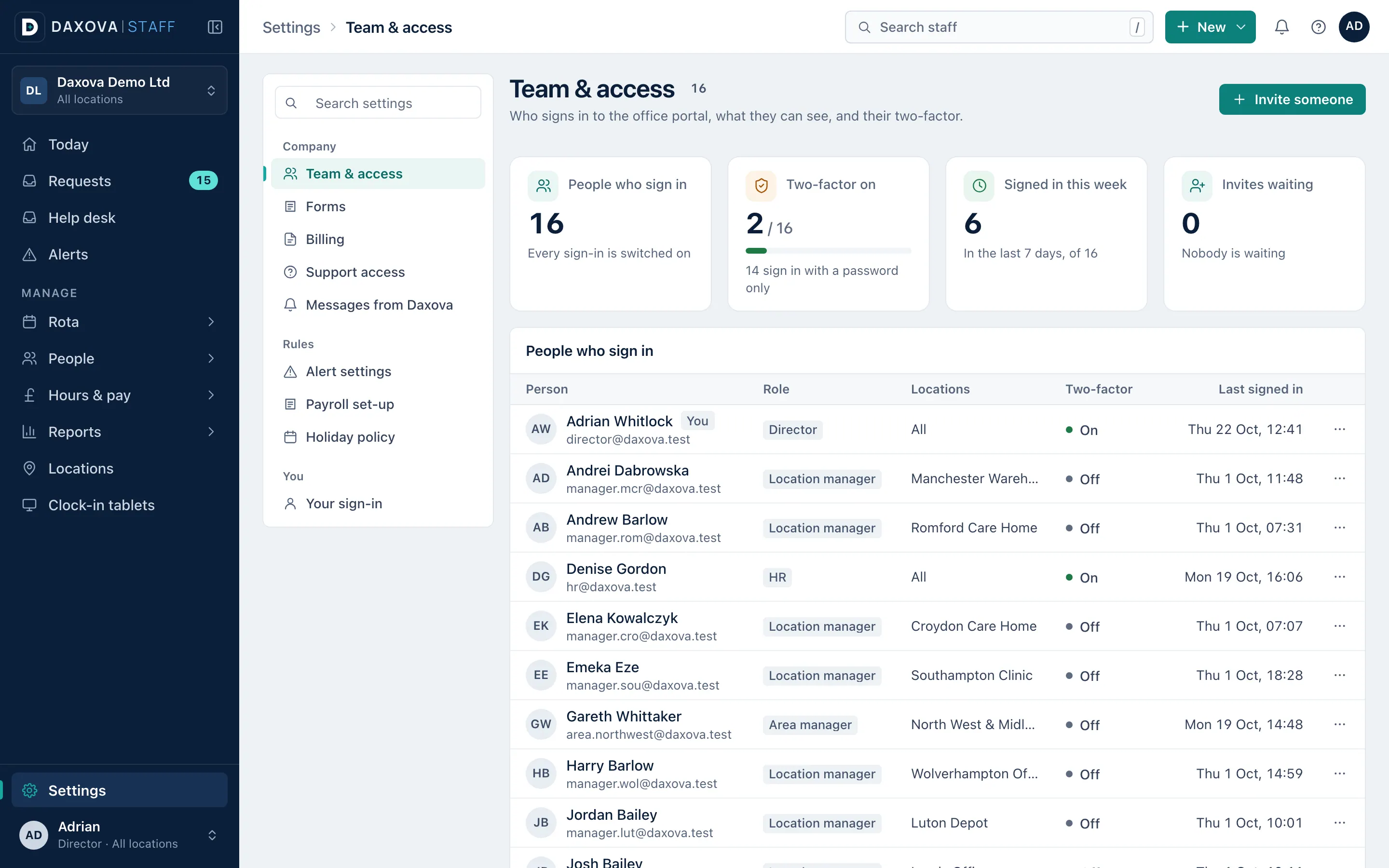
Managers invited
Each seeing only the location they run, with two-factor.
Rather set it up yourself? The getting started guide walks through the same steps, in the order you will need them.
Questions
About the set-up call
Does it cost anything?
No. It is part of your free trial, and there is nothing to sign on the call.
Do I need to have started my trial?
No. If you haven’t, we can start it with you on the call. Starting it online first saves a few minutes.
Who should join the call?
Whoever will run Daxova Staff day to day: a Director, and HR or a location manager if you have one. Only a Director or HR can add staff.
Is the staff app ready for my team?
The Android staff app is in testing and the iPhone app is not in the App Store yet. The clock-in tablet works in any web browser today, so your team can clock in the same day.
Something else? Email sales@daxova.co.uk and we’ll reply within one working day.
Half an hour, and your team is clocking in.
Not on Daxova Staff yet? Book a demo first, or start your free 30-day trial online.