Plan the rota around Saturday staff and students, let people sort their own swaps, and have everyone clock in by the till or on their own phone. You see who is in, their hours and the wage cost, store by store.
£2 per staff member a month. Managers only see the stores they look after.
staff.daxova.co.uk
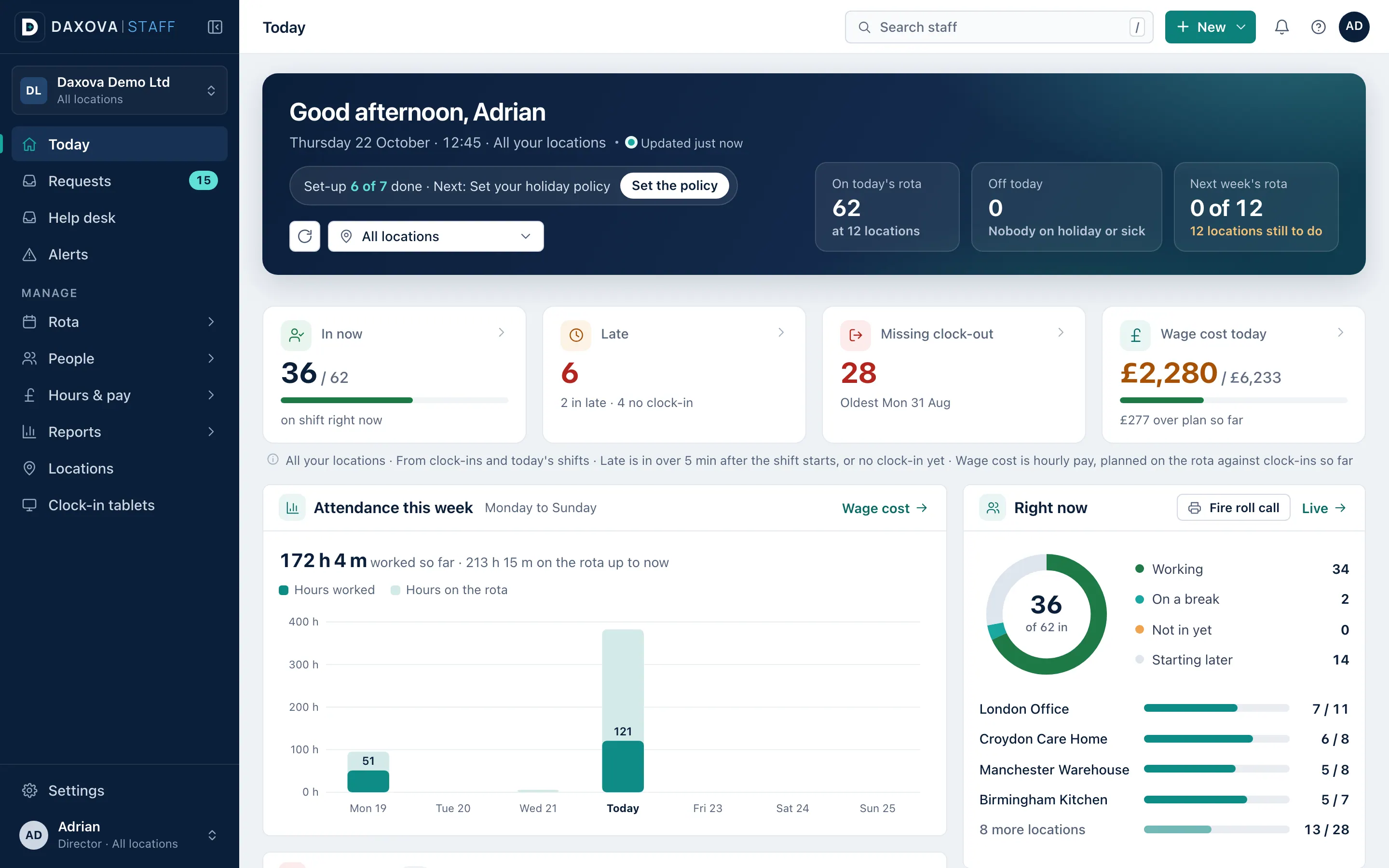
Today: who is in, who is late and what the day costs so far. Made-up data.
A tablet you already own
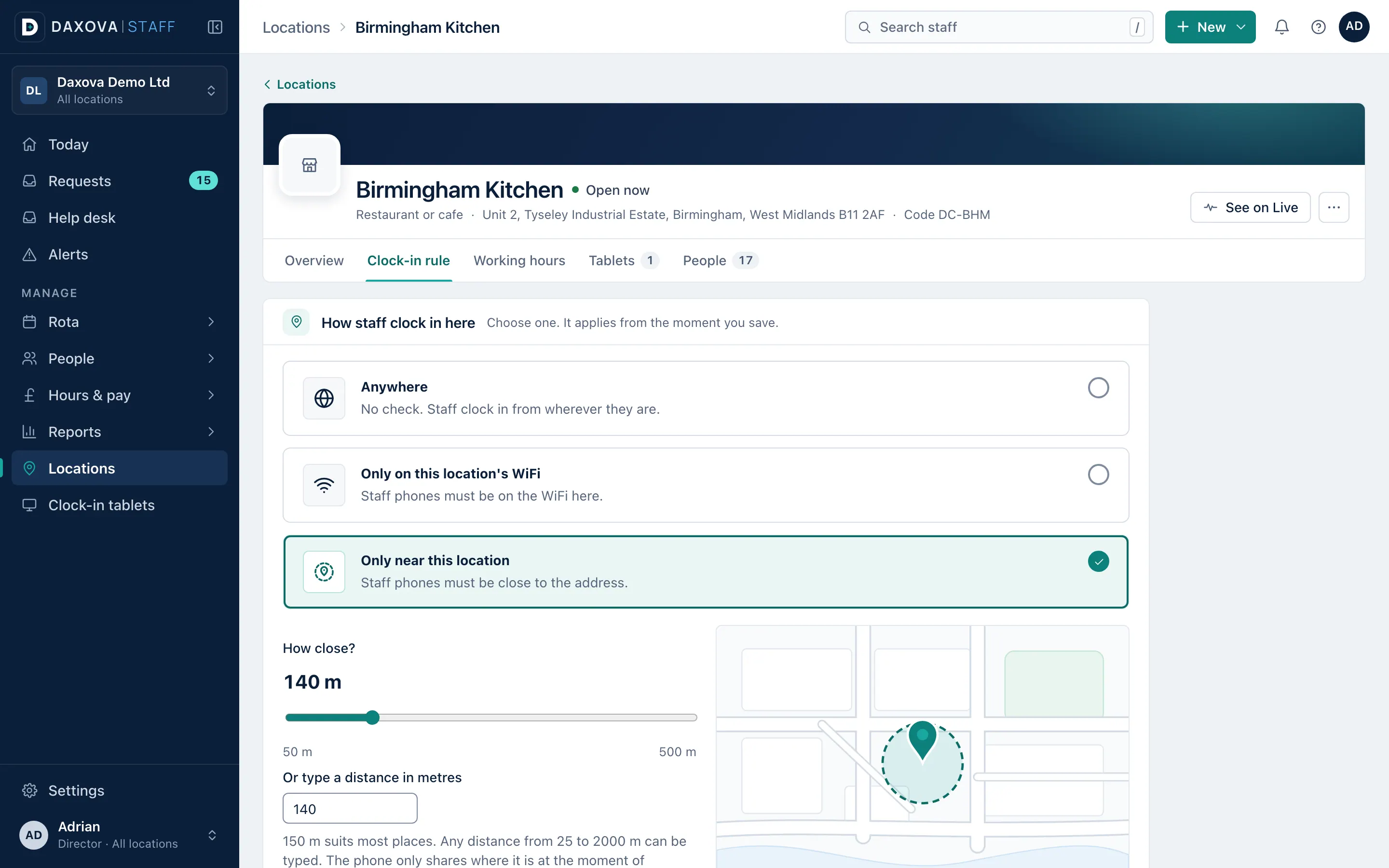
Clock-ins only at your store
Hours ready for payroll
30-day free trial, no card
Monday to Sunday
The week every store owner knows.
Saturday staff, students on visas, last-minute swaps, Christmas holiday requests and more than one store to keep an eye on. Pick a day.
Monday 10:00
Plan next week around who can actually work
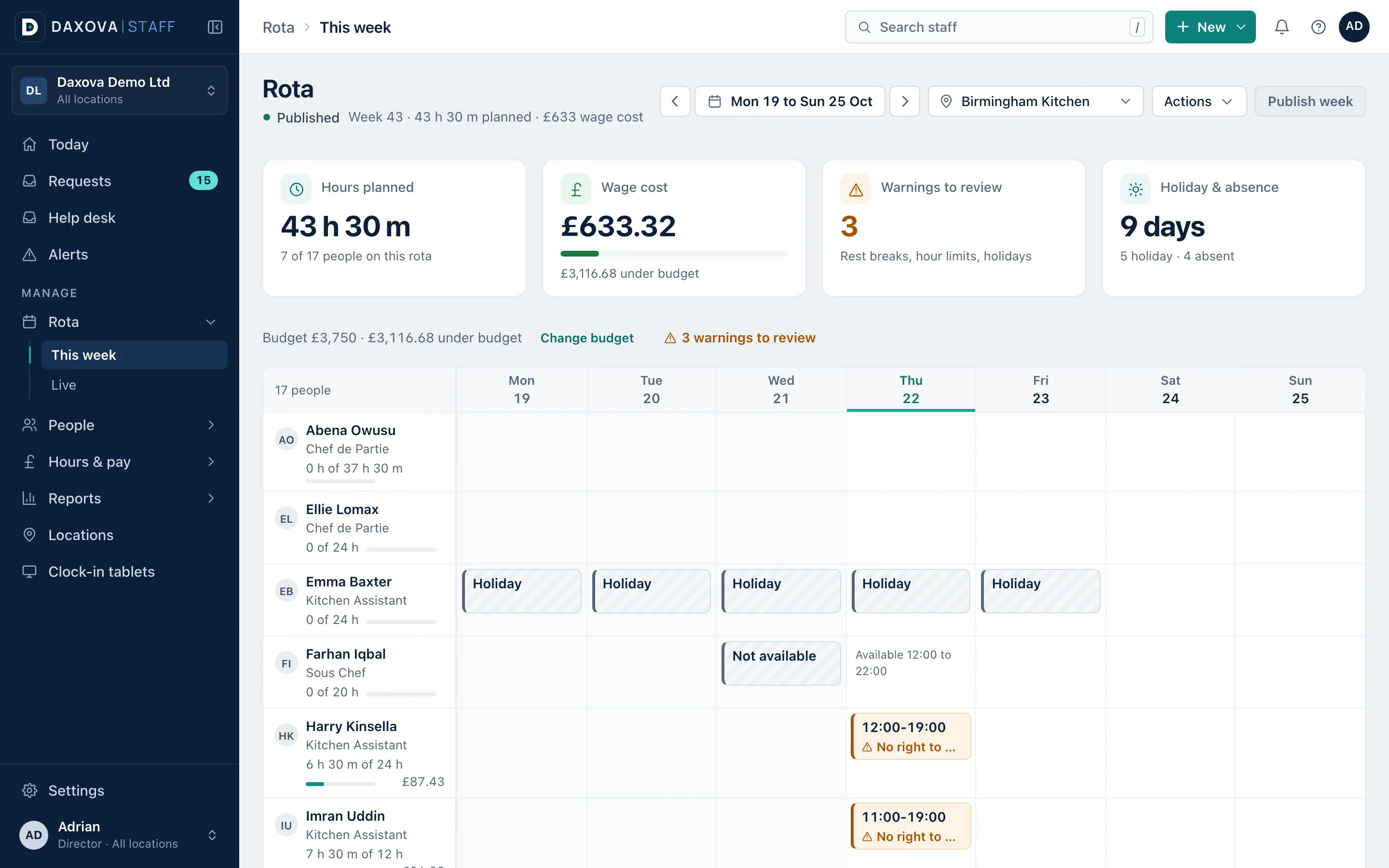
Saturday staff only do weekends and students fit shifts round lectures. Staff set when they can work in the app, and the rota shows it while you plan.
Build it as a draft staff do not see, from Copy last week or an Excel template
Warnings for under 11 hours’ rest, no day off, over 48 hours without an opt-out, weekly hour limits, availability and holidays
A shift that overlaps another, or falls after a right to work check runs out, is refused
Publish week tells only the people whose shifts changed
staff.daxova.co.uk
The week, with its warnings. Made-up data.
Tuesday
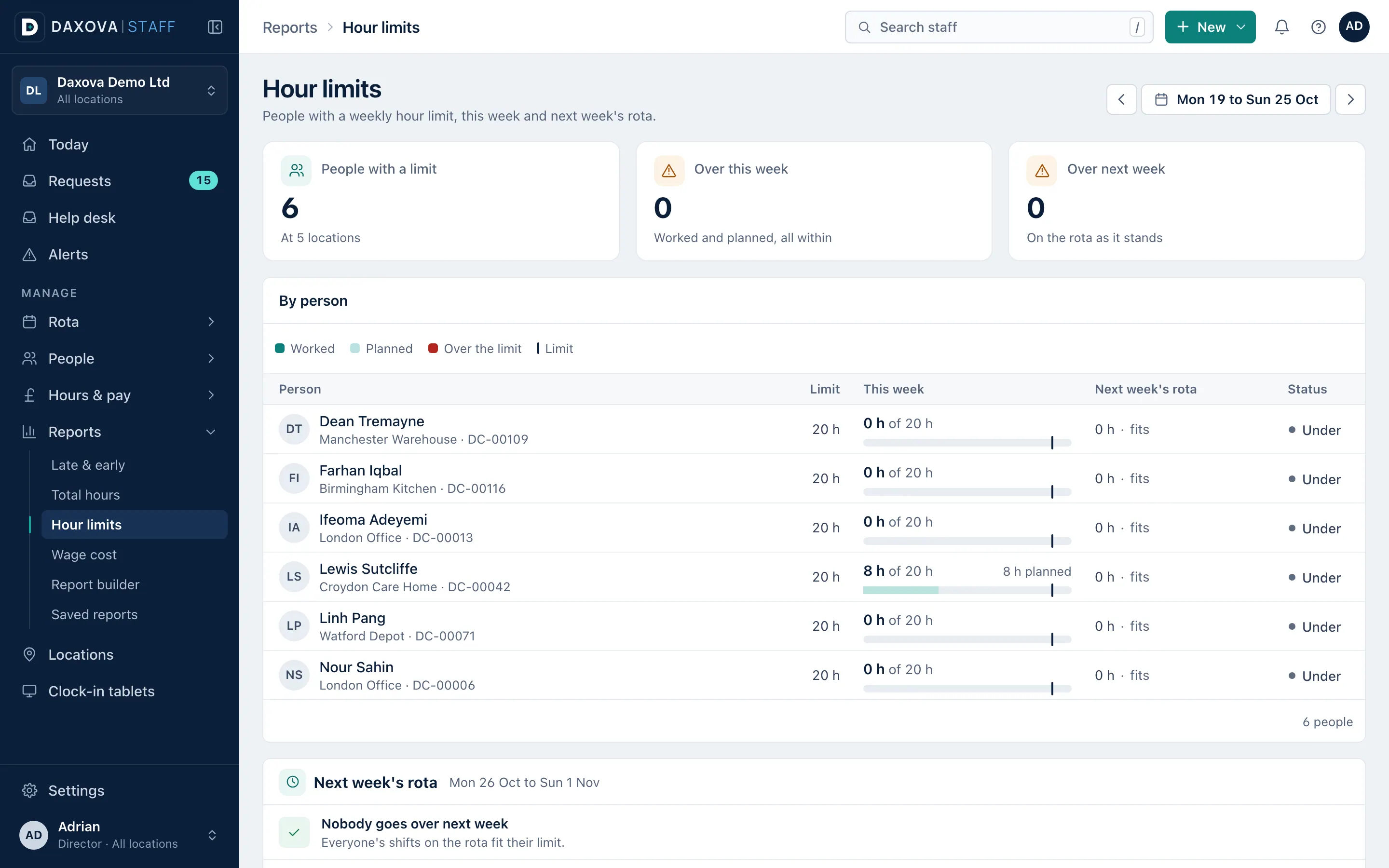
See every student’s 20 hours before the week is worked
If they cover at two stores, nobody adds it up until Friday. Set a weekly limit on each person’s record and Hour limits counts worked and planned hours across every store.
Most urgent first: over, going over, close, within
The rota marks a shift that takes someone over while you plan
A swap or extra hours that would take someone over is refused
A planning tool, not a legal promise: deciding the limit stays with you.
staff.daxova.co.uk
Hour limits, counted across every store. Made-up data.
Wednesday
Someone cannot make tomorrow. They find the cover, you approve it
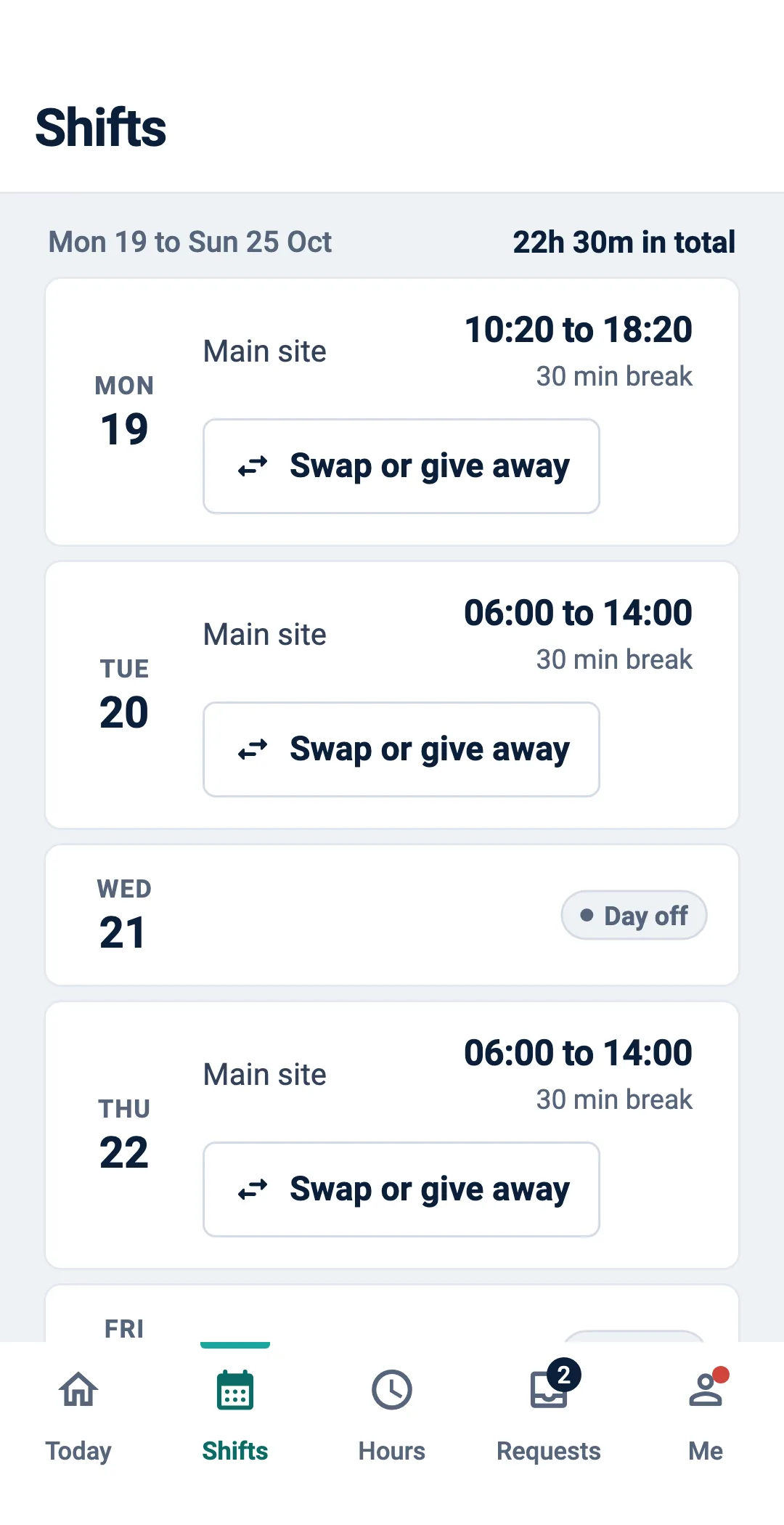
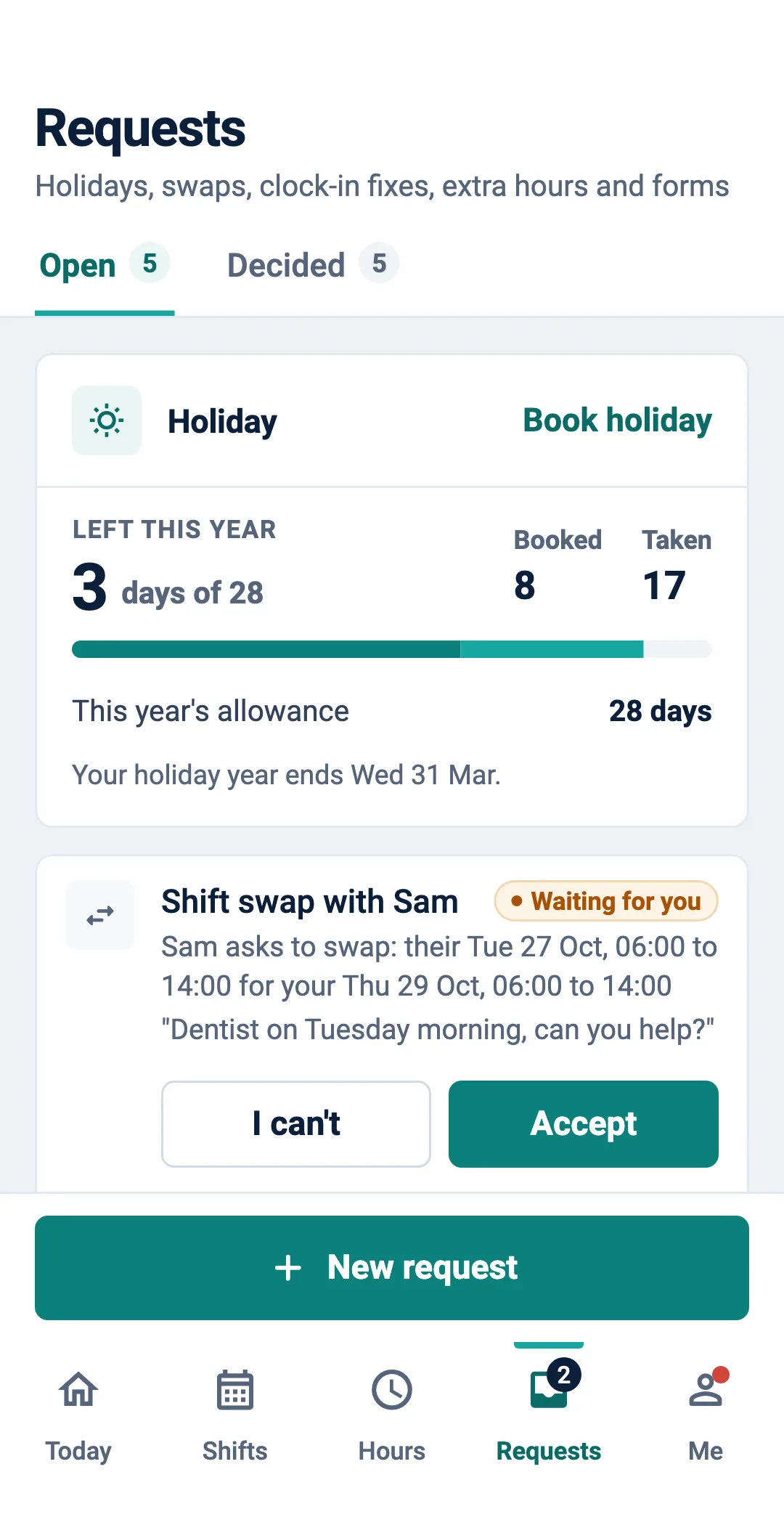
Instead of an evening of ringing round, staff offer a shift to swap or give away in the app. Only colleagues it suits are asked, after a check on hours and rest.
The colleague accepts, a manager approves, and the rota changes at once
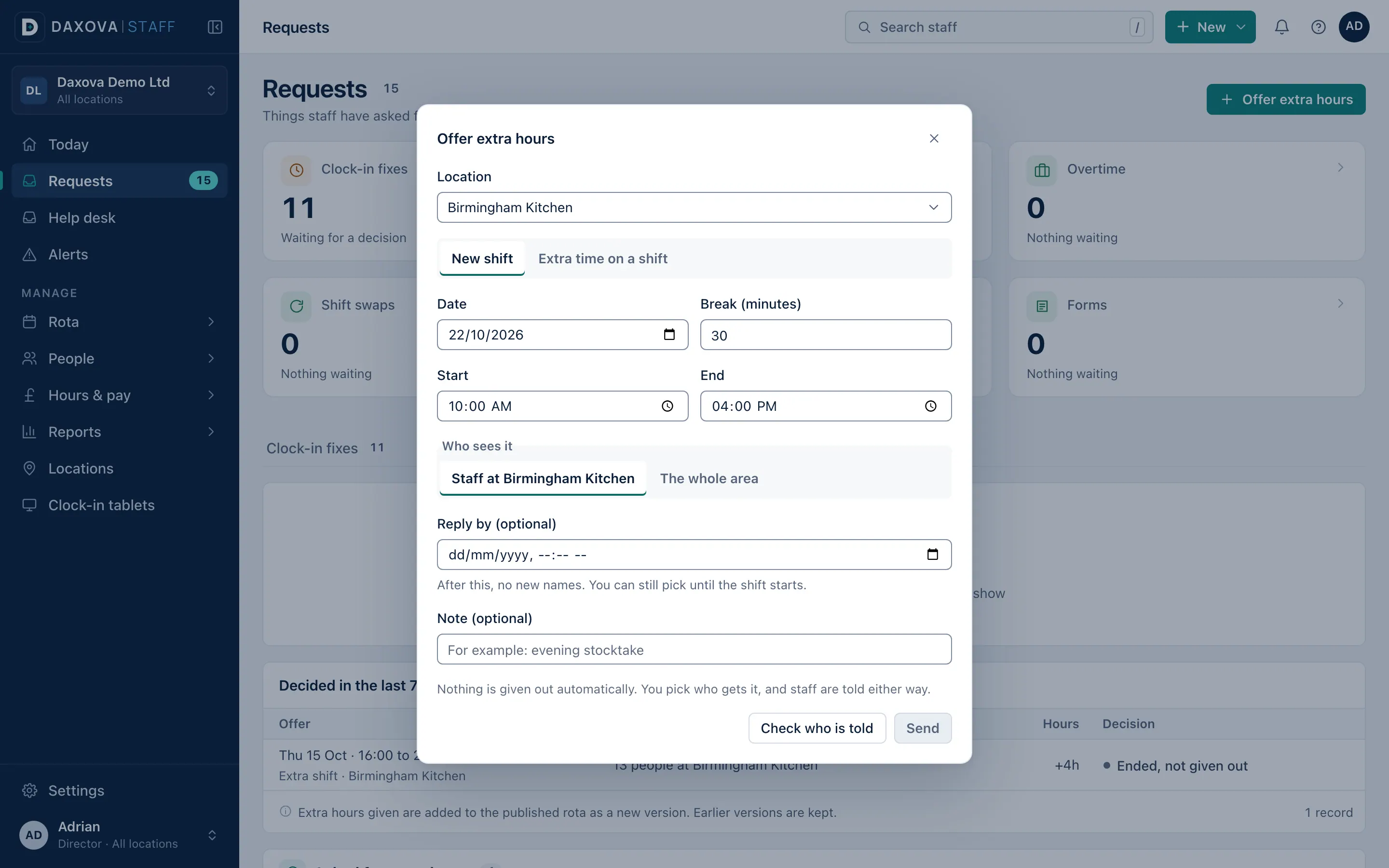
Short-staffed? Offer extra hours to a store or an area. Staff put their name forward and you pick
Nobody is offered hours that would take them over their weekly limit
staff.daxova.co.uk
Offer extra hours to a store or an area. Made-up data.
Thursday
Holiday requests before the Christmas rush, decided in a tap
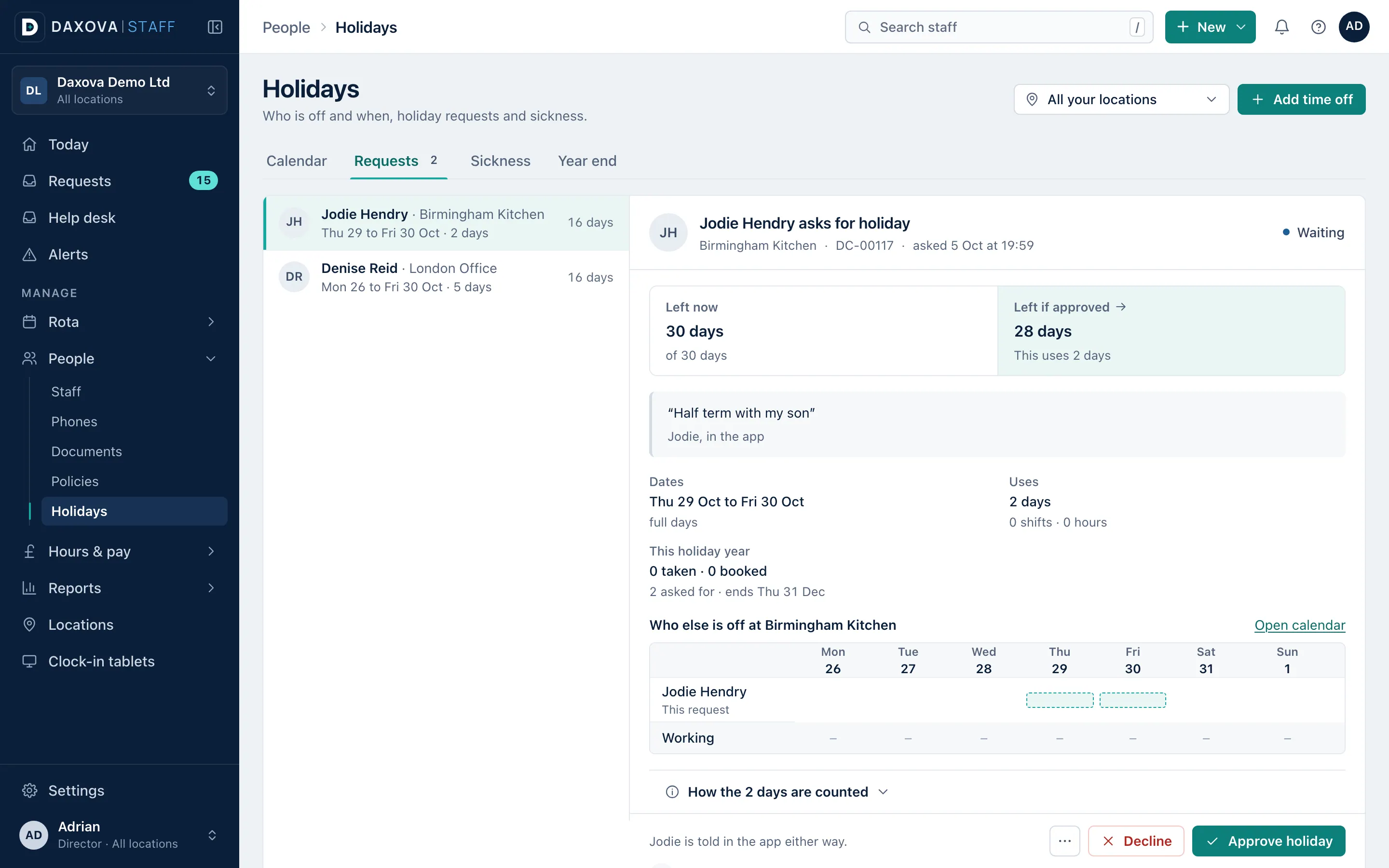
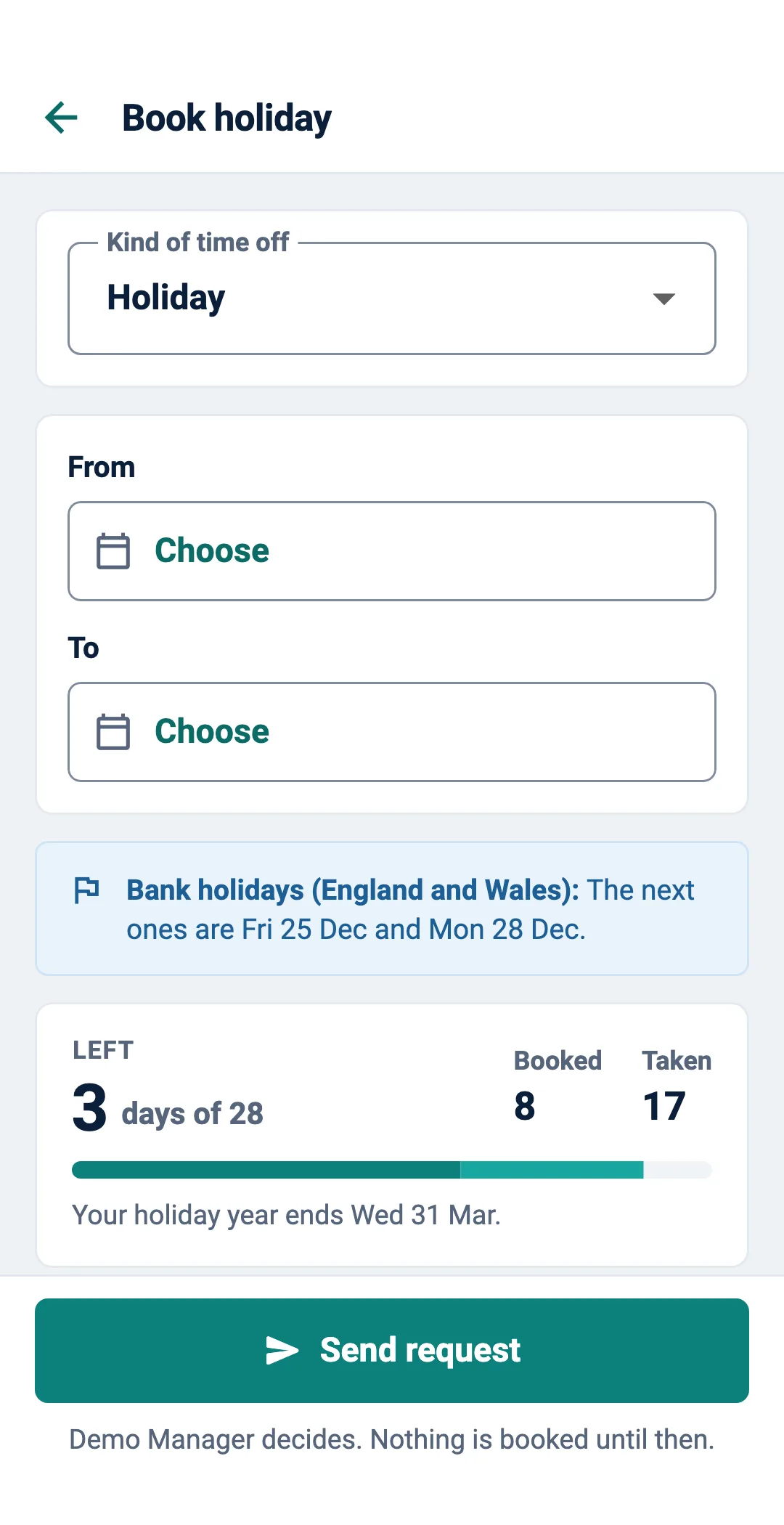
Everyone wants the days around Christmas. Staff ask in the app and see the days they have left. You decide in the portal, seeing who else is off.
Whole or half days, with the next bank holidays shown while they pick
Who else is off that week, and the limit on how many can be off at once, beside every request
Nothing is booked until you decide, and staff are told in the app either way
staff.daxova.co.uk
A holiday request with the balance and who else is off. Made-up data.
Friday
Adding up hours from three places the night before the cut-off
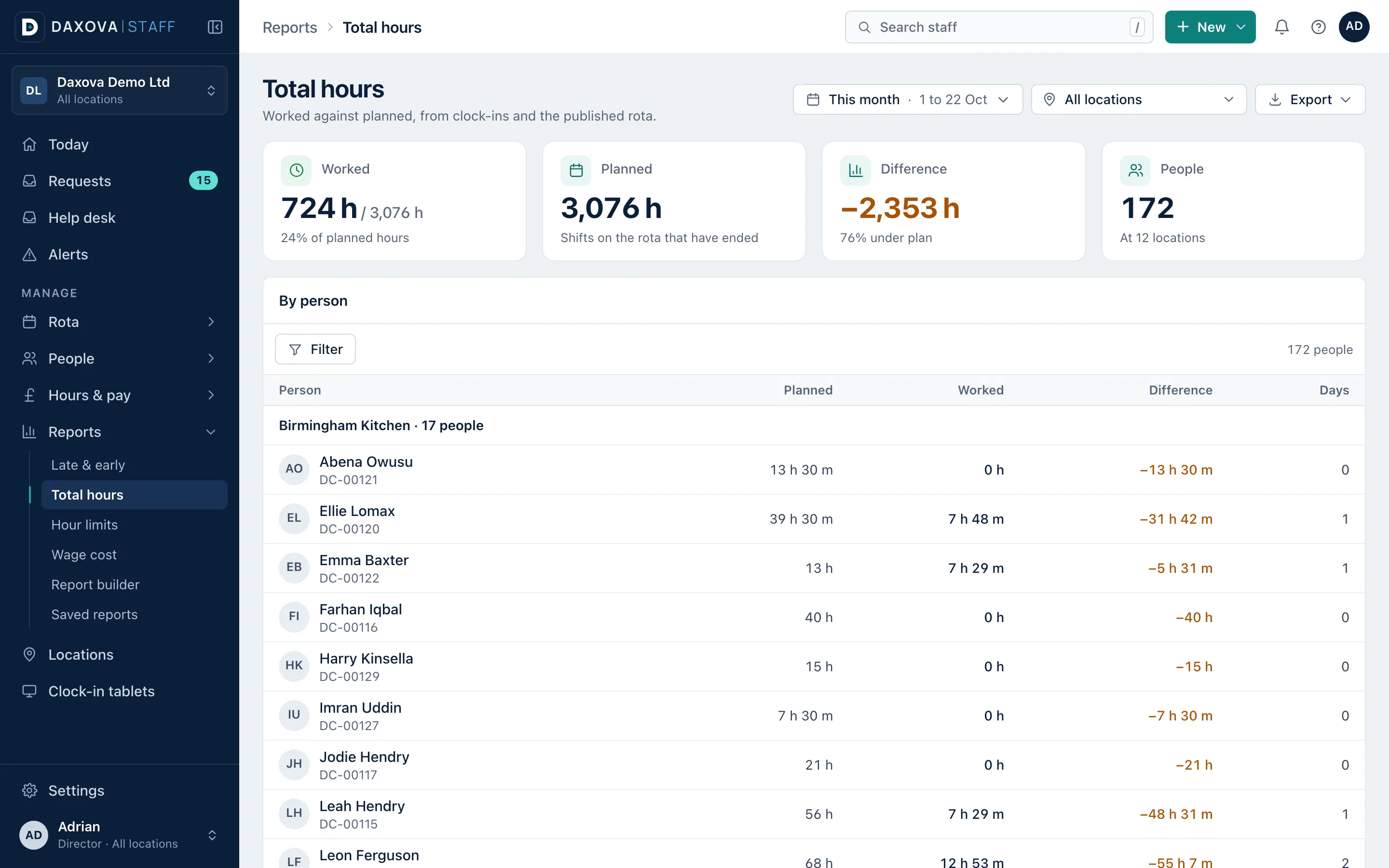
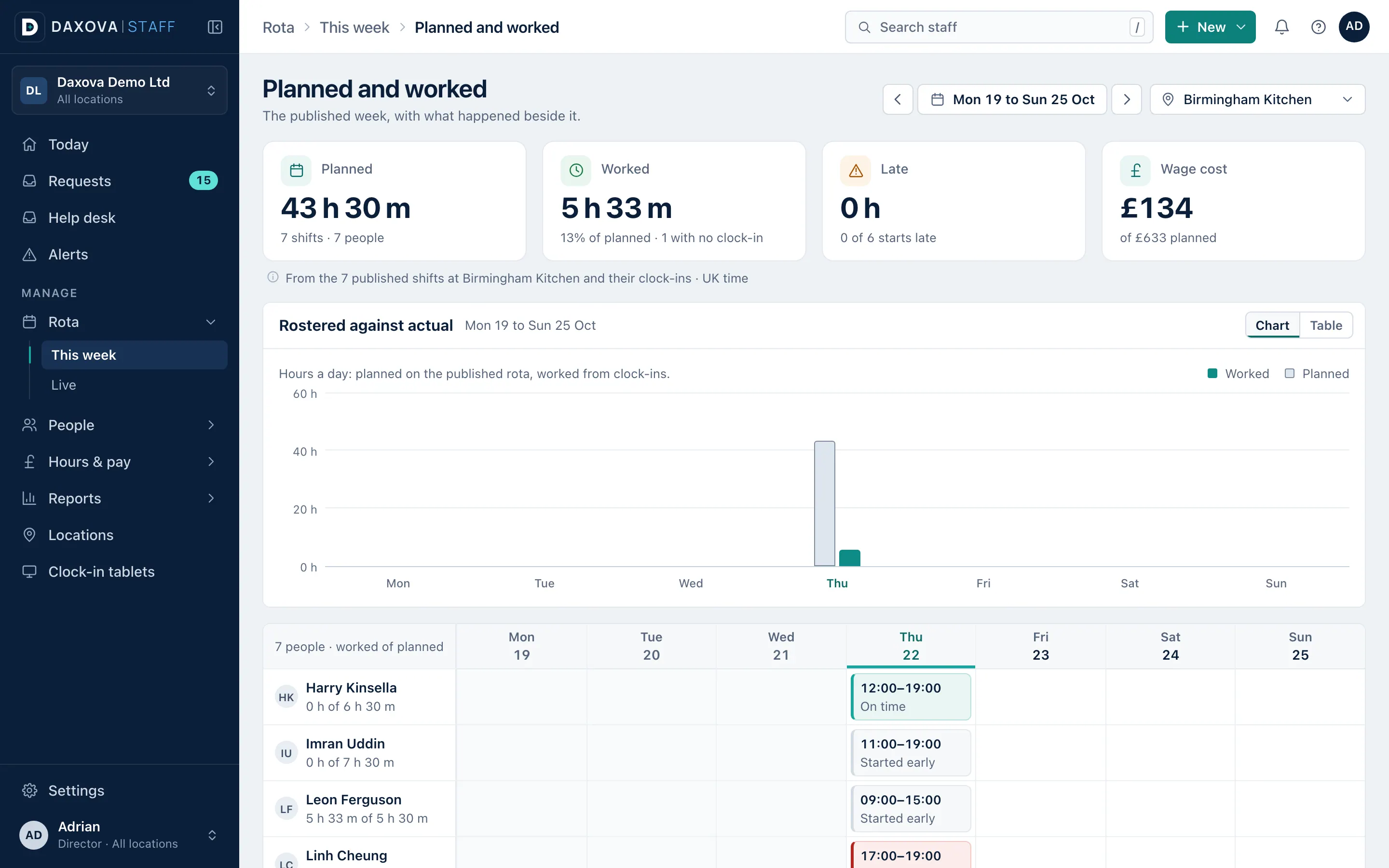
Total hours puts the hours each person actually worked, breaks taken out, beside the hours on their shifts. Late and early lists every clock-in outside the shift times. Both download in Excel or PDF.
Pay gives a payroll CSV of gross pay estimates
Or run UK payroll in Daxova for £1 per person on payroll, free during your trial
Daxova sends the FPS and EPS to HMRC when you choose
staff.daxova.co.uk
Total hours: planned against worked. Made-up data.
Saturday 09:00
Is anyone in yet, and did last night’s closer clock out?
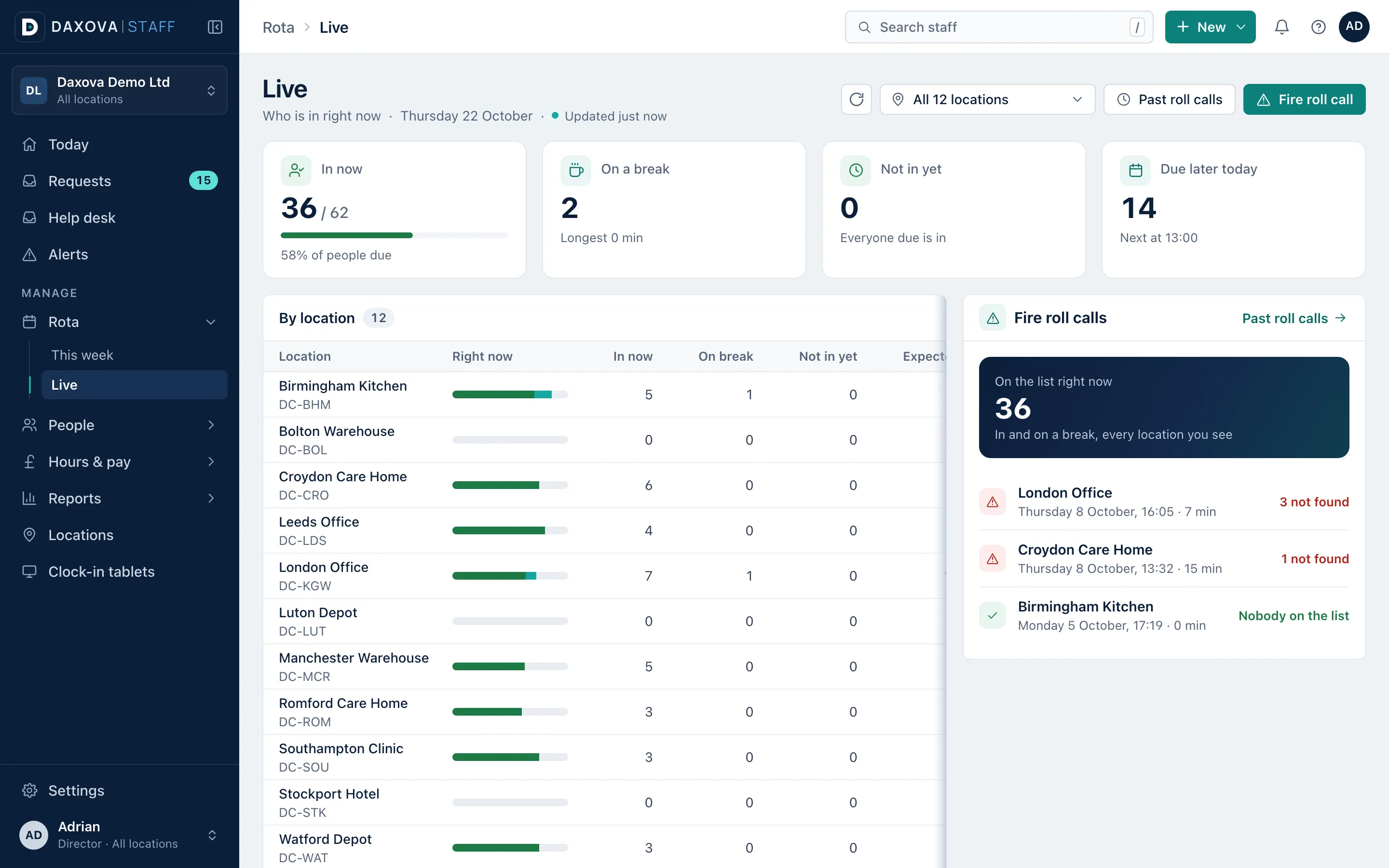
Saturday is the busiest day. You are at one store and the other opened at nine. Live shows who is in, on a break and not in yet, store by store, every 30 seconds, on a computer or a phone.
Anyone who never clocked out is shown
Alerts are worded as notes, never accusations
When the alarm goes, Live turns into a fire roll call
staff.daxova.co.uk
Live, store by store. Made-up data.
Sunday
The rota on the staff-room wall
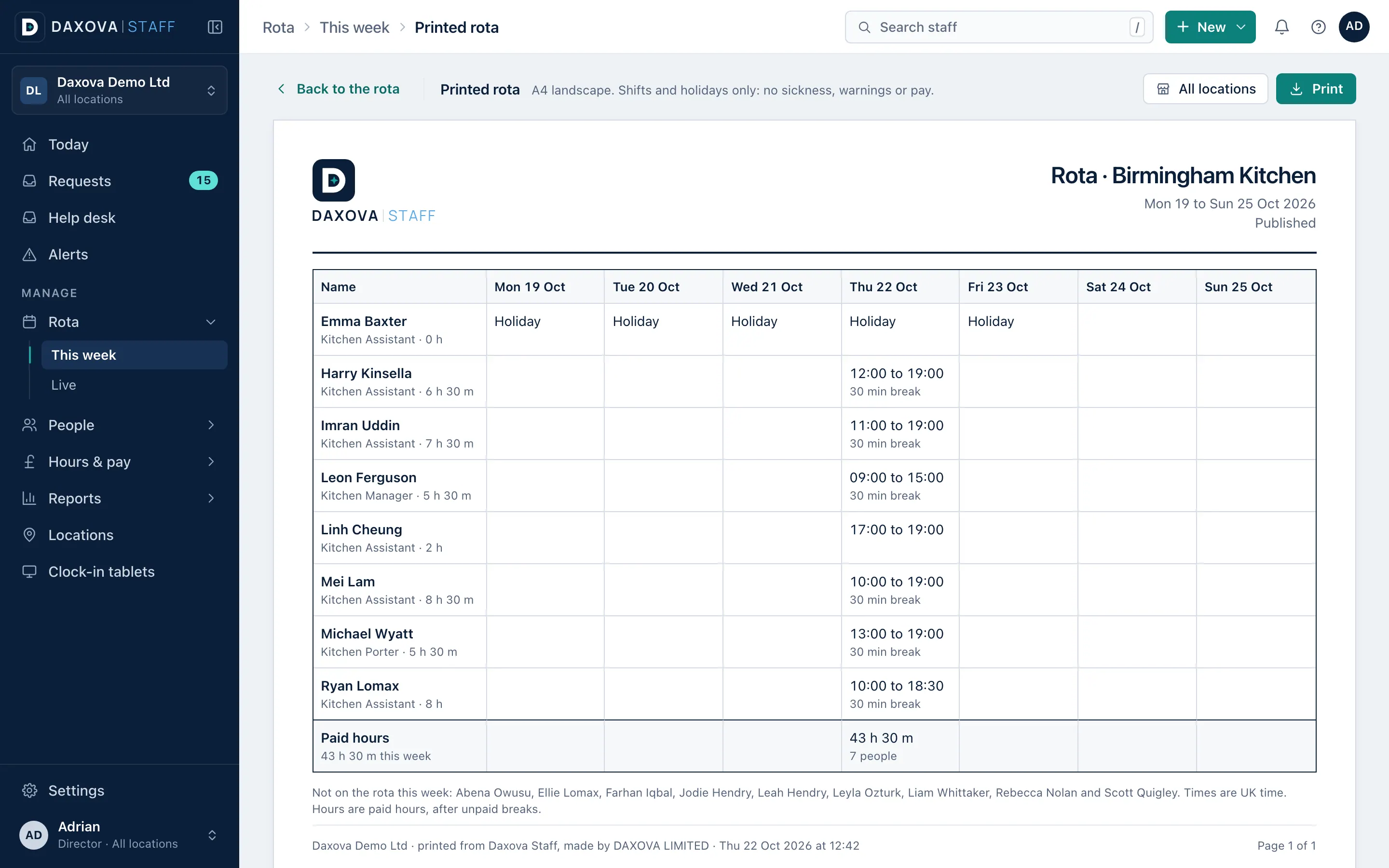
Not everyone lives on their phone. Print the published week, shifts only, ready to pin up.
A4 landscape, one location at a time
Staff still get the app notification for changes
staff.daxova.co.uk
The printed rota. Made-up data.
Clocking in by the till
Clocking in by the till, and only as yourself.
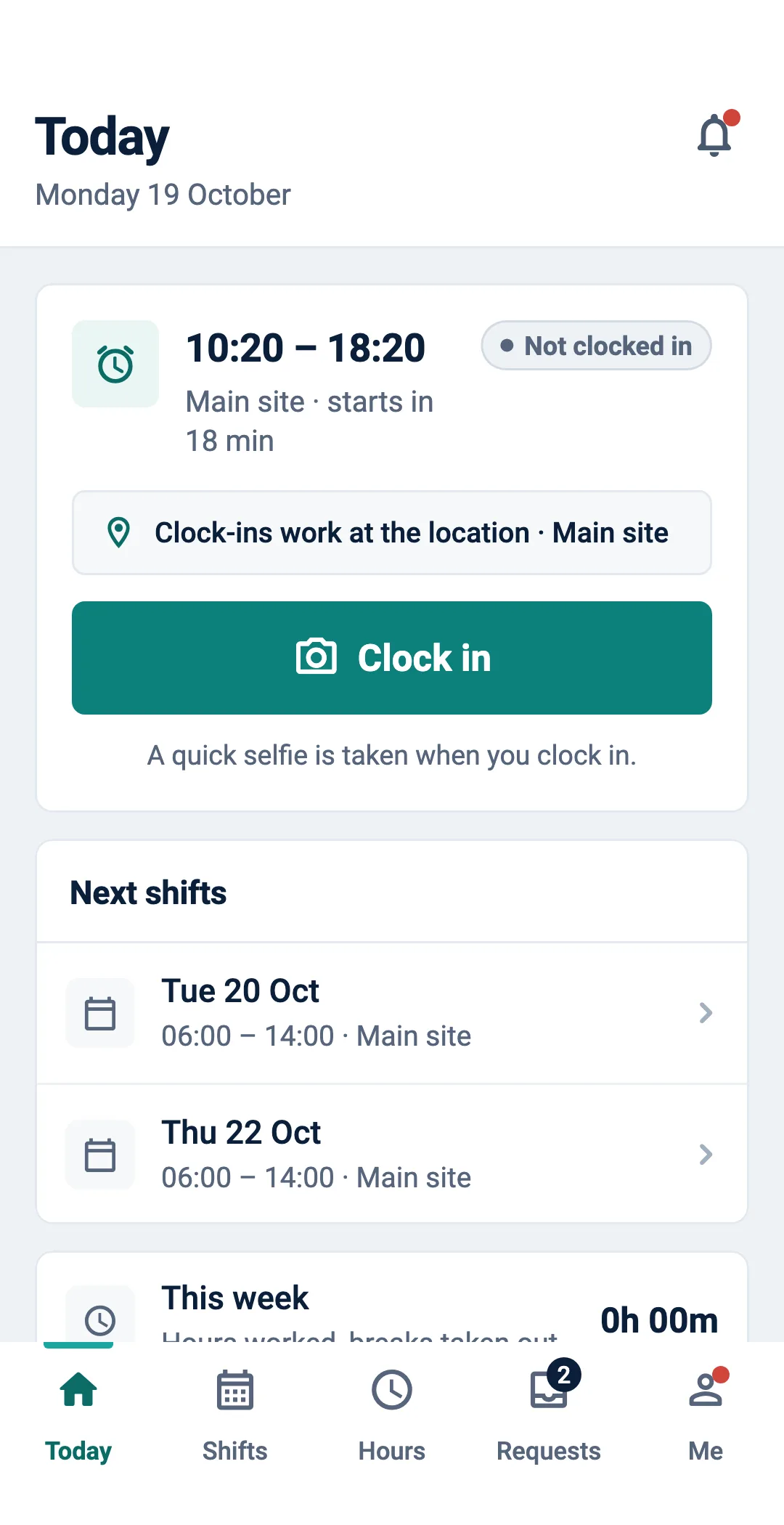
A paper sheet filled in from memory at the end of the week, and a friend who signs in for a friend. Any tablet or screen becomes your clock-in tablet, set up once from a link. Staff type their staff code or find their name, then a six-digit passcode only they know.
Tied to the person’s own phone, with a live photo at every clock-in and clock-out
Set a store’s rule to its WiFi and phone clock-ins only work on the store’s connection. At a store that checks WiFi, the app does not read the phone’s location at all
No smartphone? Staff choose their tablet passcode from a link their manager gives them
An alert tells you if the clock-in tablet goes offline
The staff app: Android is in testing and iPhone is not in the App Store yet. The tablet works in any browser today.
staff.daxova.co.uk
A location’s clock-in rule: anywhere, its WiFi, or near it. Made-up data.
Across every store
What a manager sees, and what an owner sees.
One portal for the whole company, with each person seeing only what they should.
Each manager, their stores
Area and store managers see only the stores they look after. Office users who only use the web portal are free.
Today, across every store
Who is in, late, on break and not in yet, and what needs your attention, most urgent first.
Wage cost by store and day
Planned cost from the rota beside actual cost from clock-ins, with a weekly budget for each store.
Saturday was busy
Was the extra cover worth it? Set the week’s cost beside your takings.
The till knows the takings. The wage bill only turns up at payroll. Wage cost puts the planned cost from the rota against the actual cost from clock-ins, for each store and each day. Daxova does not link to your till yet, so you set the day’s takings beside it yourself.
HR and the Director also see each person’s cost and a check against the minimum wage for their age
No. The clock-in tablet runs in a web browser on a tablet or screen you already own, and you set it up once from a link. The Android staff app is in testing and the iPhone app is not in the App Store yet.
What about staff without a smartphone?
They use the clock-in tablet: their staff code and passcode, or Find your name and their passcode. They choose their passcode from a link their manager gives them. The tablet keeps nothing about anybody and takes no photos.
Can staff clock in from home?
No. With the WiFi clock-in rule, phone clock-ins only work on the store’s own connection. With the rule set to near the store, they only work within its area, and fake-location apps are refused.
What does the WiFi clock-in rule need?
A fixed (static) internet address on the store’s broadband, because the WiFi rule checks the address each clock-in arrives from. If your broadband does not have one, set the clock-in rule to near the store instead.
Does it connect to our till or payroll software?
Not yet: there are no integrations. Late and early and Total hours download in Excel or PDF, and Pay gives a payroll CSV of gross pay estimates. Or run UK payroll in Daxova itself, for £1 per staff member on payroll a month.
How much is it for a team of 12?
£24 a month: £2 per staff member, everything included, with no VAT charged. Owners and managers who only use the web portal are free, and the minimum is £12 a month.
Something else? Email sales@daxova.co.uk and we’ll reply within one working day.
Put a clock-in tablet by your till this week.
Start with a free 30-day trial online in a few minutes. Add your stores and staff, or ask us to help. No card, no contract.