
Two ways to fix it
- They send a fix request with the right time and what happened.
- The Director decides it in Requests.
- They are told in the app either way.
- Complete a missing clock-out, or correct a time, on Edit clock-ins.
- Give a reason and a short note.
- It counts straight away. No approval is needed.
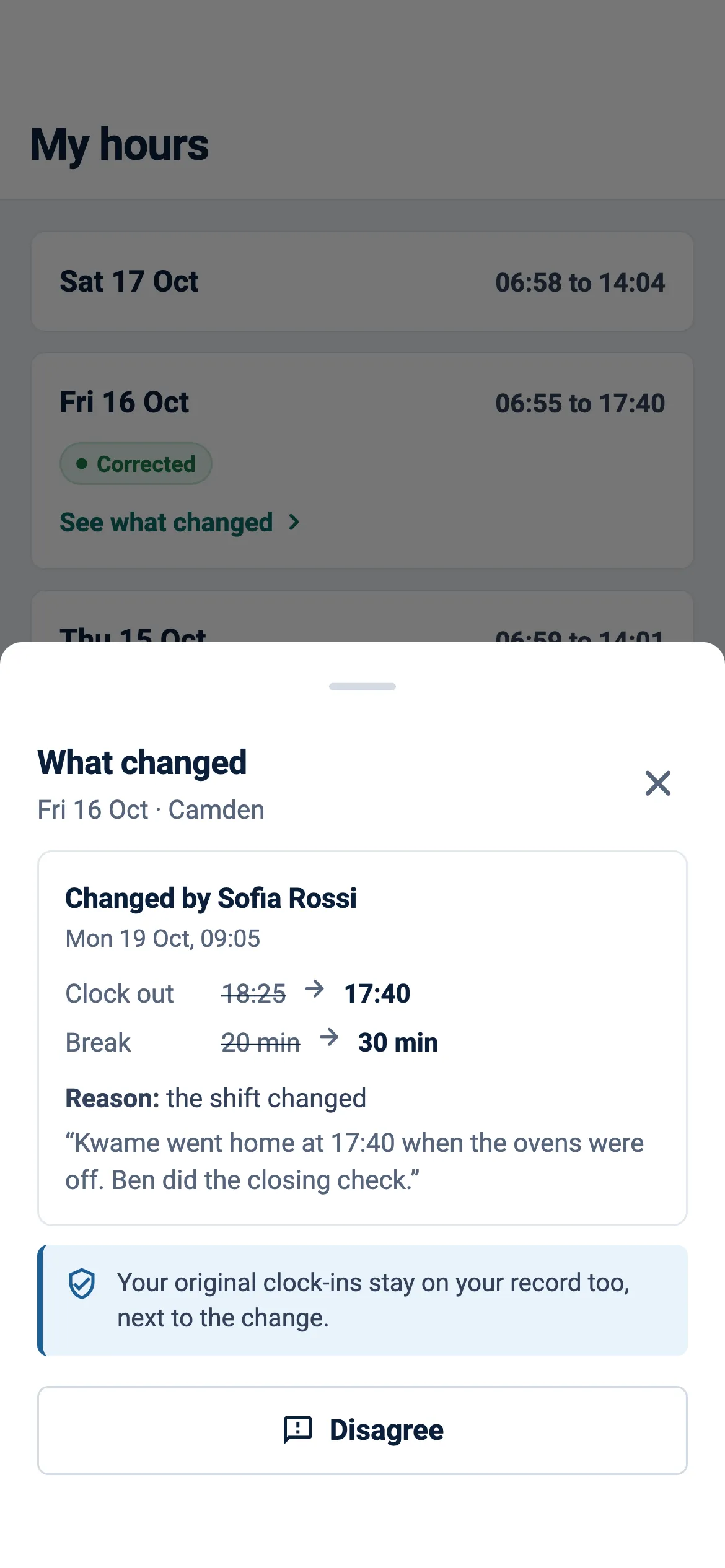
The original time, the new time, who changed it and why. Made-up data.
Ask for a fix in the app
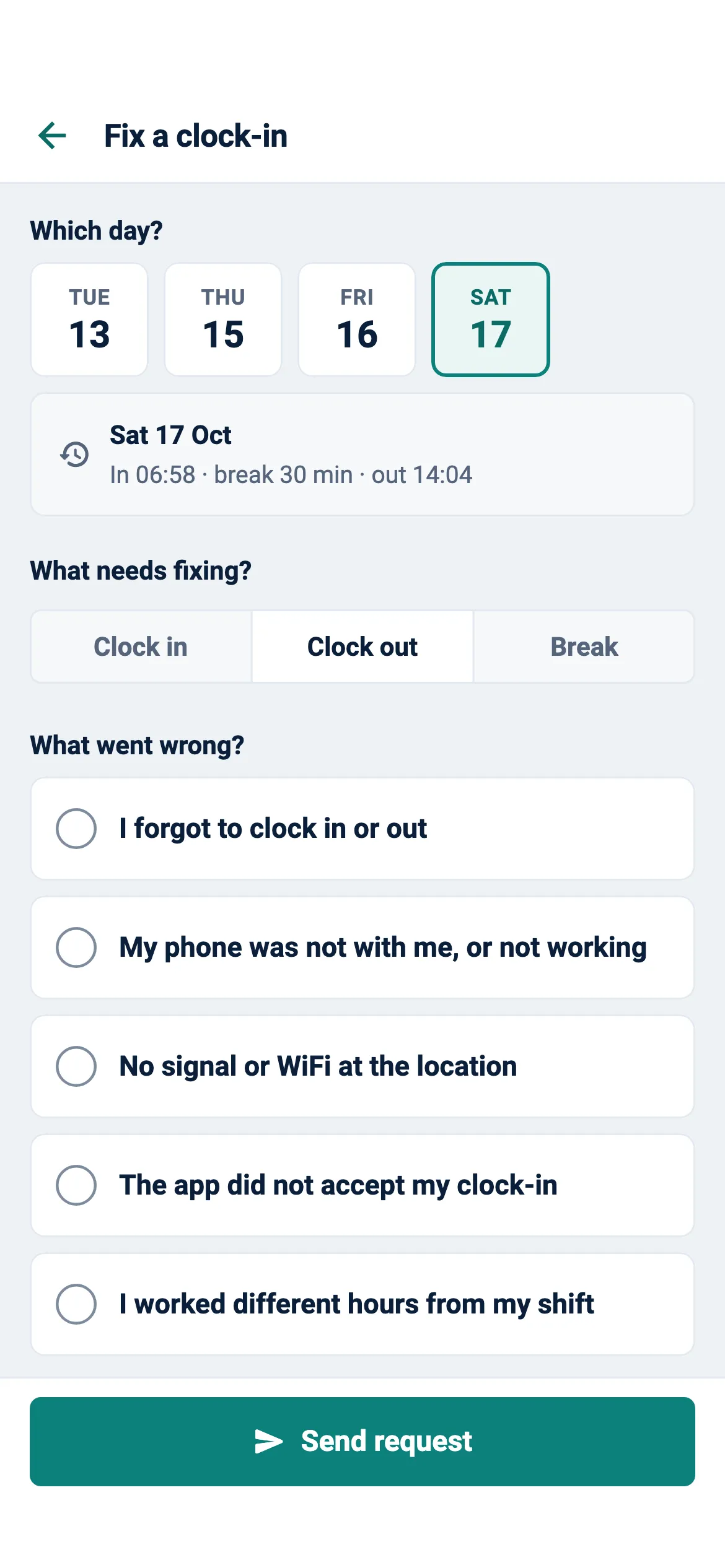
- Open Fix a clock-in
In Requests, tap New request, then Fix a clock-in.
- Choose the day and what is wrong
Pick a shift from the last two weeks, then Clock in, Clock out or Break, and the right time.
- Say what went wrong
Choose a reason, write a sentence about what happened, and tap Send request.
While it waits, the shift shows On hold, under review in their Hours, and it is paid on the rota hours so their pay is not held up. If it is still waiting after 48 hours a reminder goes out, and at 72 hours the Director is told it is overdue.
Decide a request
Open Requests and the Clock-in fixes tab. Each request shows what was recorded beside what they asked for, their words, the day and the rota. Everything recorded that day lists every clock-in and change.
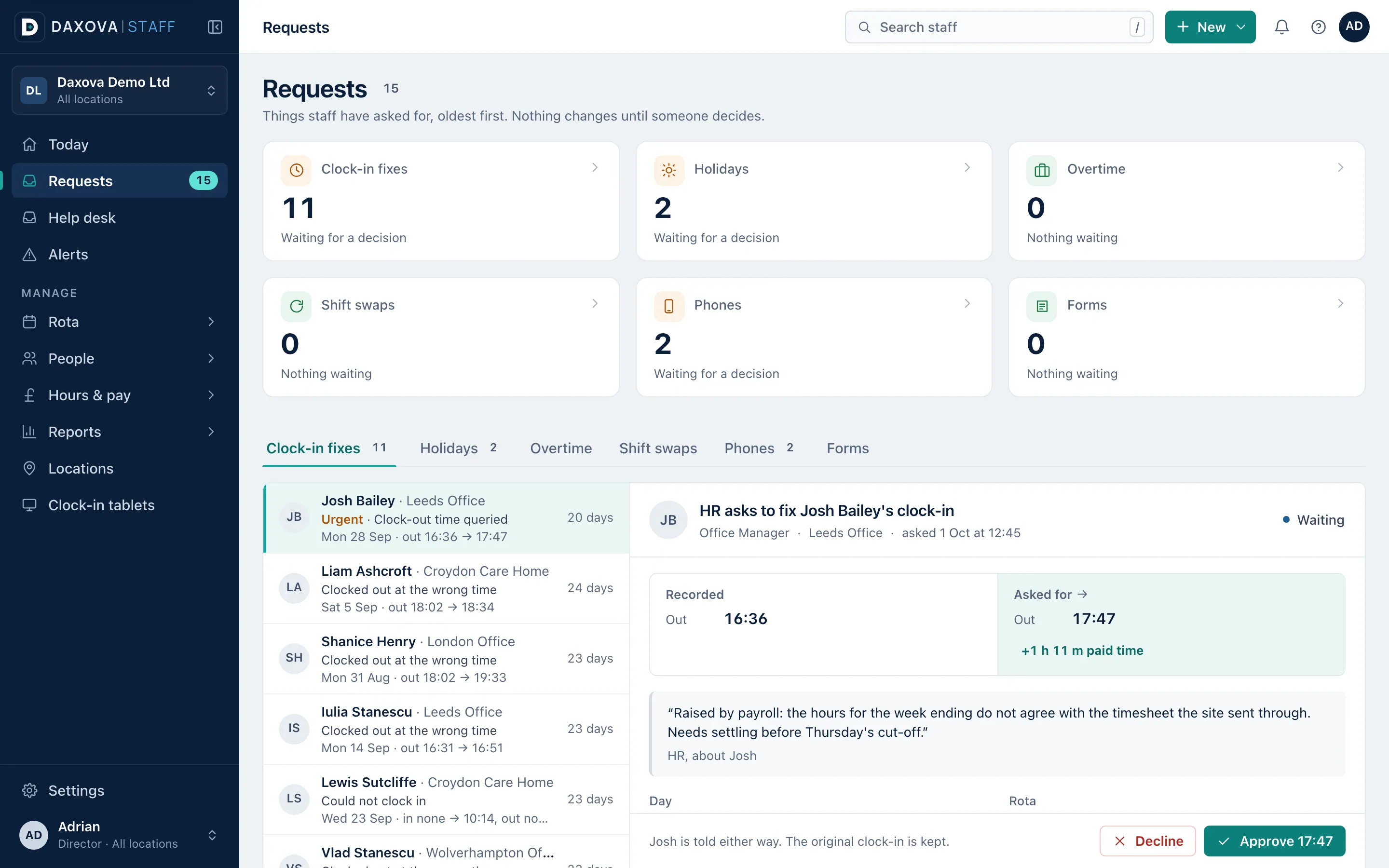
- Approve: the fix is added with your name, and what was recorded before is kept. The shift shows as Corrected in their app.
- Decline: say why. Nothing on the record changes, and they see your reason.
- Somebody with no app is not told: the page says so, so you can tell them yourself.
Complete a missing clock-out yourself
Thirty minutes after a shift ends with no clock-out, it shows on Today under Needs you, with a Complete button. It is never closed by itself, and it is not in the pay until it has a clock-out.
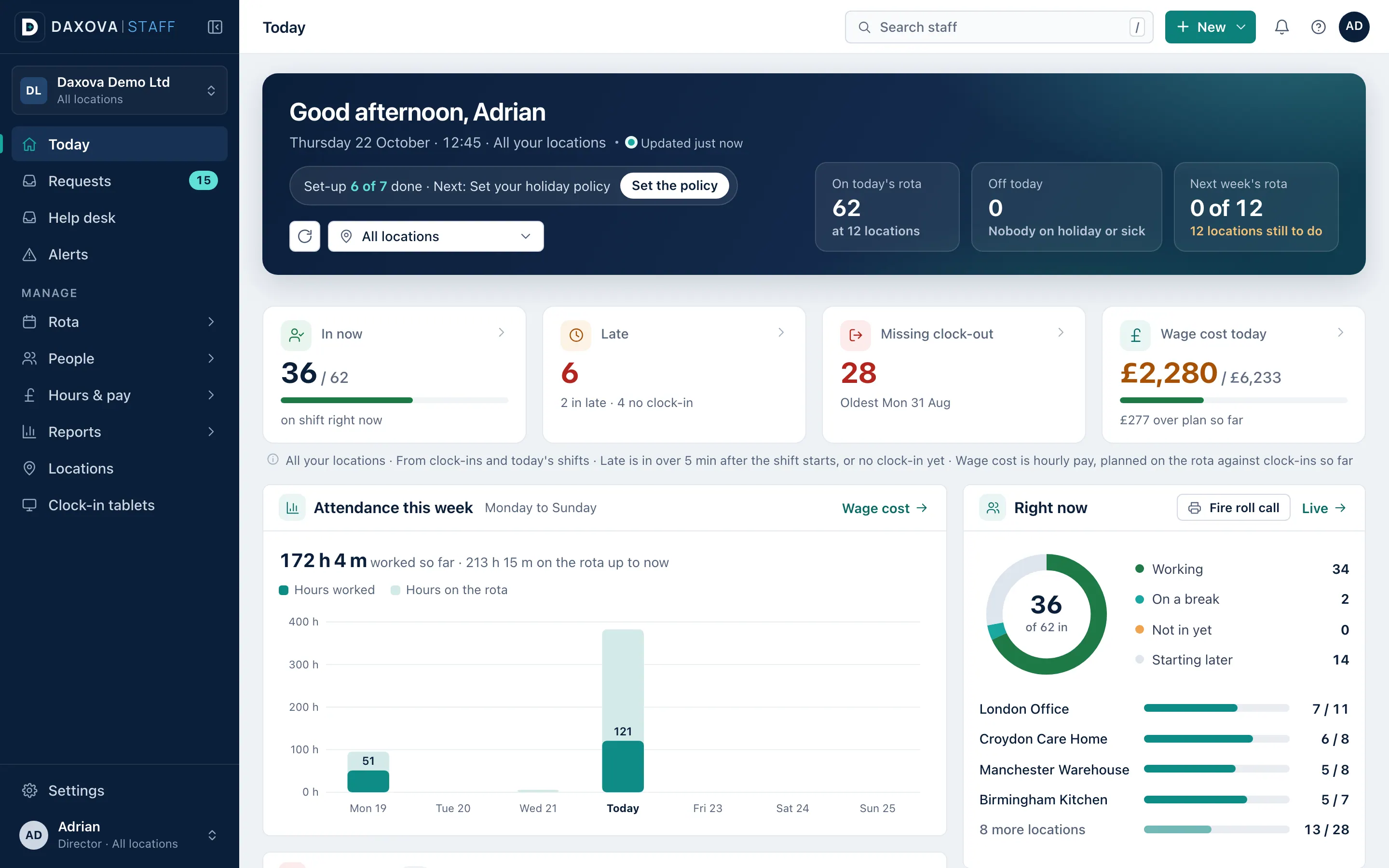
- Open the shift
Press Complete on Today, or go to Hours & pay, then Edit clock-ins. Its tabs are To complete, All edits for the last 60 days, and Find a day.
- Put in the right times
Clock in, clock out and the minutes of break, in UK time. A clock-out before the clock-in counts as the next morning.
- Give the reason and a note
Choose what happened and say who confirmed the time, for example left after closing at 17:05. Then save. The original clock-in is kept beside your change.
Somebody worked but has no clock-in at all? Press Add a clock-in on Edit clock-ins. That one goes to the Director for approval in Requests before the hours go into pay.
Questions
Who approves a fix that staff ask for in the app?
The Director, or someone the Director has given a dated delegation. A location manager or HR can complete a missing clock-out or correct a time directly on Edit clock-ins instead.
Is the original clock-in changed?
No. The original clock-in is never lost. A fix is added beside it, and every change is kept with who made it, when and why.
Can someone fix their own clock-in?
No. Staff ask and someone else decides. A manager asks another manager, HR or the Director. A Director's change to their own shift is recorded as such and HR is told.
Is the staff member told about a manager's direct fix?
Not with a message. They see the shift marked Corrected in the Hours tab of their app, with both times.
Does a fix wait until payroll?
No. A shift with a fix waiting is paid on the rota hours meanwhile. A fix to a pay period that is already locked is carried into the next open pay period as an adjustment.