
Find the request
Go to People, then Holidays, and open the Requests tab. Requests waiting for you are listed oldest first. Pick one and the decision opens beside the list. The Holidays tab in Requests leads to the same place.
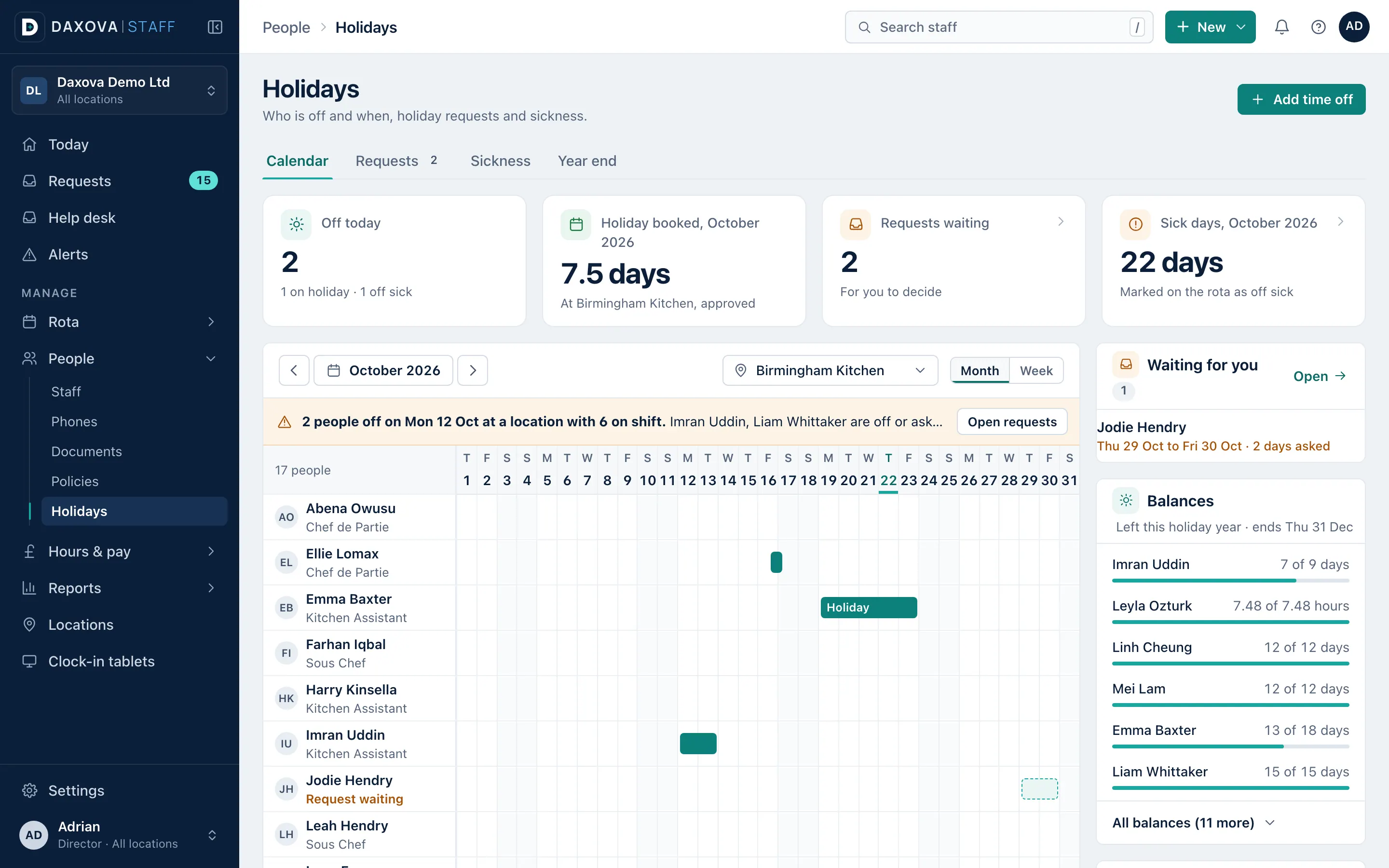
What to look at before you decide
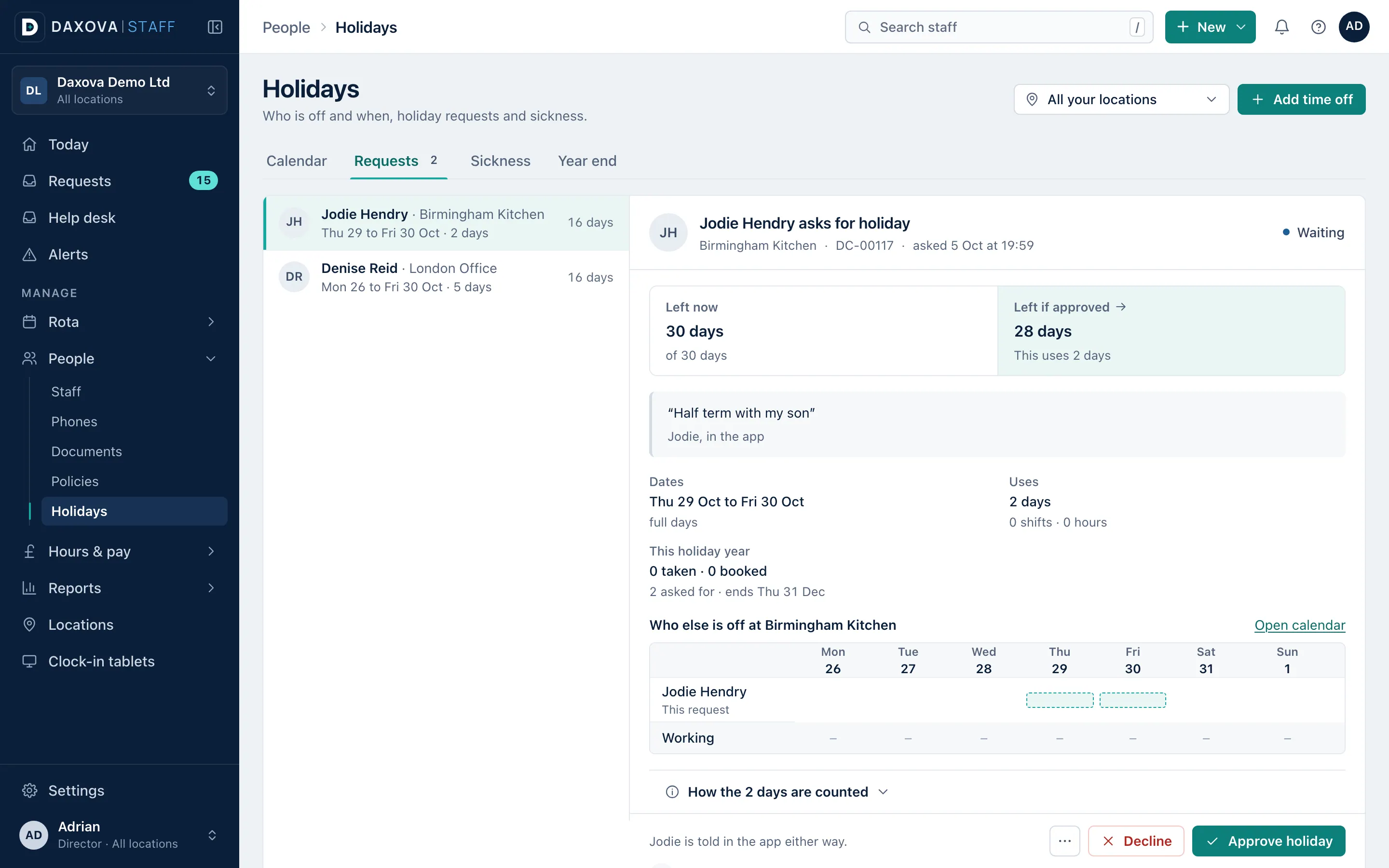
- Left now, and left if approved. If it would take them over their allowance, it says how many days short. You can still approve it.
- Their note, as they typed it in the app.
- The dates and the days it uses. A day counts when they have a shift that day. In a week with no shifts, Monday to Friday count and bank holidays do not. How the days are counted shows each day.
- Who else is off at the location those days, and how many are working. If approving takes the location over its limit of people off at once, it says so.
- Approve holiday or Decline. The person is told in the app either way.
Approve or decline
- Press Approve holiday. To add a word to them, open the … menu and choose Approve with a message.
- Over their allowance or the location's limit? Confirm with Approve anyway. Your choice is kept with the booking.
- Their shifts on those days are marked as off, so you can see where cover is needed.
- Press Decline.
- Write a message to say why. It is needed, and they see it in the app.
- Press Decline holiday. The message is kept with your name.
The next waiting request opens straight after, so a pile of requests takes a minute. Decided requests stay listed under Decided in the last 7 days.
How staff ask
In the app they open Requests, press New request and choose Book holiday. They pick the first and last day, or a morning or afternoon off, and the app counts the days as they go.
- They can ask from today up to 18 months ahead, for up to 31 days in one go, inside one holiday year.
- Days they already asked for, or were off sick, are refused straight away.
- Their manager gets a message in the app as soon as they ask.
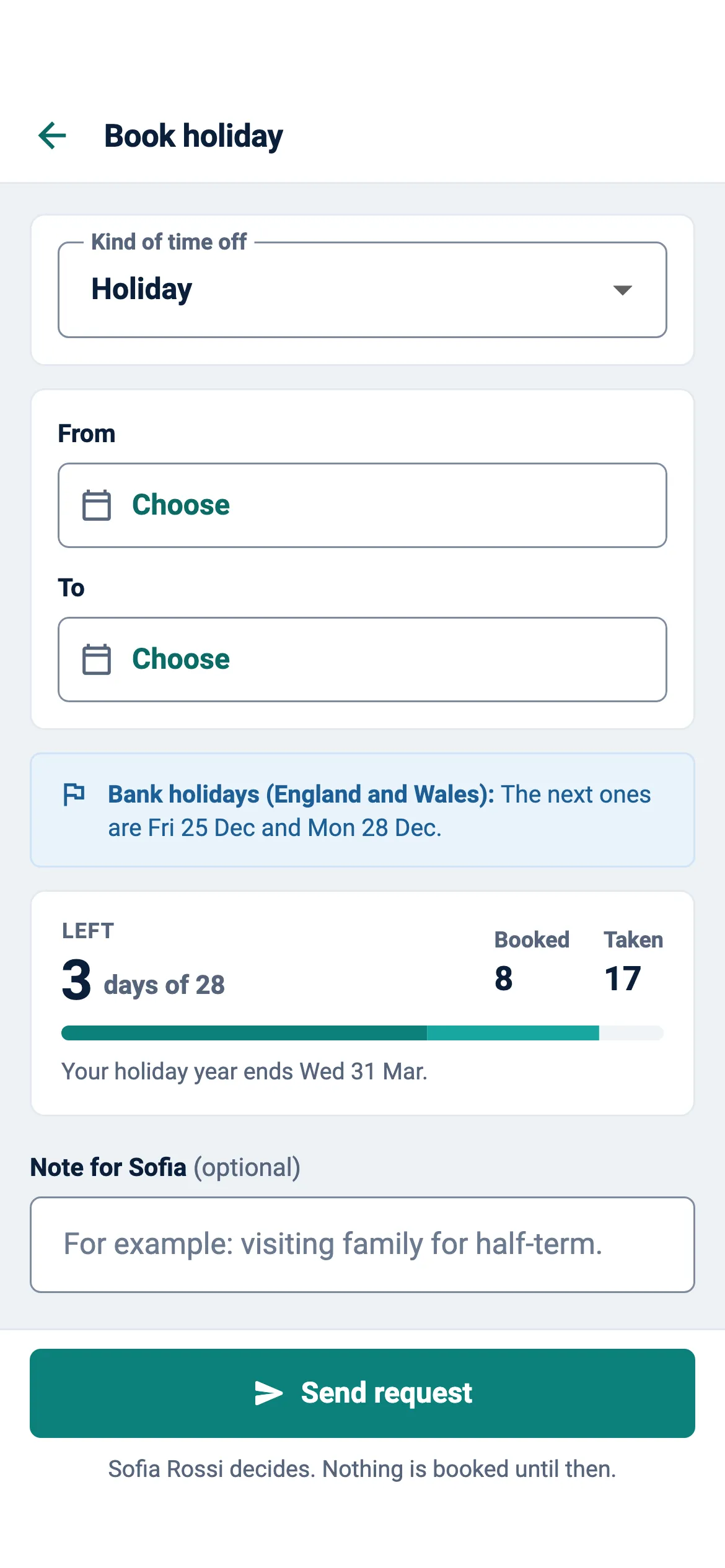
Book holiday for someone
On the Holidays page, press Add time off. Choose the person, holiday or sickness, the first and last day and any half day, then press Add holiday. It is approved straight away and they are told in the app. You can add time off up to 90 days back, but never for yourself.
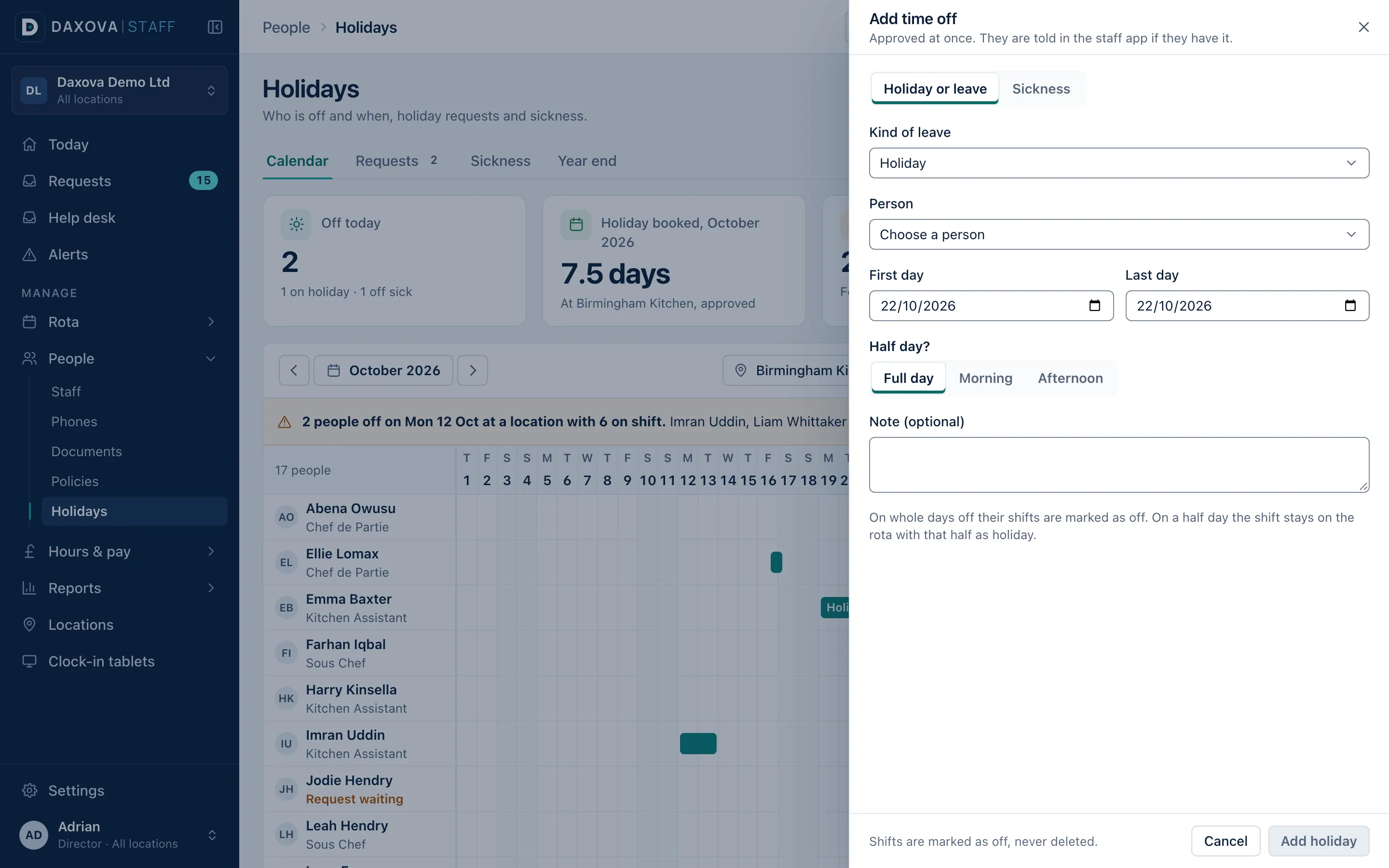
Staff whose holiday is in hours
Staff on irregular-hours or part-year contracted hours have no days-a-year allowance. Their holiday builds up at 12.07% of the hours they work, and every figure is shown in hours: on their staff record, on the Holidays page and in their app.
- It builds up as each pay period is locked, from the hours worked in it, clock-in fixes made later included.
- Weeks off sick or on maternity, paternity, adoption, shared parental or other family leave build it too, at their average week.
- A request uses the hours of the shifts it covers, and on a day with no shift a fifth of their contracted week, if they have one. A request that would use no hours is refused: put the shifts on the rota first.
- HR or the Director sets any hours carried over on the staff record. More than 268.8 hours (5.6 weeks) needs a reason, such as holiday not paid, no fair chance to take it, or sickness or family leave.
Questions
Can I approve holiday that takes someone over their allowance?
Yes. Daxova warns you and asks you to confirm, and your choice is kept with the booking.
Is the person told if I decline?
Yes, in the app, with the message you write. A decline always needs a message.
Does Daxova email the decision?
No. Holiday decisions are told in the app only. If someone has no app, tell them yourself.
Where is their allowance set?
On their staff record, in the Holiday allowance card. HR or the Director sets the days for the year and any days carried over, in half days.
What happens to their shifts?
Approved holiday marks the shifts on those days as off, so you can see where you need cover. Shifts are never deleted.
Why does someone's holiday show in hours?
Staff on irregular-hours or part-year contracted hours build up holiday at 12.07% of the hours they work, so it is counted in hours. A request uses the hours of the shifts it covers.