Free trial
Sign up in 2 minutes. Clock in the same day.
Here is everything that happens between the sign-up form and your team’s first clock-ins, and what is free along the way.
Opens the sign-up page at staff.daxova.co.uk. It shows your price and trial before anything is set up. Rather talk first? Email sales@daxova.co.uk.
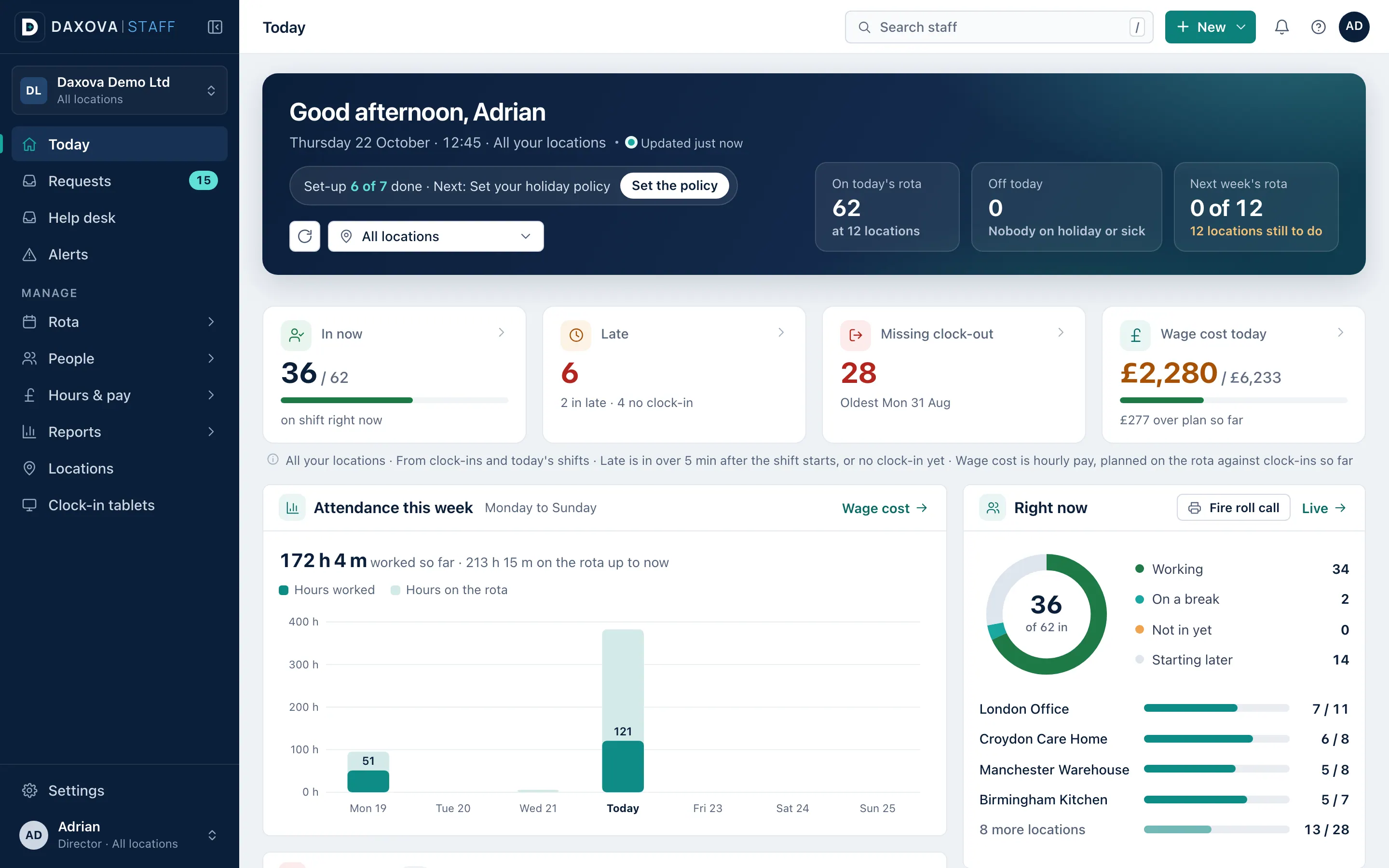
- 30 daysfree, or 60 days while Founding 50 places last
- No cardnothing to enter, so nothing can be charged
- PayrollUK payroll is free during your trial
- No contractafter the trial, carry on monthly or stop
From the form to your first week
What happens after you press Start free trial.
Four stages and eight short steps, all online. Only your work email is needed to start; the rest can wait until you are in.
- 1
Sign up
A few minutes
- 2
Confirm your email
From your inbox
- 3
Set up
The same day
- 4
Your team joins
This week
Steps 1 to 3 · a few minutes
Sign up. None of it asks for a card.
- 1
Fill in the form (about 2 minutes)
Your name, your work email, your business name and how many staff you have. You tick to accept the Terms of Service and the Data Processing Agreement for your business. The sign-up page shows your price and trial before you create your company.
- 2
Confirm your email
Open the link we email you. It works once, for 24 hours. Not there? Look in your junk folder.
- 3
Create your company
See your price and the last day of your trial, then press Create my company. Choose a password and turn on two-factor with the authenticator app on your phone: every office user signs in with two-factor.
Have ready: your work email, and an authenticator app on your own phone. Your Today page then shows what is left to set up, with a link to book a set-up call if you would like a hand.
Start your free trial
An outline of the sign-up page. Nothing is set up until you press Create my company.
Steps 4 to 6 · the same day
Your locations, your staff, then a screen by the door.
Your clock-in tablet can be live the same day.
- 1
Add your locations
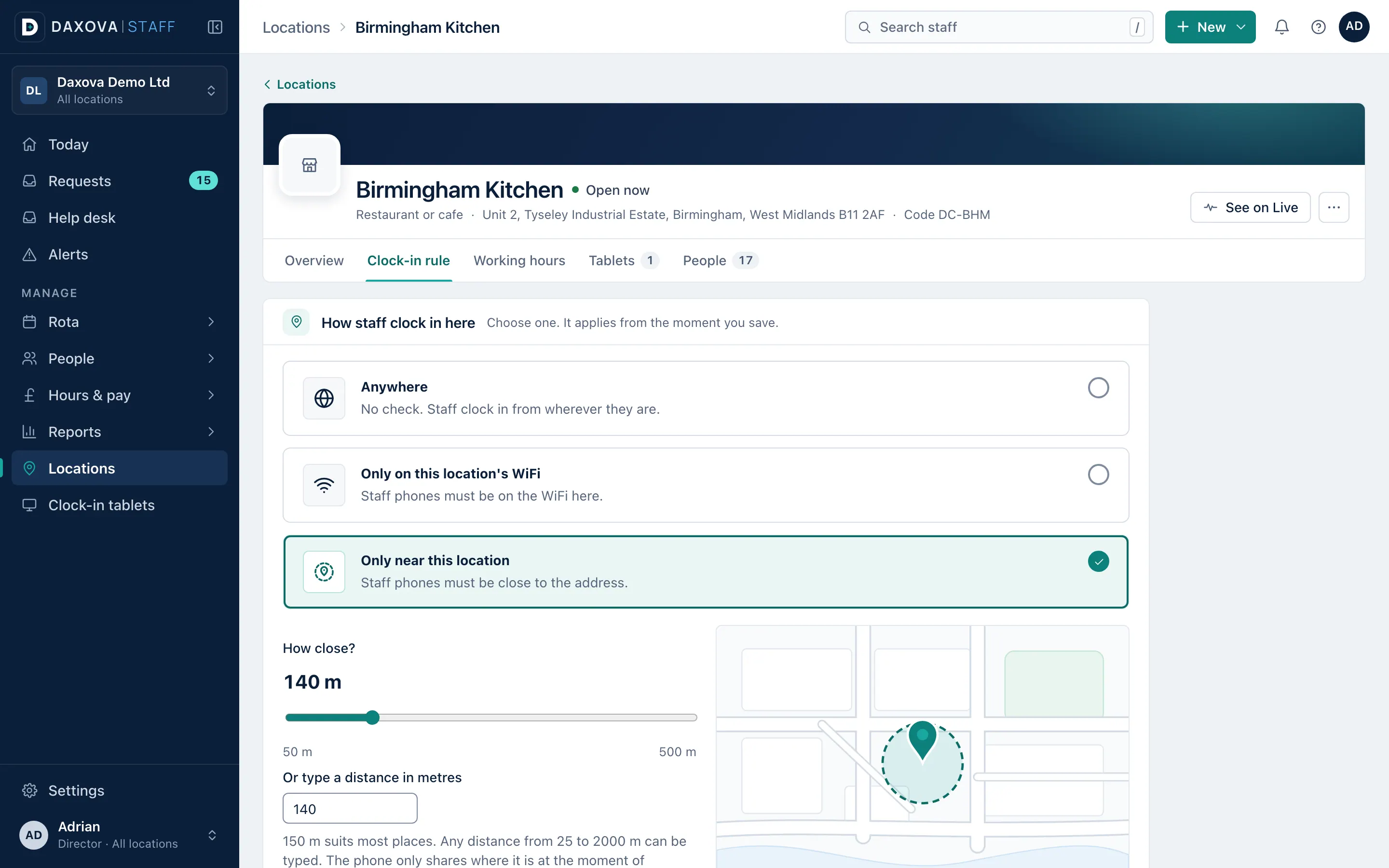
For each location: its name and address, its opening hours, and how staff phones may clock in there: anywhere, only on the location’s WiFi, or only near the address. The rule checks phones; a clock-in tablet at the location still works.
- 2
Add your staff
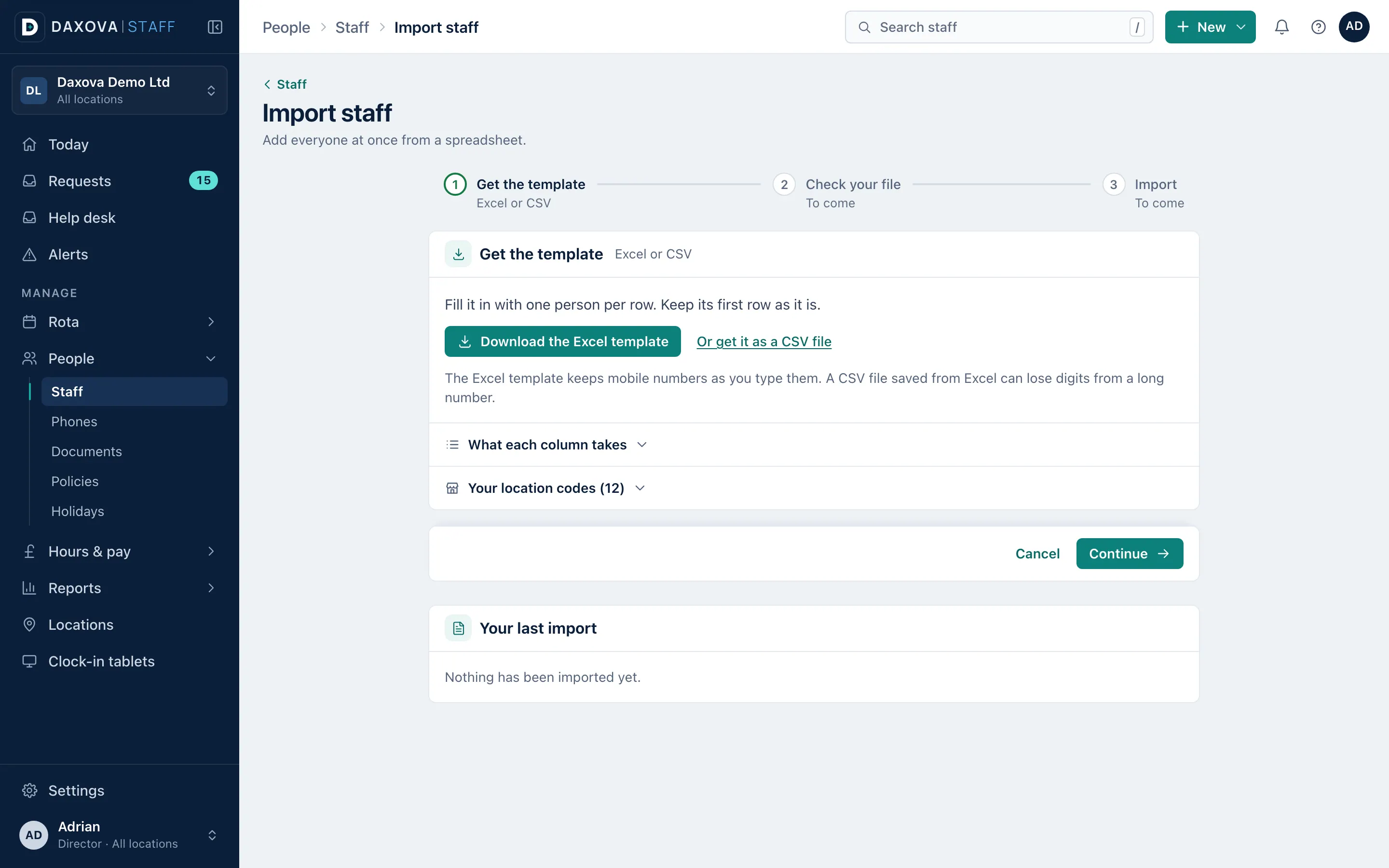
First name, surname and the location each person works at. Add them one by one, or import the spreadsheet you already keep.
- 3
Put a tablet where staff come in
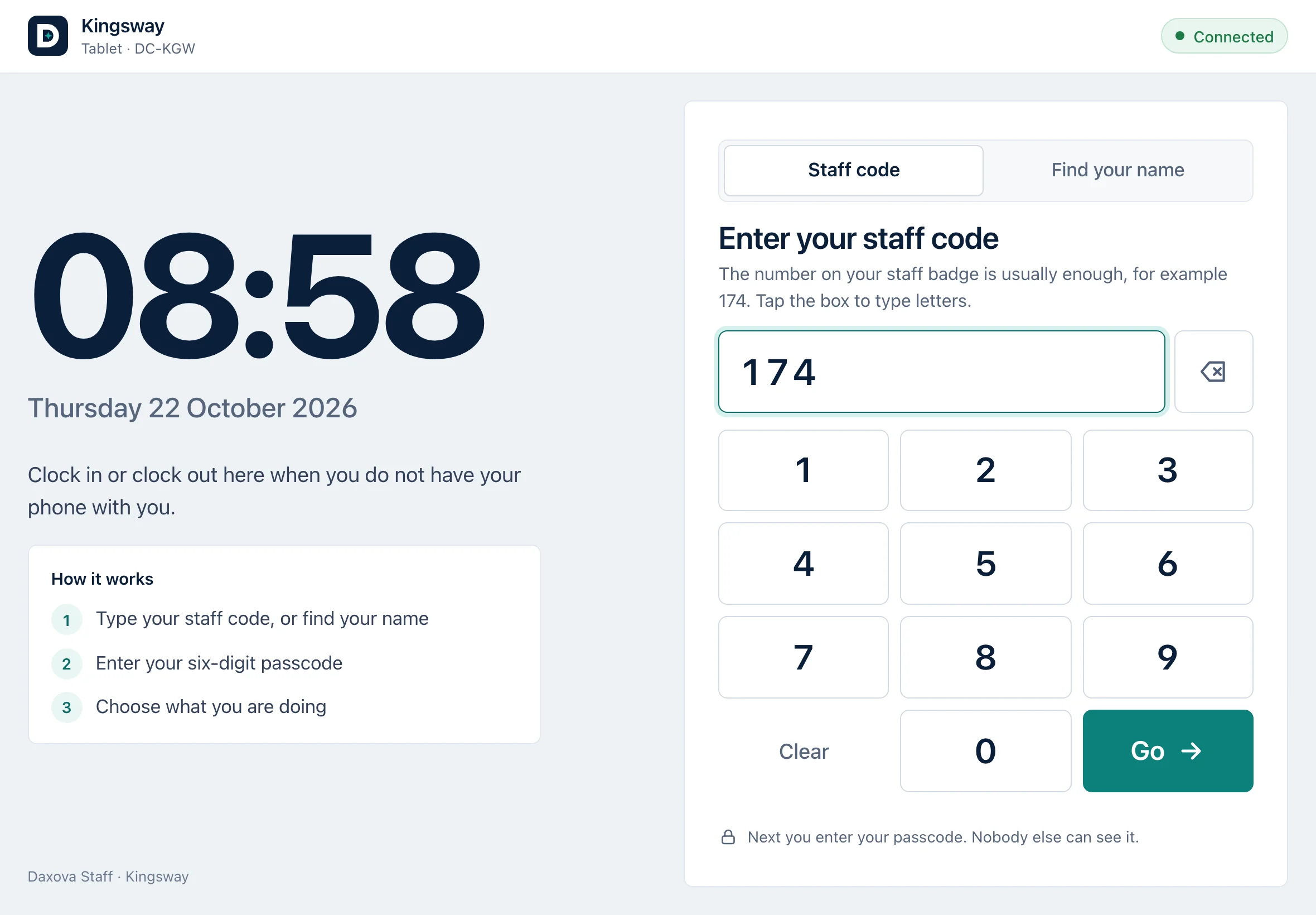
Any tablet or screen with a web browser becomes the clock-in tablet. Make a pairing link, open it once in the tablet’s browser and leave it full screen by the door.
Steps 7 and 8 · this week
Your team joins, then clocks in.
Staff get a passcode or a code to join. Their first clock-ins are on the record straight away.
- 1
Staff join
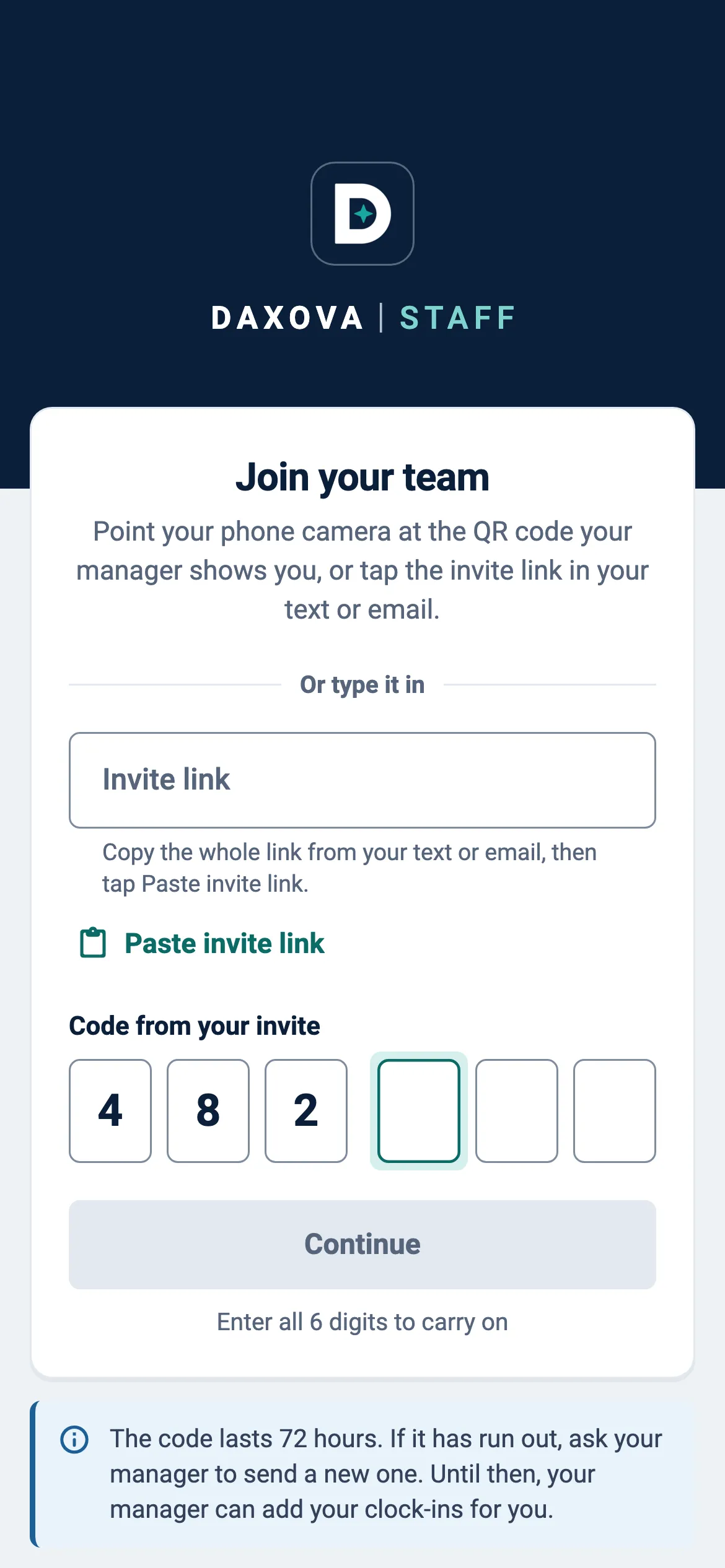
Staff without the app choose their passcode from a link, so your team can clock in from the first day. In the staff app, staff scan the QR code you show them, tap the invite link, or type the 6-digit code. The code lasts 72 hours.
- 2
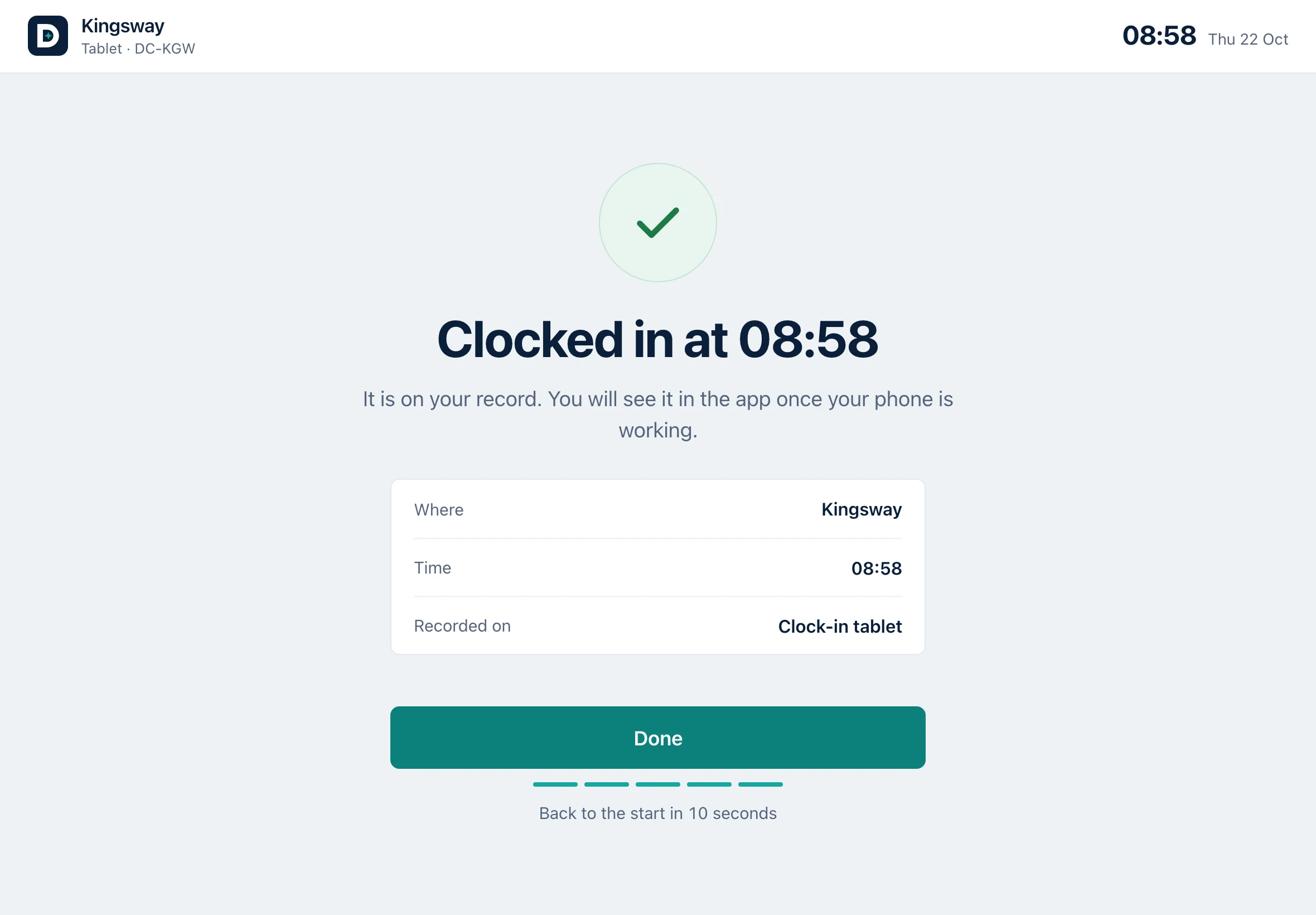
First clock-ins
At the tablet, staff type their staff code or find their name, enter their six-digit passcode and choose what they are doing. Each clock-in goes straight onto their record. For the rest of your trial, use everything, payroll too, with your own locations and staff.
Staff app status. The Android app is in testing, and the iPhone app is not in the App Store yet. Staff app help
Want every click written down? Read the getting-started guide for your first week.
What is free
Free while you try it. Nothing is charged automatically.
You never gave us a card, so there is nothing to charge. On the last day of your trial we simply ask whether you want to carry on.
| What | During your trial | If you carry on |
|---|---|---|
| Daxova Staff, every feature | Free for 30 days, or 60 days while Founding 50 places last | £2 per staff member a month, £12 minimum, or your Founding 50 price. No VAT charged. |
| UK payroll | Free during your trial | £1 per staff member on payroll a month, if you use it |
| Card details | None, nothing to enter | None. A monthly PDF invoice, paid by bank transfer within 14 days |
| Contract | None | None. Cancel any time with an email to billing@daxova.co.uk |
| If it isn’t right for you | Stop: we export your data for you and close the account | First paid month refunded |
Day 30, or day 60: we ask, would you like to carry on?
Yes: a monthly PDF invoice, paid by bank transfer within 14 days. No: we export your data, then close the account. Nothing to pay. No card on file at any point. Need longer to cover a full pay period? Ask us.
Founding 50: £1.50 a staff member, locked until 31 March 2030.
While places last, every company that starts online takes a Founding 50 place automatically: £1.50 per staff member a month (minimum £9) and a 60-day trial. The sign-up page shows the places left. No VAT charged. See the offer.
Daxova sends the FPS and EPS to HMRC when you choose, or your accountant can send them.
Questions
About your trial.
Do I need a card?
No, not for the trial and not afterwards. If you carry on, you get a monthly PDF invoice and pay it by bank transfer within 14 days.
How long is the trial?
30 days, or 60 days while Founding 50 places last. Every company that starts online takes a Founding 50 place while there are places left. The sign-up page shows your price and trial before you create your company.
What happens when my trial ends?
Nothing is charged automatically. We ask whether you want to carry on, and if you do, we send an invoice. If you don’t, we export your data for you and close the account.
How quickly can we start?
Today. The form takes about 2 minutes. Confirm your email from the link we send, create your company, set your password and two-factor, and add your staff. Your clock-in tablet can be live the same day.
Is payroll in the trial?
Yes, UK payroll is free during your trial. After it, payroll is £1 per staff member on payroll a month. Daxova sends the FPS and EPS to HMRC when you choose, or your accountant can send them.
Can my staff clock in during the trial?
Yes. The clock-in tablet works in any web browser today, and staff without the app choose their passcode from a link, so your team can clock in from the first day. The Android app is in testing, and the iPhone app is not in the App Store yet.
Can I talk to someone first?
Yes. Email sales@daxova.co.uk and our team replies within one working day. We can also help you set up, or give you longer to cover a full pay period.
Questions first? Email sales@daxova.co.uk (we answer within one working day), book a demo with our team or read the pricing questions.